Ecommerce product photography
Home / Ecommerce Product Photography
Ecommerce Product Photography Workflows for Store-Ready Images
Start from the product image job, then choose the right workflow: generate a complete product image set, place the product on a model, or create reference-style product images from campaign inspiration. This page is the ecommerce product photography hub for deciding where to go next.
Ecommerce product photography is the full image system behind online selling: main listing images, product detail images, product-on-model photos, lifestyle scenes, and campaign visuals. In KrafLayer, the best starting point depends on what the image must prove: product clarity, human context, or a specific commercial style.
Ecommerce workflows
Choose the product photo workflow by what the image needs to prove
Use this page as the routing layer: product image sets for gallery coverage, product-on-model photos for human context, and reference-style product images for campaign direction.
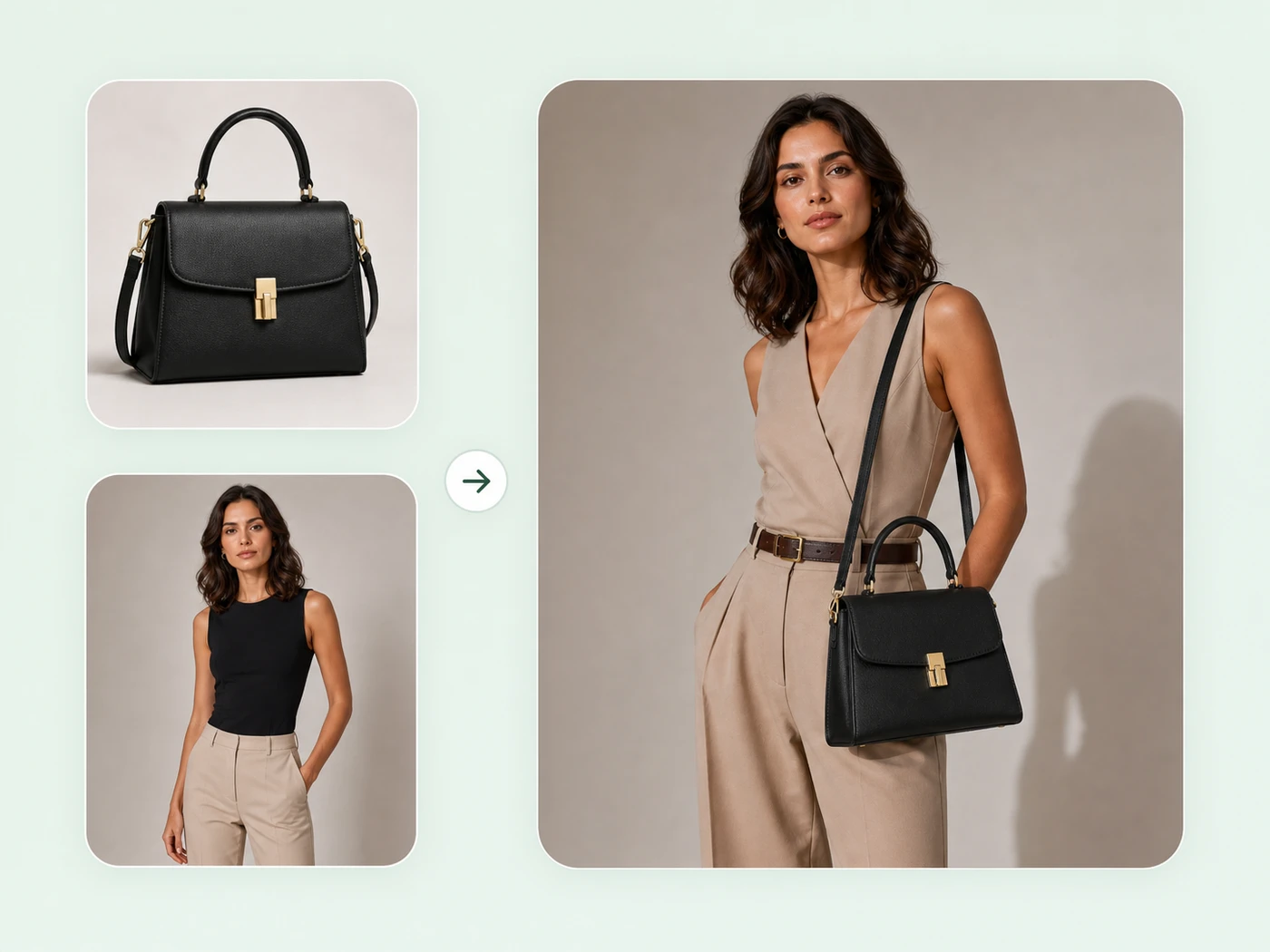
Product-on-model photos
Create AI product photography with model context, lifestyle framing, believable scale, and product-on-model scenes from product references.
Create product-on-model photos →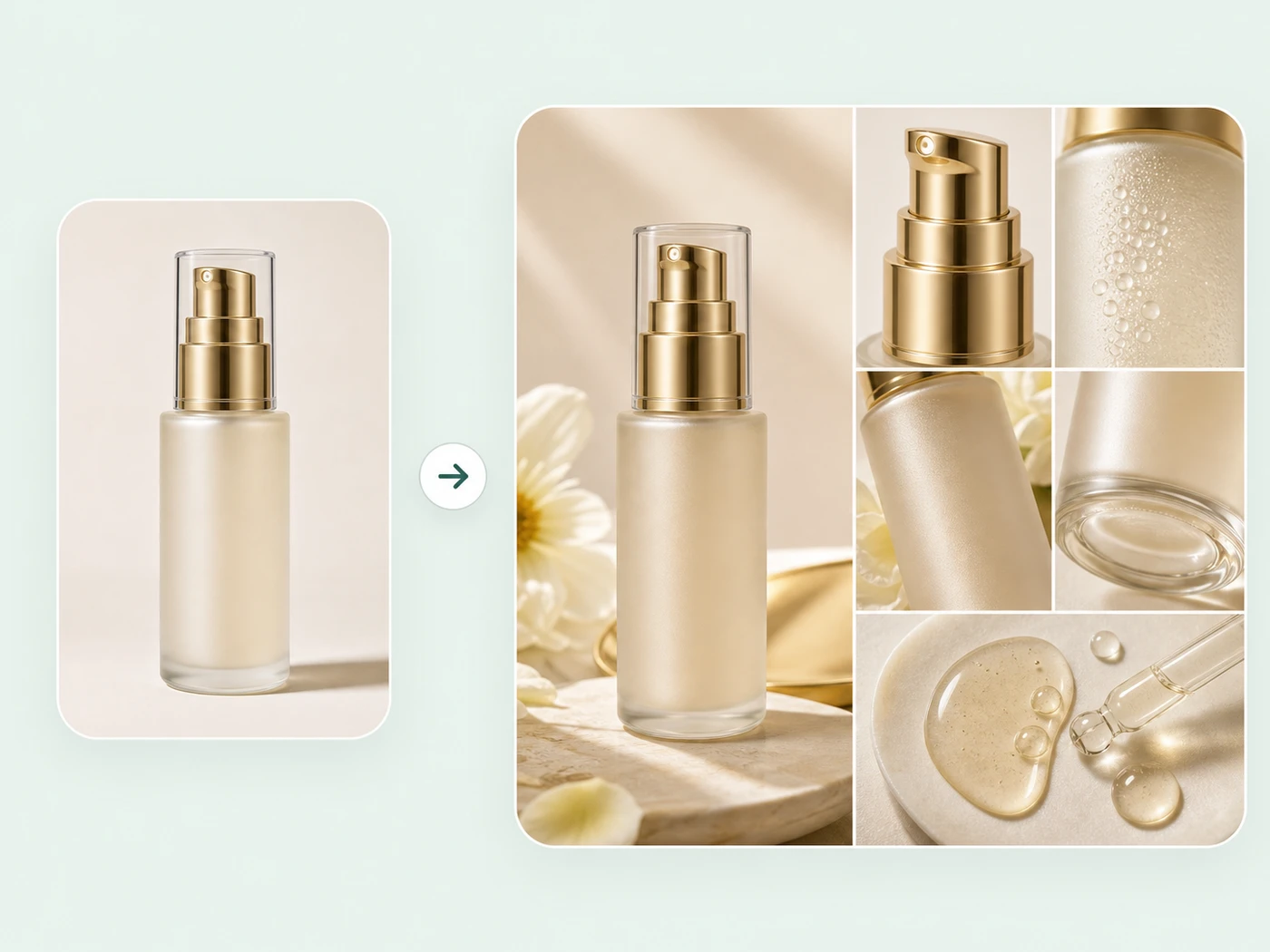
Product image sets
Generate product image sets for listing images, main images, detail-page assets, and ecommerce product visuals from product references.
Generate product image sets →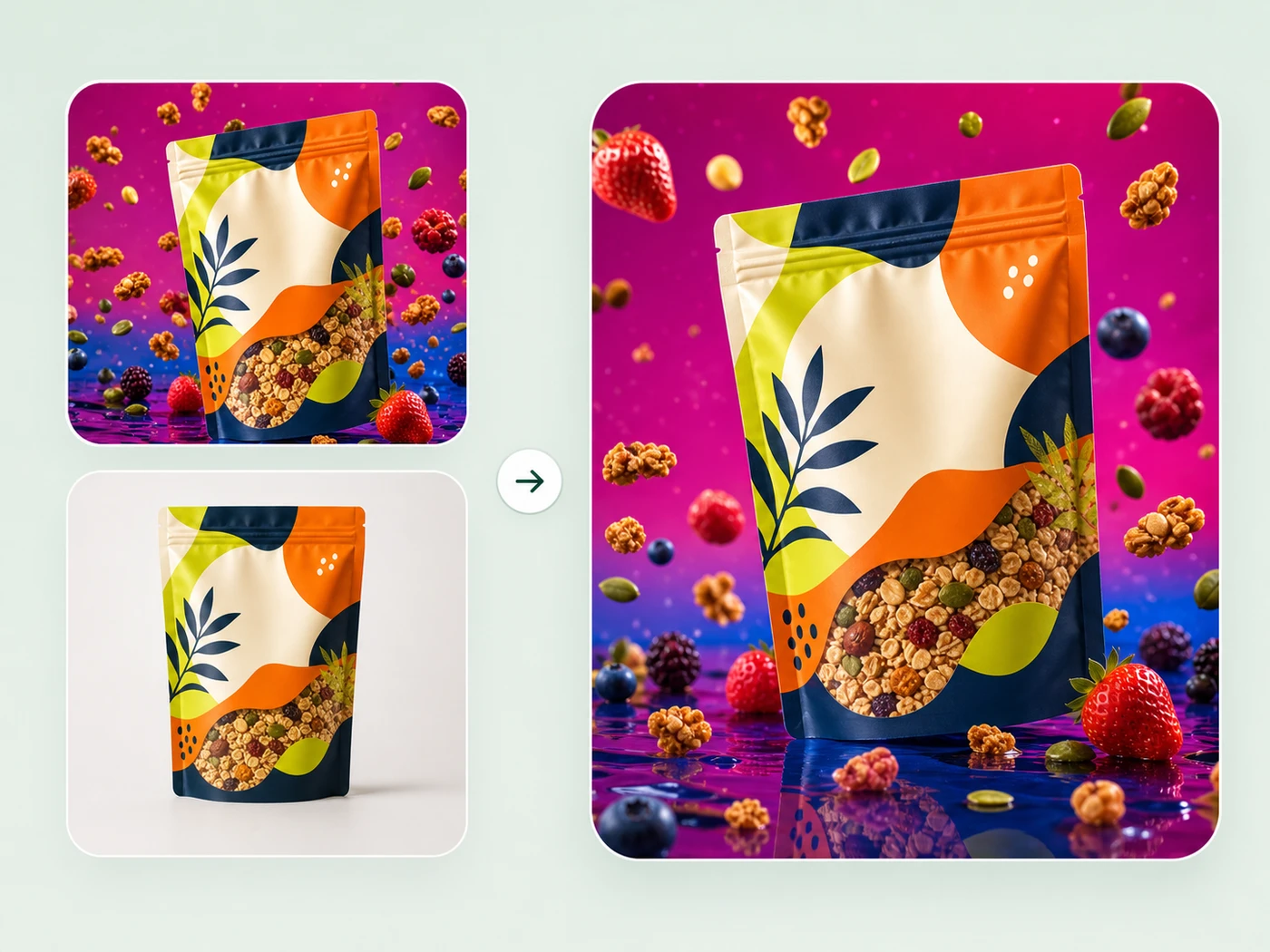
Reference-style product images
Create reference-style ecommerce product images from competitor, brand, or campaign visuals while preserving your own product identity.
Create reference-style product images →
How to choose
Ecommerce product photography is not one image type
A useful product photo system separates gallery coverage, human context, campaign style, and source-image cleanup. Choose the page that matches the shopper question you need to answer.
- Choose by the image job
- Use this hub when you know you need better ecommerce product photos but the next step is unclear. Product image sets are best for listing and detail assets, product-on-model photos are best when a shopper needs human scale or wearing context, and reference-style product images are best when a campaign or competitor image defines the visual direction.
- Keep product identity visible
- Every workflow should protect the SKU: shape, label, logo, material, color, scale, and feature details. Backgrounds, models, props, and style references should support the product rather than turn it into a different item.
- Match intent to page type
- A marketplace main image, Shopify PDP gallery, Etsy thumbnail, product detail panel, and ad creative each need different composition. The workflow cards below route you to the page that matches the output type.
- Use editing before generation when needed
- If the source image has clutter, low resolution, dust, damaged edges, wrong color, or a weak background, fix it with Product Photo Editor first. Cleaner references make AI product image generation more reliable.
- Build a connected SEO structure
- This hub targets the broader ecommerce product photography intent, while the child pages target more specific searches: AI product image generator, AI product photography for product-on-model photos, and reference-style ecommerce product images.
Related pages
- Product image sets
Generate main listing images, detail images, and complete ecommerce product image sets. - Product-on-model photos
Create AI product photography where a model wears, holds, or presents the product. - Reference-style product images
Use competitor, brand, or campaign references to guide new ecommerce product images. - Product Photo Editor
Clean, repair, upscale, and locally edit source product photos before generating. - Marketplace product images
Prepare channel-specific image directions for Amazon, Shopify, Etsy, Walmart, and WooCommerce. - Product categories
Choose product-specific image directions for beauty, jewelry, fashion, furniture, food, tech, and more.
FAQ
What is ecommerce product photography?
Ecommerce product photography is product imagery created for online selling. It includes listing photos, white-background images, lifestyle scenes, detail shots, scale references, and ad-ready visuals that help shoppers understand and compare products.
Can AI replace a product photography studio?
AI can replace some repeat studio tasks such as background variants, listing image sets, lifestyle scene tests, and product cleanup. It should still be reviewed for product accuracy, label readability, scale, color, and marketplace requirements before publishing.
Which KrafLayer workflow should I start with?
Start with Product image sets when you need listing and detail images, Product-on-model photos when a model or human context matters, Reference-style product images when a campaign image should guide the look, and Product Photo Editor when the source photo needs cleanup before generation.
Can one product image work for Amazon, Shopify, and Etsy?
The same product reference can feed multiple KrafLayer workflows, but each channel needs different image decisions. Amazon tends to need stricter clarity, Shopify can carry more brand mood, and Etsy often benefits from tactile handmade context.