AI product category
Home / AI Baby Products
AI Baby Product Photography
Generate soft, bright visuals for wooden toys, bottles, bibs, blankets, and strollers. Use your product photo as the reference and review every safety-relevant detail before publishing.
Examples
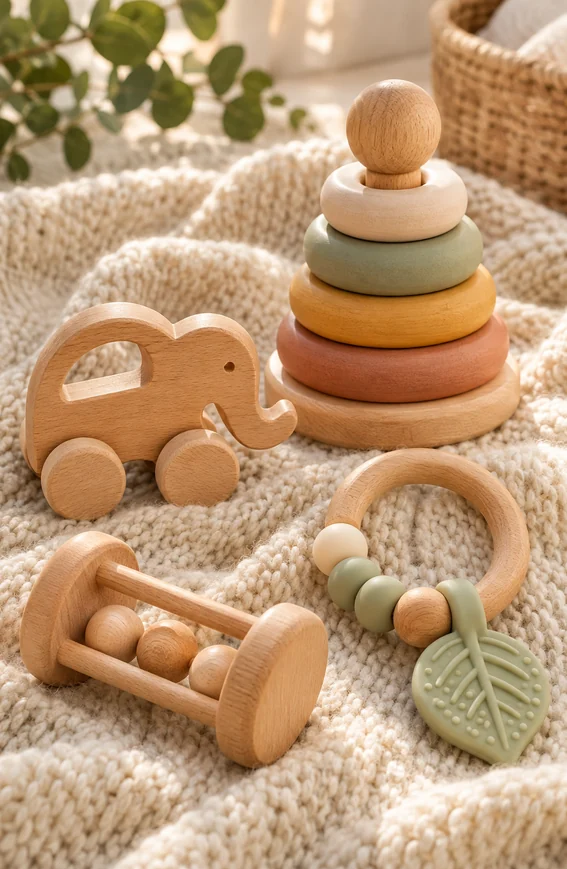
Wooden Toy Set
Wooden baby toys and a teething ring on a knitted blanket in soft window light.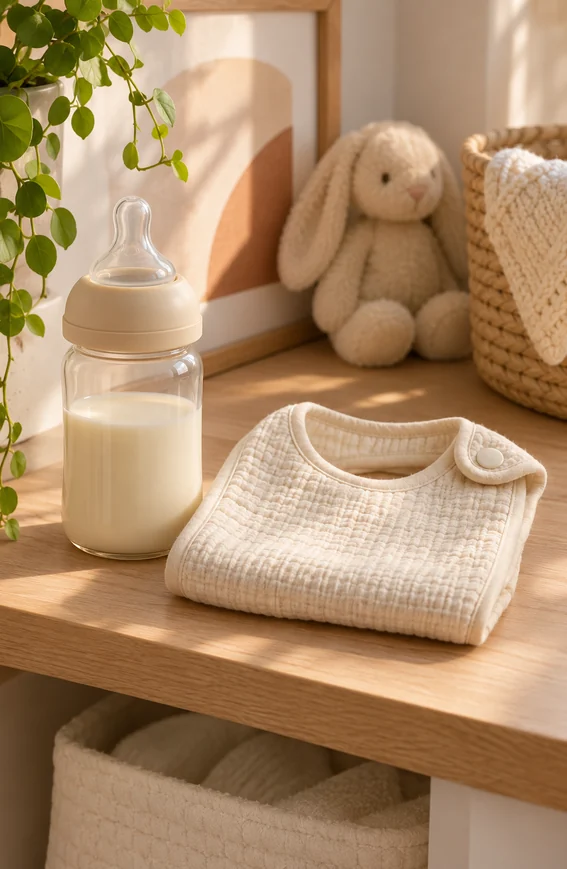
Bottle and Bib
Baby bottle and folded cotton bib on a nursery shelf with neutral styling.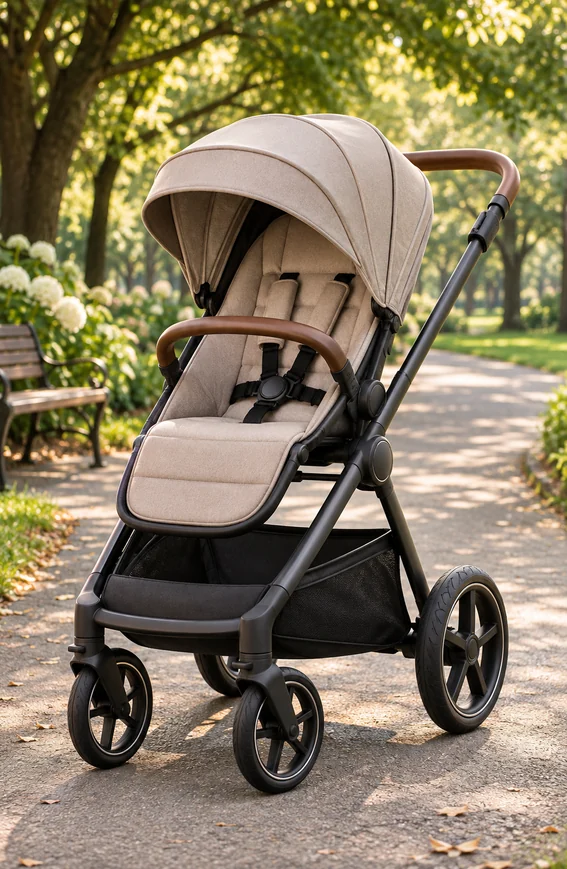
Stroller Outdoors
Modern stroller on a tree-lined park path as an outdoor lifestyle image.
Key features
- Create listing images for toys, bottles, bibs, blankets, clothing, and nursery items.
- Generate nursery, bedroom, and outdoor scenes with soft natural light.
- Show material and finish in close detail shots.
- Keep product colors gentle and accurate against the reference.
- Build a consistent look across a product range or bundle.
- Clean backgrounds and adjust crops with the edit tools.
Workflow
- Upload a photo of the baby product or describe it.
- Choose a clean listing image, a nursery scene, or an outdoor scene.
- Generate variations and compare parts, colors, and proportions with the real product.
- Check safety-relevant details, then refine with the edit tools.
FAQ
Can AI generate product photos for baby products?
Yes. KrafLayer can create listing images, nursery scenes, and detail shots for toys, bottles, textiles, and gear. Start from a product photo so the shape, color, and parts match the item you sell.
What should I check before publishing baby product images?
Check everything a buyer could treat as a product fact: the number and size of parts, straps, buckles and harnesses, age markings, and how the product is shown in use. A generated image must not show a feature the product does not have or an unsafe way of using it.
Can I generate images with a baby in them?
KrafLayer is aimed at product-focused images, and this page's examples show products without people. For images of a child using a product, a real photo with proper consent is the safer choice, both for accuracy and for marketplace and advertising rules.
Related product categories and use cases
Use these pages to compare nearby product types, marketplace requirements, and channel-specific image needs.
Product categories
- AI Beauty: Create AI beauty product photos for skincare, cosmetics, fragrance, bath sets, and campaign visuals with ecommerce-ready lighting and composition.
- AI Consumer Packaged Goods: Generate AI product images for packaged goods, drinks, snacks, supplements, and retail campaigns with bold ecommerce-ready visuals.
- AI Jewelry: Generate AI jewelry model photos and product shots: earrings, necklaces and rings on a model, macro detail images, and clean studio photos for ecommerce listings.
- AI Fashion Models: Create AI fashion model photos for apparel, accessories, sunglasses, scarves, lifestyle campaigns, and on-model ecommerce imagery.
- AI Furniture: Place furniture product photos into realistic room scenes with AI. Generate lifestyle images, background swaps, and catalog visuals with correct scale and shadows.
- AI Technology: Generate AI product images for electronics, gadgets, keyboards, headphones, devices, tech accessories, PDP details, and ecommerce ads.
- AI Handbags: Create product photos for handbags using AI. Explore studio, lifestyle, and detail image ideas for ecommerce product listings.
- AI Food: Create AI food product images for drinks, snacks, packaged food, meal kits, ingredient ads, and ecommerce campaigns.
- AI Footwear: Create AI footwear product photos for sneakers, running shoes, detail images, on-model looks, lifestyle scenes, and ecommerce listings.
- AI Pet Products: Create AI pet product photos for collars, leashes, pet food, beds, and toys: clean listing images, home lifestyle scenes, and detail shots for ecommerce.
- AI Sports and Fitness: Create AI product photos for sports and fitness gear: yoga mats, dumbbells, bottles, and backpacks in studio, gym, and outdoor scenes for ecommerce.
- AI Home Decor: Create AI home decor product photos for vases, candles, wall art, and textiles: styled room scenes, clean listing images, and detail shots for ecommerce.
- AI Kitchenware: Create AI kitchenware product photos for cookware, knives, and storage jars: kitchen scenes, clean listing images, and detail shots for ecommerce.
- AI Eyewear: Create AI eyewear product photos for sunglasses and optical frames: clean listing images, styled flat lays, and lifestyle scenes for ecommerce.
Use cases
- AI Product Photos for Amazon: Use KrafLayer to prepare Amazon product photos with AI. Follow a listing image requirements checklist, clean backgrounds, upscale, and create detail images.
- AI Product Images for Shopify: Learn Shopify product image size guidance and create AI product images for product pages, collections, lifestyle scenes, and campaigns.
- AI Product Photos for Etsy: Learn Etsy product photo size guidance and create AI photos for handmade goods, jewelry, gifts, home decor, listing thumbnails, and detail shots.
- AI Product Photos for Walmart Marketplace: Create Walmart Marketplace product photos with AI for clean listing images, retail packs, lifestyle visuals, and product detail assets.
- AI Product Images for WooCommerce: Create WooCommerce product images with AI for WordPress stores, product pages, category visuals, listing sets, and campaign assets.
- AI Product Photos for eBay: Prepare eBay listing photos that follow eBay's picture policy: at least 500 px on the longest side, no borders, added text, or watermarks. Clean backgrounds with AI.
- AI Product Images for Google Shopping: Prepare Google Merchant Center product images: no promotional text, watermarks, or borders, product filling 75–90% of the frame, and clean backgrounds made with AI.
- AI Listing Photos for Poshmark: Make Poshmark listing photos that stand out: a clean Covershot on a white or simple background, up to 16 photos, and AI cleanup for cluttered backgrounds.
- AI Product Images for Instagram Shop: Create Instagram Shop and Meta catalog product images: JPEG or PNG, at least 500 x 500 px, up to 8 MB, plus lifestyle images made from one product photo with AI.
- AI Listing Photos for Mercari: Make Mercari listing photos that sell: a strong first photo on a plain background, up to 12 photos, flaws shown clearly, and AI cleanup for cluttered backgrounds.
Start creating
Start from a prompt or product reference, generate options, then refine the best result inside KrafLayer.