AI product category
Home / AI Kitchenware
AI Kitchenware Product Photography
Generate kitchen scenes and clean listing images for pots, pans, knives, boards, and storage. Start from your product photo so handles, lids, and finishes match the real set.
Examples
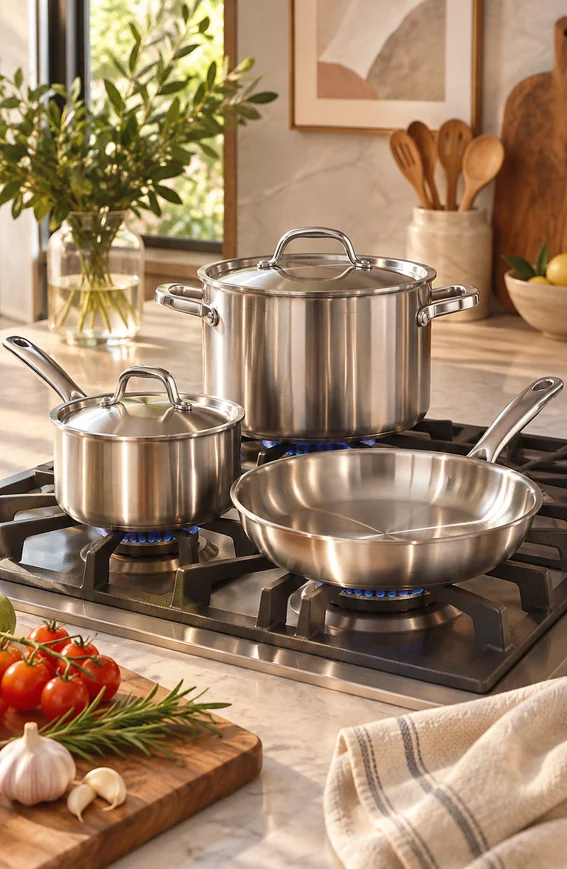
Cookware on the Stove
Stainless steel pots and a pan on a gas stove with fresh ingredients nearby.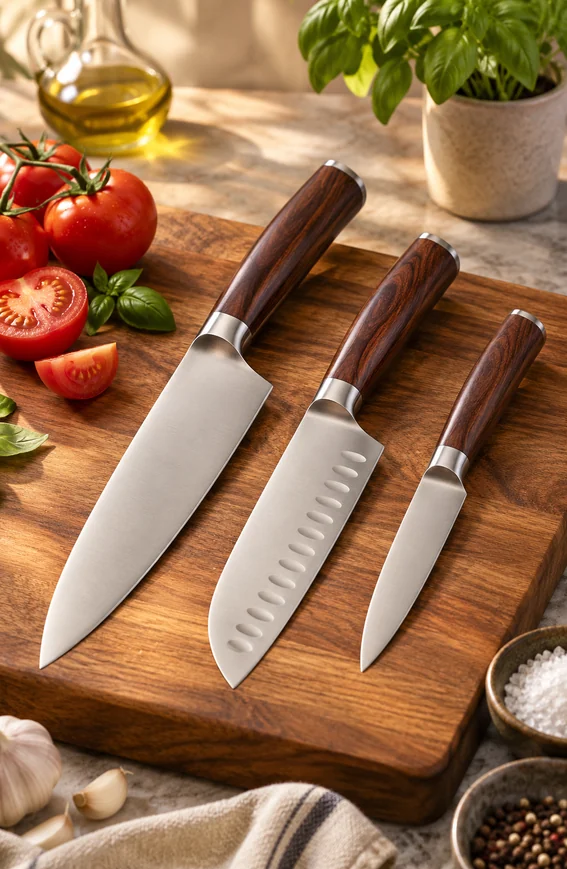
Knife Set
Three-piece knife set on a wooden cutting board with tomatoes and herbs.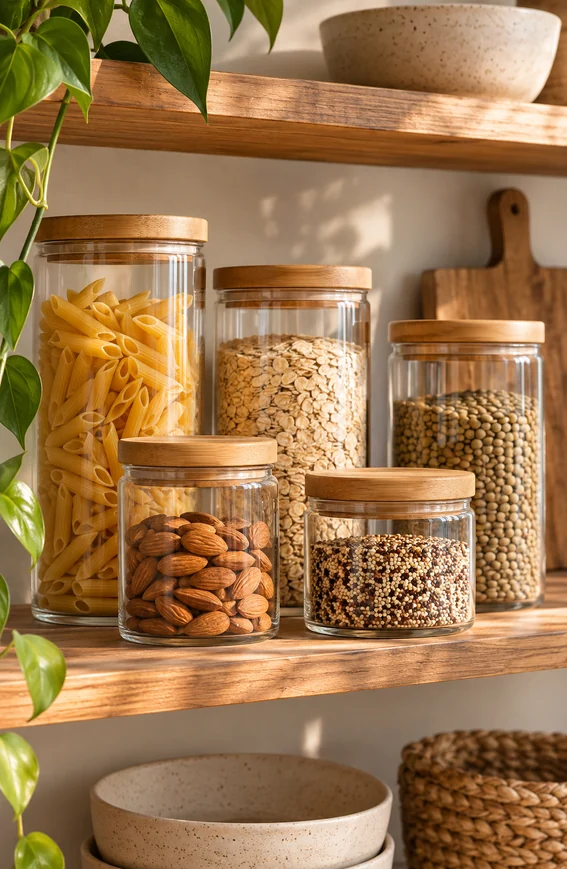
Storage Jars
Glass storage jars filled with dry goods on an open kitchen shelf.
Key features
- Create listing images for cookware, knives, utensils, boards, and storage.
- Place products in kitchen counter, stove, and shelf scenes.
- Generate detail shots for handles, rivets, blade edges, and lids.
- Show a full set and its individual pieces in a consistent style.
- Use food and ingredients as props without hiding the product.
- Clean reflections, backgrounds, and crops with the edit tools.
Workflow
- Upload a photo of the kitchenware or describe it.
- Choose a clean listing image, an in-kitchen scene, or a detail shot.
- Generate variations and compare piece count, handles, and finish with the real product.
- Refine reflections, background, or resolution with the edit tools.
FAQ
Can AI create product photos for cookware and kitchen tools?
Yes. KrafLayer can generate listing images, kitchen scenes, and detail shots for cookware, knives, utensils, and storage. A product reference photo helps keep handles, lids, and proportions close to the real item.
How does it handle stainless steel and glass?
Reflective and transparent surfaces are harder than matte ones. Look for reflections that show objects not in the scene, warped edges on lids and rims, and glass that loses its thickness. Regenerate or fix one area with Mask Edit when a reflection looks wrong.
Will a set show the right number of pieces?
Check the count. Generated images can add, drop, or duplicate pieces in a set. Name the exact number and type of pieces in the prompt, and compare the result with what is in the box before using it in a listing.
Related product categories and use cases
Use these pages to compare nearby product types, marketplace requirements, and channel-specific image needs.
Product categories
- AI Beauty: Create AI beauty product photos for skincare, cosmetics, fragrance, bath sets, and campaign visuals with ecommerce-ready lighting and composition.
- AI Consumer Packaged Goods: Generate AI product images for packaged goods, drinks, snacks, supplements, and retail campaigns with bold ecommerce-ready visuals.
- AI Jewelry: Generate AI jewelry model photos and product shots: earrings, necklaces and rings on a model, macro detail images, and clean studio photos for ecommerce listings.
- AI Fashion Models: Create AI fashion model photos for apparel, accessories, sunglasses, scarves, lifestyle campaigns, and on-model ecommerce imagery.
- AI Furniture: Place furniture product photos into realistic room scenes with AI. Generate lifestyle images, background swaps, and catalog visuals with correct scale and shadows.
- AI Technology: Generate AI product images for electronics, gadgets, keyboards, headphones, devices, tech accessories, PDP details, and ecommerce ads.
- AI Handbags: Create product photos for handbags using AI. Explore studio, lifestyle, and detail image ideas for ecommerce product listings.
- AI Food: Create AI food product images for drinks, snacks, packaged food, meal kits, ingredient ads, and ecommerce campaigns.
- AI Footwear: Create AI footwear product photos for sneakers, running shoes, detail images, on-model looks, lifestyle scenes, and ecommerce listings.
- AI Pet Products: Create AI pet product photos for collars, leashes, pet food, beds, and toys: clean listing images, home lifestyle scenes, and detail shots for ecommerce.
- AI Baby Products: Create AI baby product photos for toys, bottles, clothing, and strollers: soft nursery scenes, clean listing images, and detail shots for ecommerce.
- AI Sports and Fitness: Create AI product photos for sports and fitness gear: yoga mats, dumbbells, bottles, and backpacks in studio, gym, and outdoor scenes for ecommerce.
- AI Home Decor: Create AI home decor product photos for vases, candles, wall art, and textiles: styled room scenes, clean listing images, and detail shots for ecommerce.
- AI Eyewear: Create AI eyewear product photos for sunglasses and optical frames: clean listing images, styled flat lays, and lifestyle scenes for ecommerce.
Use cases
- AI Product Photos for Amazon: Use KrafLayer to prepare Amazon product photos with AI. Follow a listing image requirements checklist, clean backgrounds, upscale, and create detail images.
- AI Product Images for Shopify: Learn Shopify product image size guidance and create AI product images for product pages, collections, lifestyle scenes, and campaigns.
- AI Product Photos for Etsy: Learn Etsy product photo size guidance and create AI photos for handmade goods, jewelry, gifts, home decor, listing thumbnails, and detail shots.
- AI Product Photos for Walmart Marketplace: Create Walmart Marketplace product photos with AI for clean listing images, retail packs, lifestyle visuals, and product detail assets.
- AI Product Images for WooCommerce: Create WooCommerce product images with AI for WordPress stores, product pages, category visuals, listing sets, and campaign assets.
- AI Product Photos for eBay: Prepare eBay listing photos that follow eBay's picture policy: at least 500 px on the longest side, no borders, added text, or watermarks. Clean backgrounds with AI.
- AI Product Images for Google Shopping: Prepare Google Merchant Center product images: no promotional text, watermarks, or borders, product filling 75–90% of the frame, and clean backgrounds made with AI.
- AI Listing Photos for Poshmark: Make Poshmark listing photos that stand out: a clean Covershot on a white or simple background, up to 16 photos, and AI cleanup for cluttered backgrounds.
- AI Product Images for Instagram Shop: Create Instagram Shop and Meta catalog product images: JPEG or PNG, at least 500 x 500 px, up to 8 MB, plus lifestyle images made from one product photo with AI.
- AI Listing Photos for Mercari: Make Mercari listing photos that sell: a strong first photo on a plain background, up to 12 photos, flaws shown clearly, and AI cleanup for cluttered backgrounds.
Start creating
Start from a prompt or product reference, generate options, then refine the best result inside KrafLayer.