Ecommerce
How to Place Shoes and Boots into Outdoor Scenes with AI
TL;DR
A shoe and boot scene workflow: place footwear into outdoor contexts while preserving sole shape, material panels, tread, colorway, and realistic ground contact. Includes how to do it in KrafLayer.
TL;DR
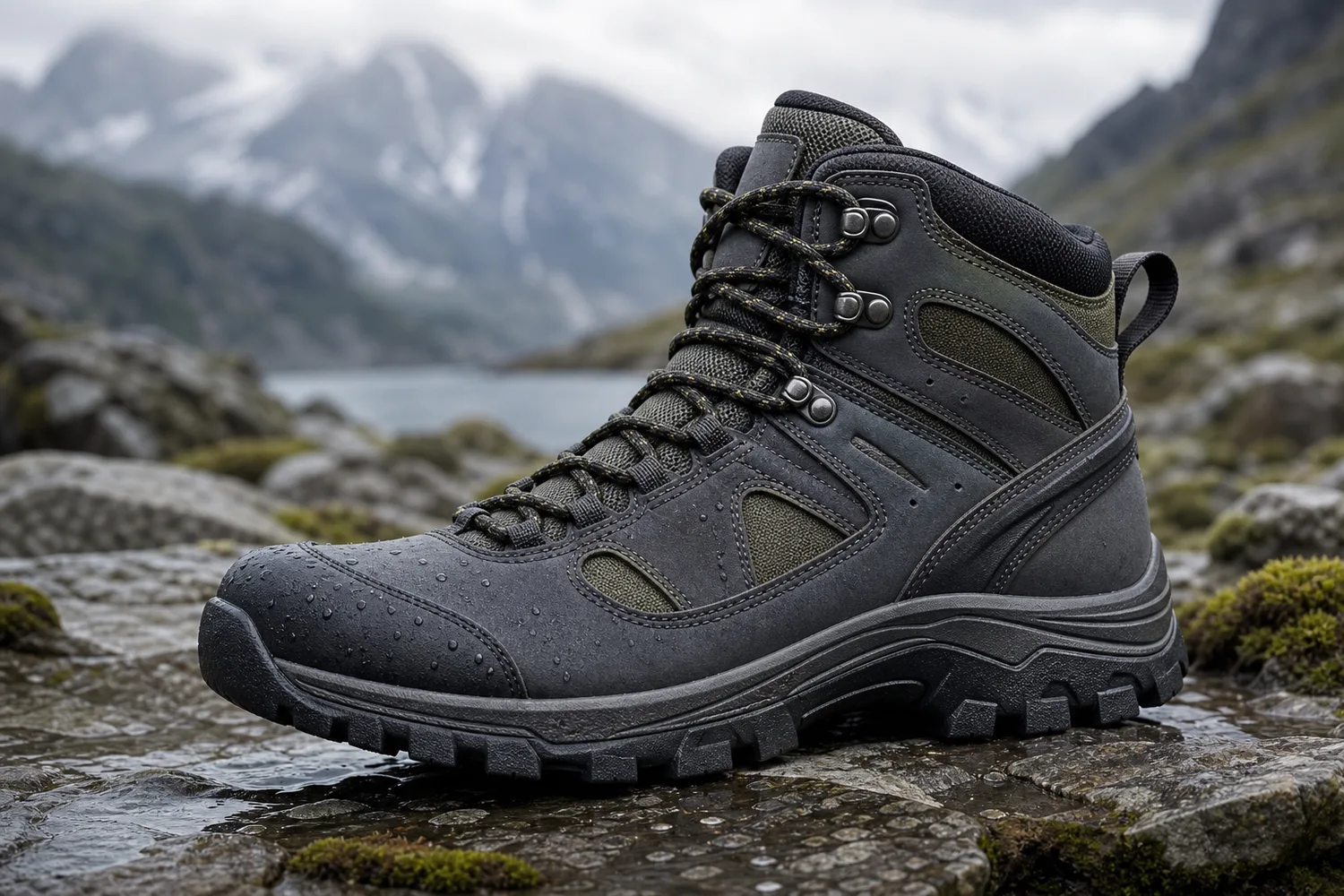
For Place Shoes and Boots into Outdoor Scenes, KrafLayer helps when the product is real but the surrounding scene needs work. Use Replace BG for a prompted or reference-based scene, or Scene Compose when product position and scale must match a base scene. Use the scene to support listing images, detail pages, or ad assets, then check that shoe shape, sole pattern, material, and contact shadow remain believable.
Outdoor shoe scenes help shoppers understand use context, but the footwear still has to be accurate. Mud, rocks, grass, pavement, or trail light should support the product, not hide the sole or change the silhouette.
What to preserve
Protect toe box, sole thickness, tread, heel shape, laces, panels, logo placement, material, colorway, and scale. Outdoor effects should not cover these details.
Workflow
1. Choose one context: trail, wet pavement, gym entrance, grass, snow, or urban street. 2. Match ground contact and shadow to the shoe. 3. Keep the shoe clean enough for ecommerce inspection unless dirt is part of the concept. 4. Preserve the true colorway under outdoor light. 5. Check sole and tread visibility.
Where KrafLayer Fits
When you apply this Place Shoes and Boots into Outdoor Scenes workflow in KrafLayer, the tool choice matters: use Replace BG for a prompted or reference-based scene, or Scene Compose when product position and scale must match a base scene. After generation, judge the image by the channel it serves — listing images, detail pages, or ad assets — and check that shoe shape, sole pattern, material, and contact shadow remain believable.
Prompt to use in KrafLayer
~~~text Use the uploaded shoe or boot as the exact reference. Place it into a realistic outdoor ecommerce scene for [trail/street/rain/snow/gym]. Preserve toe box, sole shape, tread, heel, laces, panels, logo placement, material, colorway, and scale. Match ground contact, shadow, and lighting naturally. Do not redesign the shoe, hide the sole, change color, add extra logos, or cover key details with mud or props. ~~~
FAQ
Should outdoor shoe images show dirt?
Only if the campaign needs it. Product pages usually need enough cleanliness to inspect material and tread.
Why does AI change the sole?
The sole is a complex edge. Name sole shape, tread, and thickness directly in the prompt.
Are outdoor scenes good for main images?
Usually they are better as supporting or campaign images. Keep at least one clean product-first image in the gallery.
Keep exploring
Continue the story
More practical guidance on product accuracy, composition, and conversion-ready visuals.


Put it into practice
Take the next step in KrafLayer
Choose a generation or editing workflow that matches what you just learned.