Ecommerce
How to Generate Gym Backgrounds for Fitness Equipment Product Images
TL;DR
A fitness equipment image workflow: generate gym backgrounds while preserving product scale, handles, rubber texture, metal finish, safety cues, and ground contact. Includes how to do it in KrafLayer.
TL;DR
For Generate Gym Backgrounds for Fitness Equipment Product Images, KrafLayer helps when the product is real but the surrounding scene needs work. Use Replace BG for a prompted or reference-based scene, or Scene Compose when product position and scale must match a base scene. Use the scene to support listing images, detail pages, or ad assets, then check that fit, fabric, shoulder line, garment length, and real color are still intact.
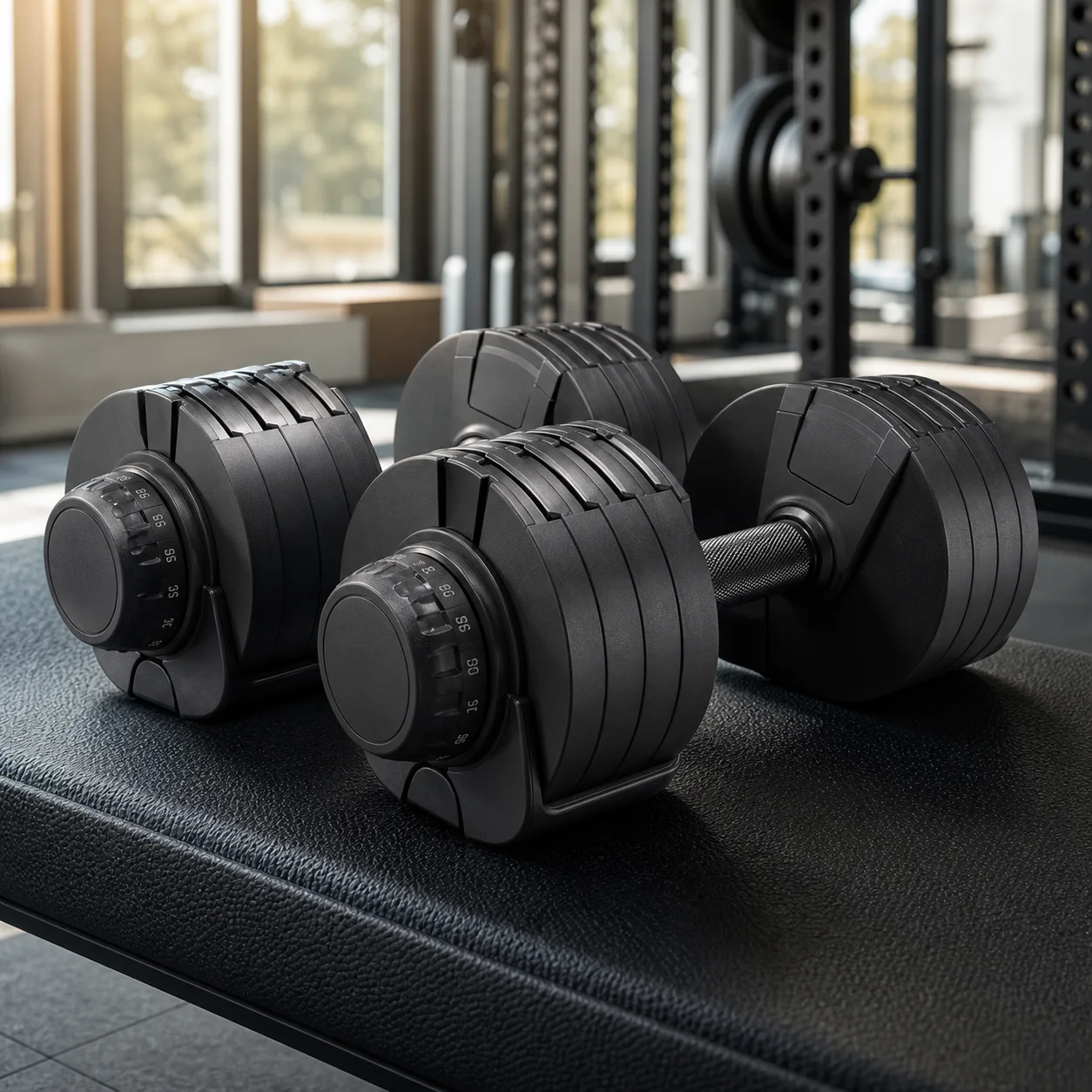
A gym background gives fitness equipment context, but the equipment still has to look usable, safe, and correctly scaled. A dumbbell, resistance band, bench, or massage device should not become a generic prop in a gym scene.
What to preserve
Protect size, grip, handles, adjustment marks, rubber texture, metal finish, logos, weight labels, and floor contact. Fitness buyers need to understand use, not just mood.
Workflow
1. Pick one gym setting: clean studio, home gym, weight room, yoga space, or training floor. 2. Keep the product in the foreground. 3. Match floor contact and shadow. 4. Avoid busy equipment behind the product. 5. Check labels and functional parts.
Where KrafLayer Fits
When you apply this Generate Gym Backgrounds for Fitness Equipment Product Images workflow in KrafLayer, the tool choice matters: use Replace BG for a prompted or reference-based scene, or Scene Compose when product position and scale must match a base scene. After generation, judge the image by the channel it serves — listing images, detail pages, or ad assets — and check that fit, fabric, shoulder line, garment length, and real color are still intact.
Prompt to use in KrafLayer
~~~text Use the uploaded fitness equipment as the exact reference. Generate a realistic gym background for an ecommerce product image. Preserve product size, shape, handles, grip texture, rubber or metal finish, labels, logo area, adjustment parts, and contact shadow. Keep the product clear in the foreground with believable floor contact. Do not redesign the equipment, add confusing gym clutter, hide functional details, or change scale. ~~~
FAQ
Should gym backgrounds be busy?
No. A few context cues are enough. Too much gym equipment makes the product harder to inspect.
Can AI change product size?
Yes. Use floor contact and nearby scale cues, then compare with the original product.
Is this good for main product images?
Use clean product-first images for main slots and gym scenes as support or campaign assets.
Keep exploring
Continue the story
More practical guidance on product accuracy, composition, and conversion-ready visuals.
Put it into practice
Take the next step in KrafLayer
Choose a generation or editing workflow that matches what you just learned.