Image generation
How to Put Furniture Product Photos Into a Realistic Living Room Scene
TL;DR
A practical workflow for placing furniture product photos into realistic living room scenes while protecting color, material, scale, silhouette, and shadow.
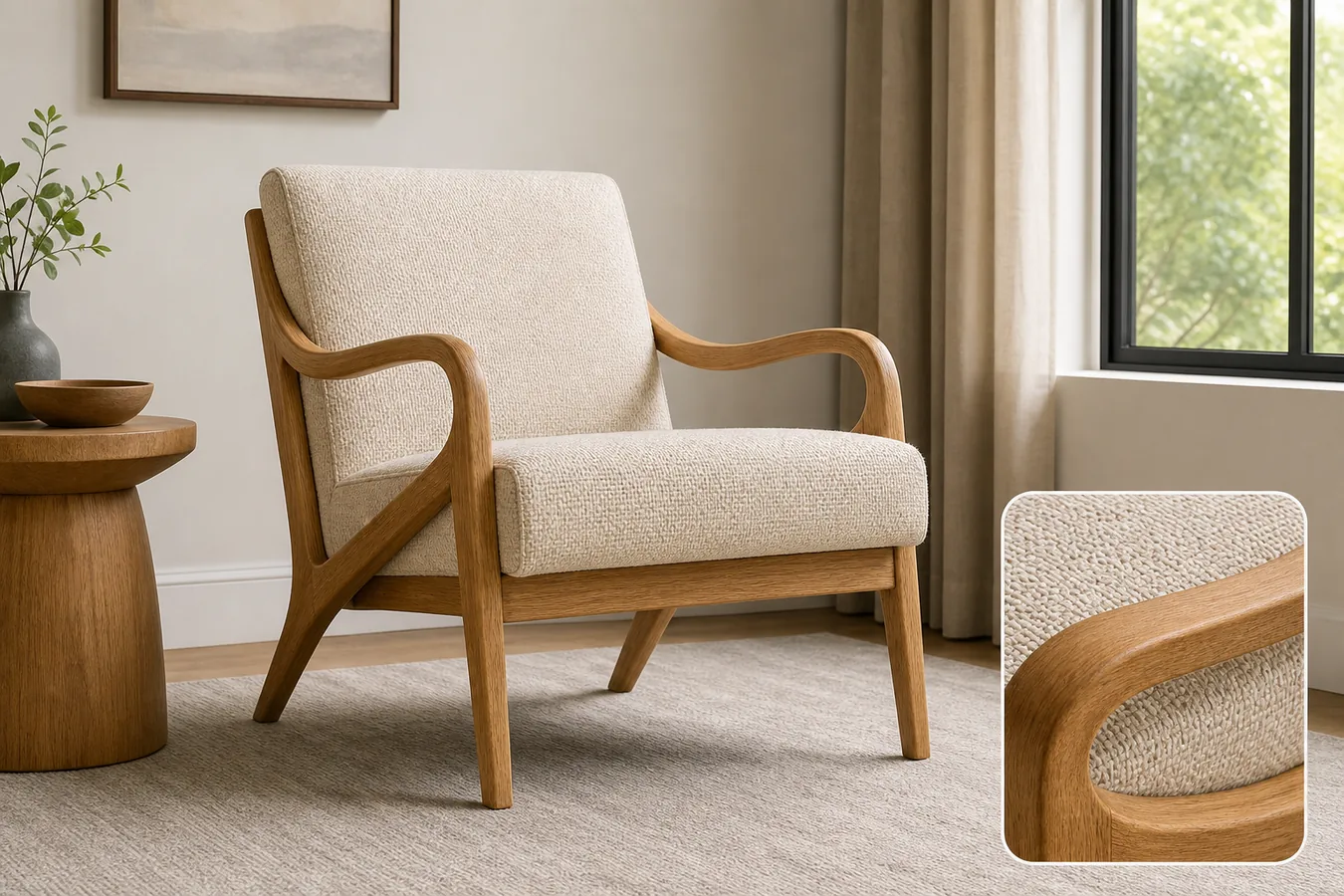
AI furniture product photos in a realistic living room work only when the furniture remains the product truth and the room becomes supporting context. The scene should help a buyer judge scale, color, material, and use case. It should not redesign the chair, table, sofa, cabinet, or shelf.
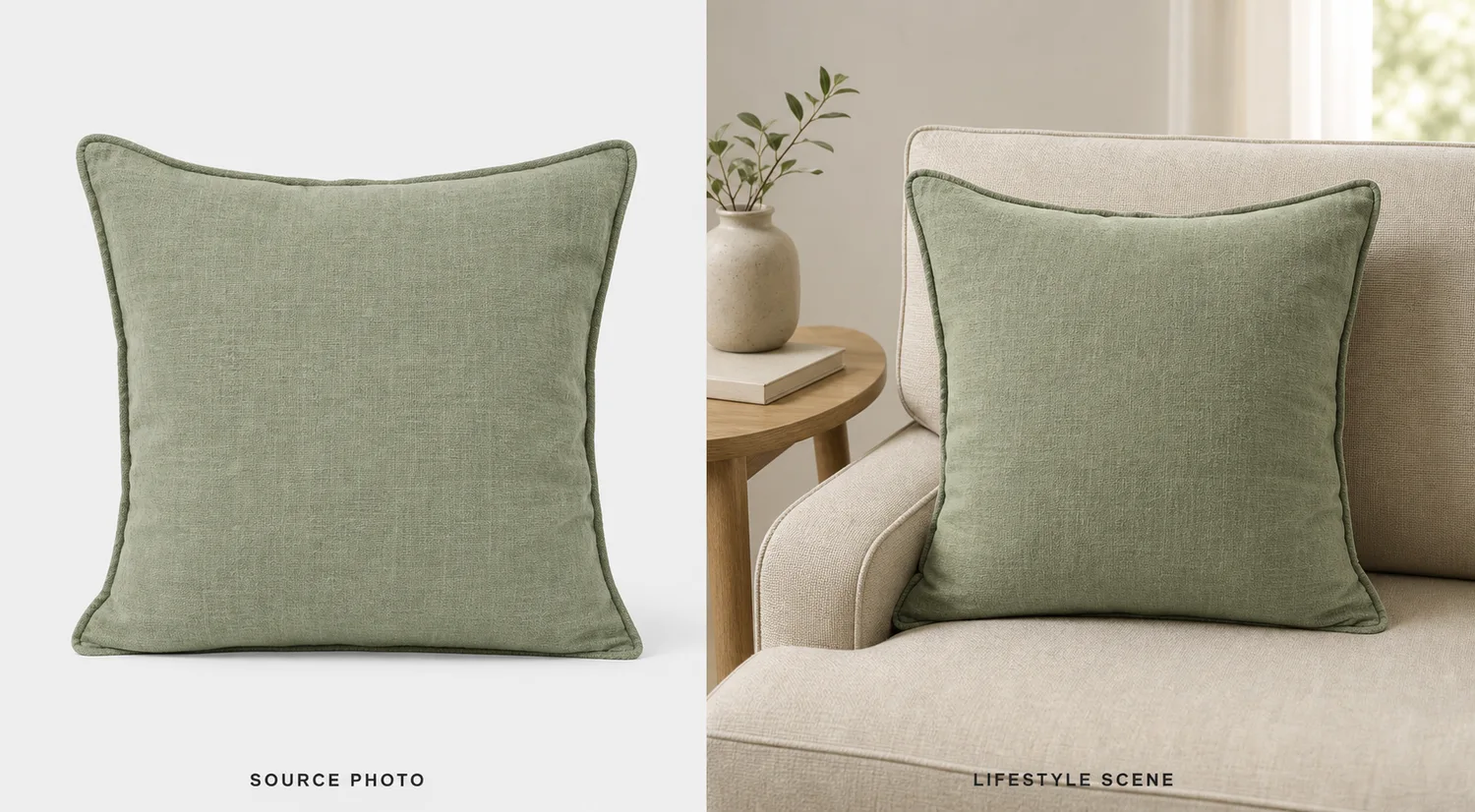
The practical rule is simple: lock the furniture facts before generating the room. In [KrafLayer AI product photography](/ai-product-photography), start from the cleanest product reference, decide the room role, then review the final lifestyle image against the original SKU before using it on a product page, marketplace listing, or ad.
What The Living Room Scene Must Prove
A realistic living room scene should answer buyer questions that a plain cutout cannot answer:
- How large does the furniture feel in a normal room?
- Does the color still match the product image?
- Does the material look like wood, fabric, leather, rattan, metal, or stone rather than a generic AI surface?
- Does the furniture sit naturally on the floor with believable contact shadow?
- Does the scene show how the product might be used without hiding the product?
That is why AI furniture product photos need stricter review than general lifestyle images. A beautiful room is not useful if the product has changed height, finish, cushion thickness, leg angle, drawer layout, or silhouette.
Use this rule before publishing:
A furniture lifestyle image is ready only when the buyer can identify the same SKU from the clean product photo and the room scene.
Build A Furniture Fact List First
Before prompting, write a short product-truth list. This list becomes the review standard for the generated image.
- Shape: protect the chair back, arm curve, tabletop edge, cabinet depth, shelf layout, or sofa profile.
- Proportion: protect height, width, depth, leg length, cushion thickness, and visible seat or storage volume.
- Material: protect wood grain, rattan weave, upholstery texture, leather sheen, metal finish, stone pattern, or painted surface.
- Color: protect the true product color under realistic daylight or warm interior light.
- Details: protect handles, seams, buttons, joints, drawer gaps, stitching, legs, feet, brackets, and visible hardware.
- Scale: make the product plausible beside rugs, side tables, lamps, windows, or wall art.
- Shadow: keep a natural contact shadow so the product does not float.
For AI furniture product photos in a realistic living room, this fact list matters more than decorative styling. It keeps the image anchored to the product being sold.
Workflow For Placing Furniture Into A Room Scene
Use a controlled sequence:
- Start with a clean product image that clearly shows shape, color, material, and contact points.
- Pick one room role: PDP lifestyle image, hero banner, ad creative, catalog thumbnail, or detail-page support image.
- Choose a room that fits the product's price and style without stealing attention.
- Keep the camera angle close to the source photo when product shape matters.
- Ask for one furniture SKU, realistic room scale, clean floor contact, and restrained props.
- Generate the room scene.
- Compare the output against the product-truth list.
- Use [KrafLayer Scene Compose](/tools/ai-scene-compose) or the editor when you need tighter placement, crop, or background control.
This makes [AI product photography](/ai-product-photography) behave like a production workflow. The room can make the product more desirable, but the product facts still decide whether the image is publishable.
Prompt Template
Use this prompt when you have a furniture reference:
Create a realistic ecommerce living room product photo using the reference furniture as the product truth. Keep the exact furniture silhouette, color, material texture, wood grain or fabric weave, leg angle, cushion thickness, arm shape, visible hardware, proportions, scale, and natural floor contact shadow. Place the product in a tasteful living room with realistic daylight, a simple rug, restrained props, and enough negative space for a product page. Do not redesign the furniture, change color, change scale, add extra products, add real brand marks, add badges, add text overlays, or create unsupported claims.
For a material-supporting image, add:
Include a small matching detail view of the same product material, such as upholstery weave, wood grain, rattan texture, leather finish, or hardware. The detail must match the main furniture exactly.
For a cleaner marketplace support image, add:
Keep the room uncluttered and make the furniture the dominant subject, not a decorative background object.
What To Check Before Publishing
Review the generated room image against the original product:
- Is the product still the same shape and silhouette?
- Did the color drift warmer, cooler, darker, or lighter than the SKU?
- Are legs, arms, handles, seams, drawers, cushions, or shelves in the same places?
- Does the material still look like the original material?
- Does the product sit on the floor at believable scale?
- Is the contact shadow natural?
- Are props, plants, blankets, or side tables covering buyer-relevant details?
- Did AI invent new features, buttons, drawers, stitching, or hardware?
- Does the image still work as ecommerce product photography at thumbnail size?
If product facts drift, reject the image or generate again with a narrower prompt. A polished room scene is not worth using if it sells a different product.
Main Image Vs Living Room Image
Do not replace every clean product image with a lifestyle scene. Furniture shoppers usually need both direct inspection and room context.
A practical product page set can include:
- Clean main image for shape, finish, and direct product recognition.
- Realistic living room scene for scale, use case, and style fit.
- Material detail image for fabric, wood grain, rattan, leather, or hardware.
- Dimension or comparison image when size is a common buyer question.
- Alternate room crop for ads, email, or landing page hero creative.
KrafLayer can help create these roles from the same reference, but the same fact list should guide every image. That is how [ecommerce product photography](/ecommerce-product-photography) stays coherent while still giving buyers more context.
Common Mistakes
The most common mistake is letting the room become more important than the furniture. Oversized plants, dramatic lamps, heavy blur, and crowded decor can all make the image less useful.
Avoid these mistakes:
- Changing a chair's arm curve, cushion thickness, or leg angle.
- Making wood grain, upholstery, rattan, or leather look like a different material.
- Making the product too large or too small for the room.
- Hiding legs, handles, shelves, drawers, or seams behind props.
- Adding fake brand labels, certification badges, price tags, or unsupported performance claims.
- Creating a scene that looks premium but no longer matches the SKU.
- Publishing a lifestyle image without a clean product image nearby.
The best living room product photos feel realistic, but they are still product-led. The buyer should notice the furniture first.
FAQ
Can AI put a furniture product photo into a realistic living room?
Yes, AI can put a furniture product photo into a realistic living room when the reference image is clear and the prompt protects product facts. The furniture shape, color, material, scale, legs, handles, seams, and contact shadow should be checked against the original before publishing.
What makes furniture lifestyle images trustworthy?
Furniture lifestyle images are trustworthy when they show realistic scale, natural floor contact, believable light, and the same product details as the main image. The room should support the product, not redesign it or hide important buyer-facing information.
How do I keep AI from changing furniture color or material?
Write the exact color, finish, and material into the prompt, then compare the generated image with the reference. Mention wood grain, fabric weave, leather sheen, metal finish, cushion thickness, or rattan texture. Reject outputs where the product looks like a different SKU.
Should a furniture page use only living room images?
No. Living room images help shoppers understand scale and style, but clean main images and detail images are still important. Use the room scene as supporting context, then show direct views for product inspection.
How does KrafLayer help with furniture product photos?
KrafLayer helps sellers use product references to create AI product photography scenes, then refine placement, background, crop, or detail issues with editing tools. For furniture, that means creating room context while checking color, material, scale, silhouette, and floor contact.
Conclusion
Realistic living room scenes can make furniture easier to understand, but only when the product remains accurate. Start with a furniture fact list, generate a restrained room scene, review color, material, scale, silhouette, and contact shadow, then use KrafLayer to create AI product photography that gives buyers context without drifting away from the real SKU.
Keep exploring
Continue the story
More practical guidance on product accuracy, composition, and conversion-ready visuals.
Put it into practice
Take the next step in KrafLayer
Choose a generation or editing workflow that matches what you just learned.