Image generation
AI Product Photo Generator for Listing Images, Scenes, and Ads
TL;DR
Use an AI product photo generator to create listing images, lifestyle scenes, detail views, and ad crops without losing product truth.
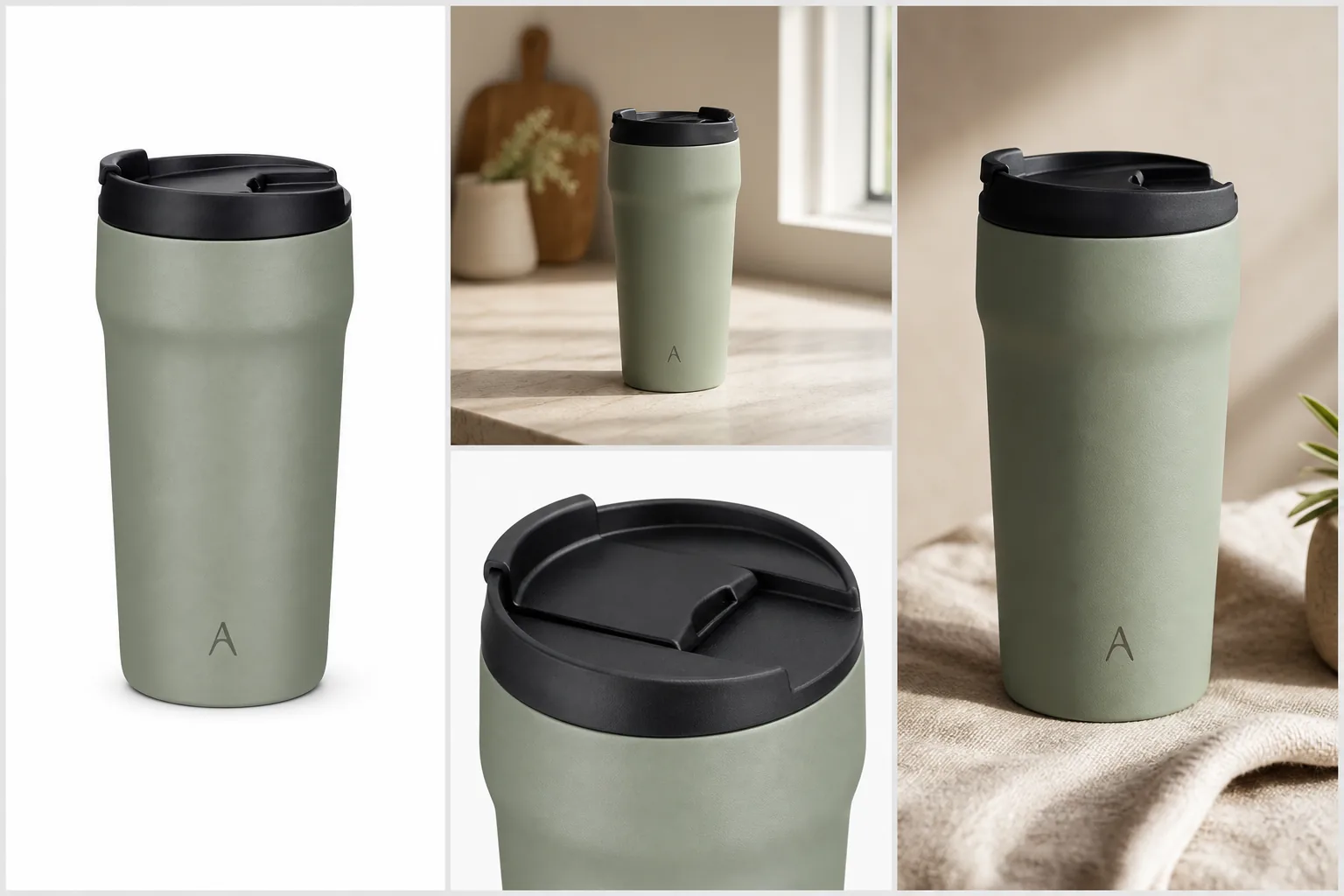
An AI product photo generator is useful when it turns one product reference into specific ecommerce image roles: a clear listing image, a believable scene, a detail view, and a campaign crop. The rule is simple: the generated image can change the setting, crop, and lighting, but it should not change the product buyers will receive.
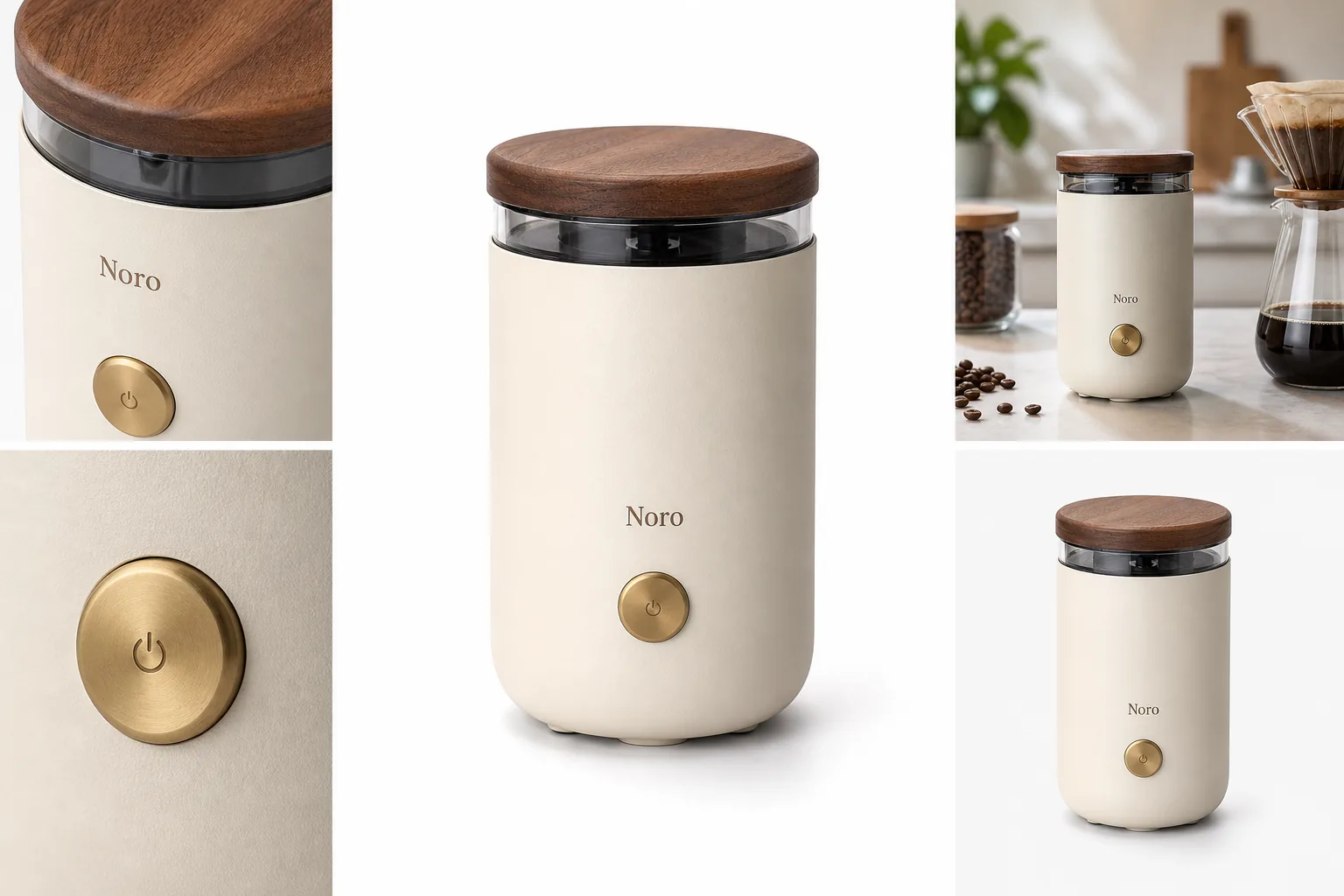
In KrafLayer, start with the [AI product image generator](/ai-product-image-generator) when you need new product-led visuals, use [AI product photography](/ai-product-photography) thinking to plan the image roles, and finish with the [product photo editor](/product-photo-editor) when an output only needs cleanup. The goal is a small set of store-ready product photos, not one dramatic image that hides the SKU.
What An AI Product Photo Generator Should Produce
The best output from an AI product photo generator is not just a pretty render. It is an image that answers one selling question while keeping the product recognizable.
Use this practical rule:
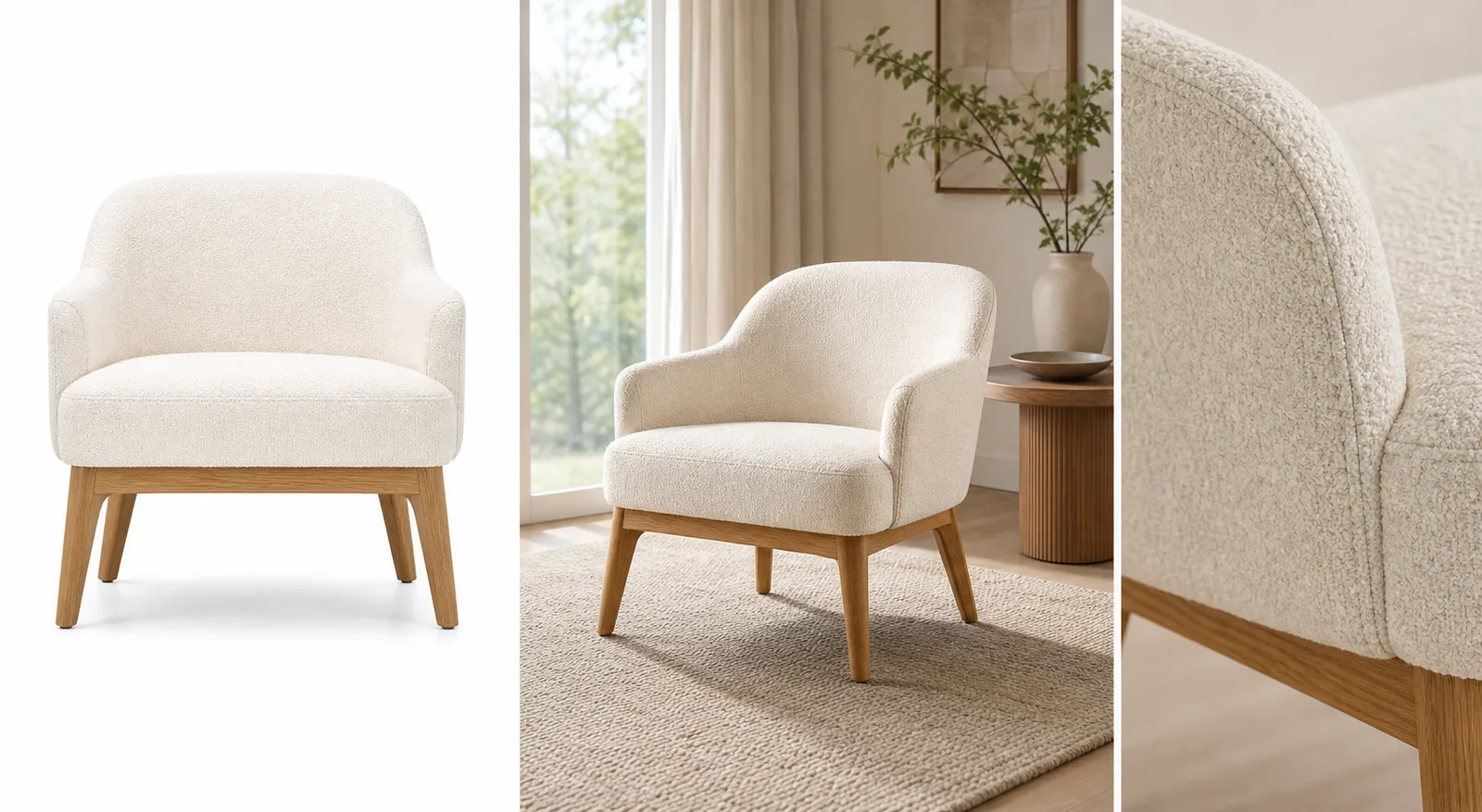
- A main image should make the product shape obvious in one glance.
- A lifestyle scene should show context and scale without redesigning the product.
- A detail image should prove one material, texture, closure, label, lid, seam, port, or surface.
- An ad crop should add stronger composition while keeping the product readable.
- A cleanup edit should fix background, shadow, crop, glare, or small distractions without changing the SKU.
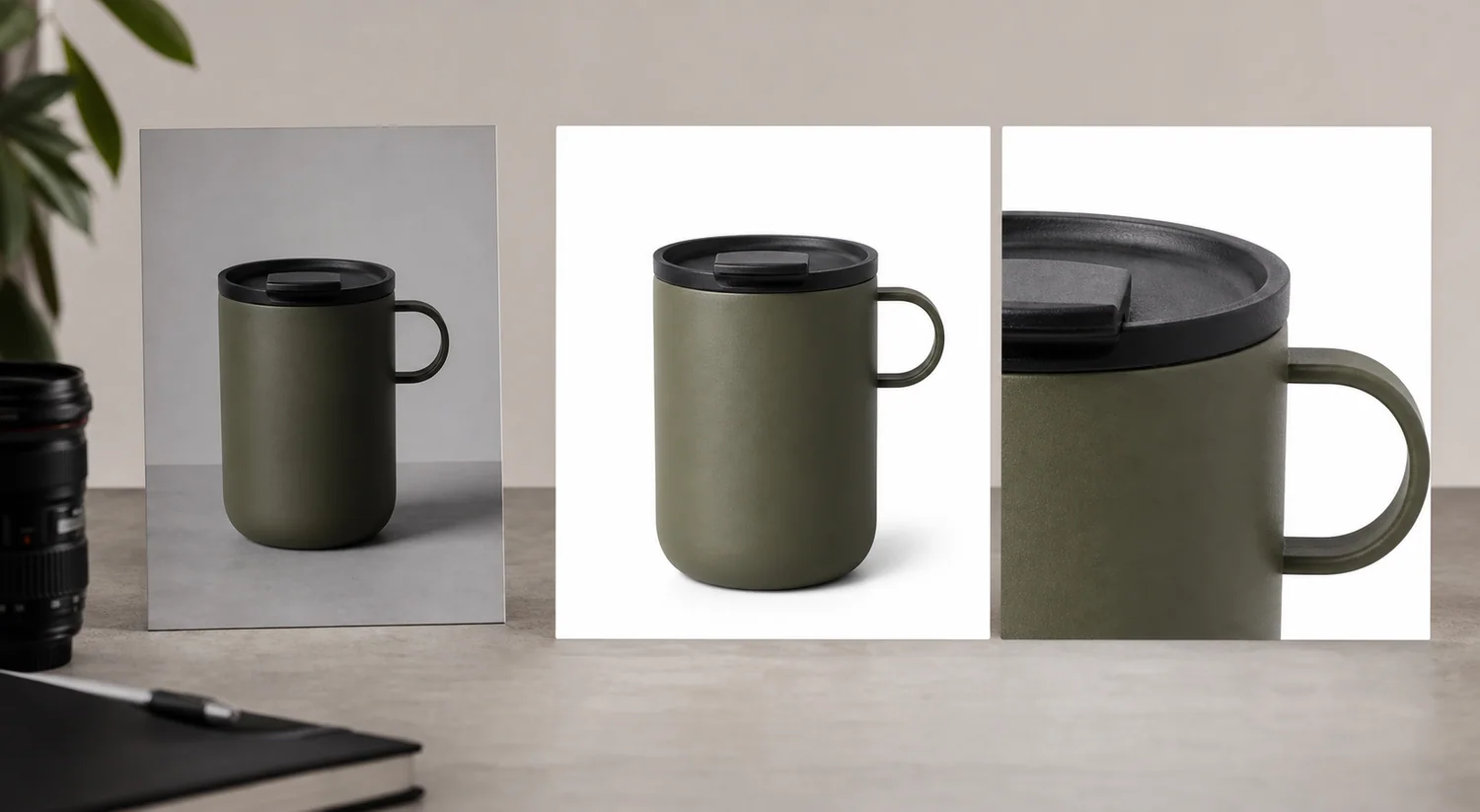
For the Aven travel mug example above, the protected facts are the matte sage body, black lid, tall rounded profile, small A monogram, subtle surface texture, and natural product shadow. Every generated view can change the background. None should turn the mug into a different cup.
Start With One Product Truth List
Before generating, write down the facts that cannot change. This protects the image set from looking polished but inaccurate.
For a product photo generator for ecommerce, the product truth list should include:
- product type and silhouette
- true color and finish
- material texture
- label, logo, monogram, or package panel position
- lids, caps, handles, seams, buttons, dials, clasps, zippers, ports, or closures
- included accessories and what should not be added
- scale cues such as cup height, bag strap length, jewelry size, furniture depth, or package thickness
This list becomes your review checklist after generation. If a generated output fails the list, it is not ready for a product page, even if it looks expensive.
Choose The Image Role Before Prompting
An AI product image generator works better when you ask for one image role at a time. Broad prompts such as "make this product look premium" usually create vague campaign images. Role-specific prompts create assets a seller can actually use.
Use these role directions:
- Listing image: clean product-first composition, simple background, full shape, natural shadow.
- Scene image: real surface, believable scale, product still dominant, props kept secondary.
- Detail image: tight crop around one selling detail, with the detail tied to the same product.
- Ad crop: stronger framing for paid or social use, no fake platform UI or unsupported claims.
- Variant image: same angle, crop, lighting logic, and product scale across color or material variants.
This keeps the article's primary keyword concrete: an AI product photo generator should help create an ecommerce image set, not just one isolated AI picture.
Prompt Template
Use this prompt when you have a reference product image:
Create a realistic ecommerce product photo from this product reference. Keep the same product shape, color, material, logo or label area, lid or closure details, scale, and product proportions. Make a [listing image / lifestyle scene / detail image / ad crop] for an online store. Use natural commercial lighting and a product-first composition. Do not add marketplace UI, badges, ratings, certifications, barcodes, QR codes, unsupported claims, extra accessories, or new product features.
For detail images, make the prompt more specific:
Create a close detail image of the same product focused on [lid texture / zipper pull / leather grain / glass edge / package label / port layout]. Keep the rest of the product consistent with the reference. The detail should help a buyer inspect the product, not invent a new feature.
Review The Output Like A Seller
A generated image can look clean and still be wrong. Review each output before you publish or upload it to a marketplace, product page, email, or ad.
Check for:
- silhouette drift: the product gets taller, narrower, rounder, or smoother
- color drift: the product shade shifts across images
- material drift: metal becomes plastic, fabric becomes rubber, glass loses thickness
- feature drift: lids, seams, buttons, zippers, clasps, ports, or labels move
- scale drift: the product becomes too large or too small for the scene
- claim drift: the image adds fake badges, awards, ratings, discounts, or certifications
- channel drift: the output looks like a platform screenshot instead of a reusable product asset
AI listing image generator outputs need this review especially. A main listing image is often the first buyer impression, so product identity matters more than mood.
When To Edit Instead Of Regenerate
If the generated product is accurate but the image has one weak area, edit instead of regenerating the whole asset. Regeneration can fix a shadow while quietly changing the lid, label, color, or shape.
Use the [product photo editor](/product-photo-editor) when:
- the background is distracting
- the crop is slightly off
- a shadow looks too heavy
- a detail area needs cleanup
- glare hides material texture
- the image needs upscaling before export
- a lifestyle scene needs small cleanup but the product itself is correct
Use the generator again when the whole image role is wrong, the scene is unusable, or the product has already drifted too far from the reference.
Build A Small Store-Ready Product Photo Set
For most ecommerce product photography, a practical first set is enough:
- One main image for product recognition.
- One scene image for scale and use context.
- One detail image for material or construction proof.
- One alternate angle if the product shape needs explanation.
- One campaign crop if you need paid, email, or social creative.
You can plan this set from the [ecommerce product photography](/ecommerce-product-photography) page first, then generate each role in KrafLayer. The set should feel related without forcing every image to use the same background.
What To Avoid
Avoid using an AI product photo generator in ways that make the final image harder to trust:
- Do not invent product features to make the image look more premium.
- Do not add fake review stars, platform marks, badges, discounts, or approval language.
- Do not use unreadable AI label text as final packaging copy.
- Do not hide important product details behind props, hands, blur, or dark lighting.
- Do not publish a generated detail image if the detail does not exist on the real product.
- Do not treat a scene image as proof of exact size, fit, safety, durability, or compliance.
The strongest ecommerce use of AI is controlled generation plus human review. The buyer should understand the product faster, not learn inaccurate product facts.
FAQ
What is an AI product photo generator?
An AI product photo generator creates ecommerce product images from a prompt, reference image, or product description. For store work, the useful output is usually a specific image role such as a main listing image, lifestyle scene, detail image, or ad crop.
Can I use an AI product photo generator for listing images?
Yes, but review the result against the real product before publishing. Listing images should preserve shape, color, material, label placement, included accessories, and important details. If the image changes the SKU, regenerate or edit it before use.
What is the difference between an AI product photo generator and a product photo editor?
Use a generator when you need a new image role or scene. Use a product photo editor when the image is mostly correct and only needs background cleanup, local retouching, upscaling, shadow control, crop repair, or small distraction removal.
How many product images should I generate for an online store?
Start with a compact set: one main image, one lifestyle image, one detail image, and one alternate or ad crop if needed. Generate and review each role separately so product identity stays consistent across the set.
Does KrafLayer replace a product photoshoot?
KrafLayer can reduce the need for reshoots when you have enough product reference information, but it should not be used to invent facts the buyer depends on. Use it to create and edit product-led visuals, then check the final images against the real SKU.
Conclusion
An AI product photo generator is most useful when it helps sellers build controlled, store-ready product photos from one product truth. Start with the SKU facts, choose one image role, generate the asset, review it carefully, then edit only the parts that need cleanup. KrafLayer supports that path from generation to product photo editing, so listing images, scenes, details, and ad crops can look polished without losing the product buyers expect.
Keep exploring
Continue the story
More practical guidance on product accuracy, composition, and conversion-ready visuals.
Put it into practice
Take the next step in KrafLayer
Choose a generation or editing workflow that matches what you just learned.