Image generation
Product Image Set Generator: Main, Detail, Lifestyle, and Ad Images
TL;DR
Use a product image set generator to create main, detail, lifestyle, and ad-ready images from one product reference without losing product truth.
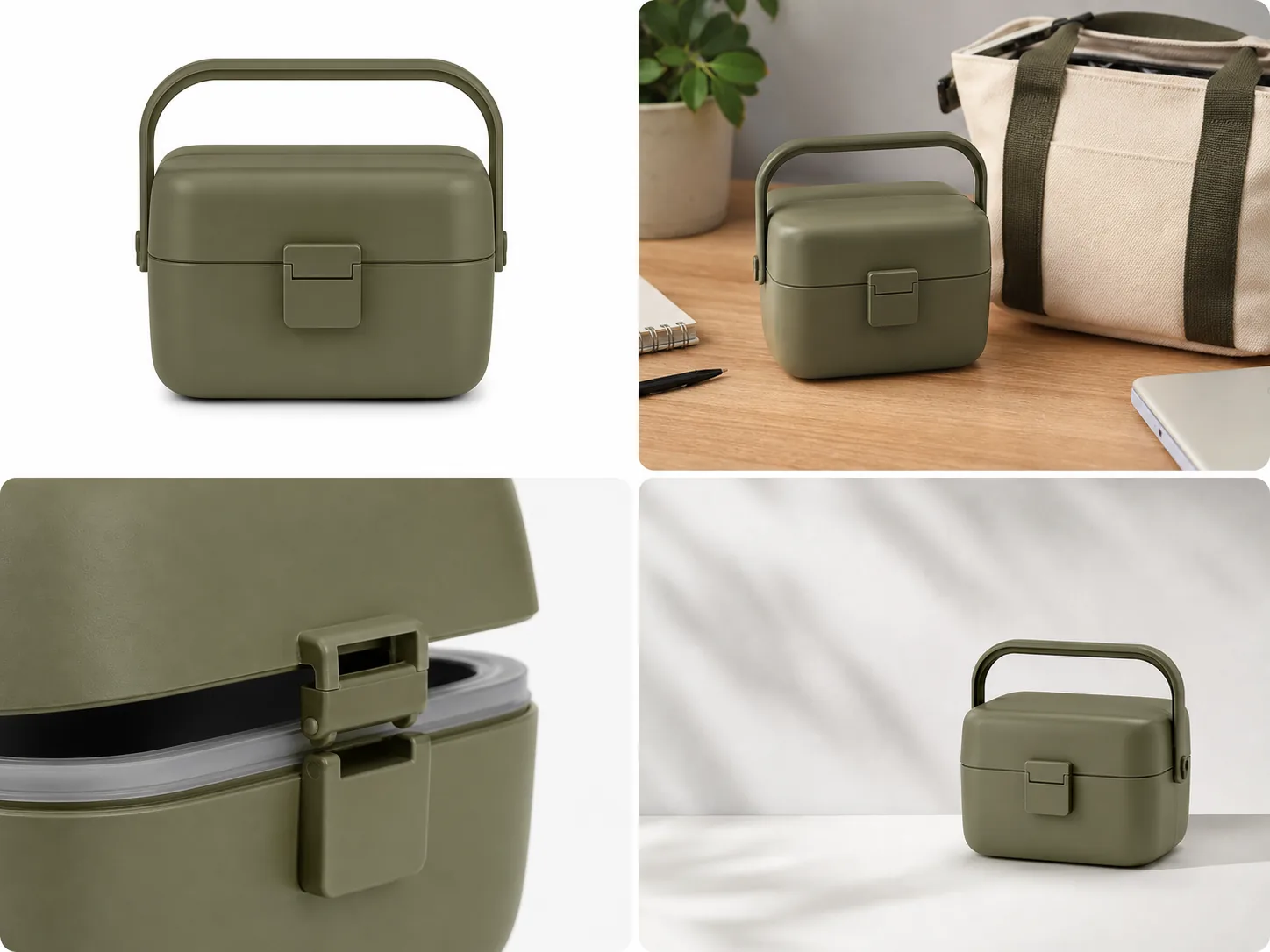
A product image set generator should help you make a coordinated group of ecommerce visuals from one product reference: a main image, a lifestyle image, a detail image, and an ad-ready crop. The practical rule is simple: each image can have a different role, but the product facts must stay the same across the whole set.
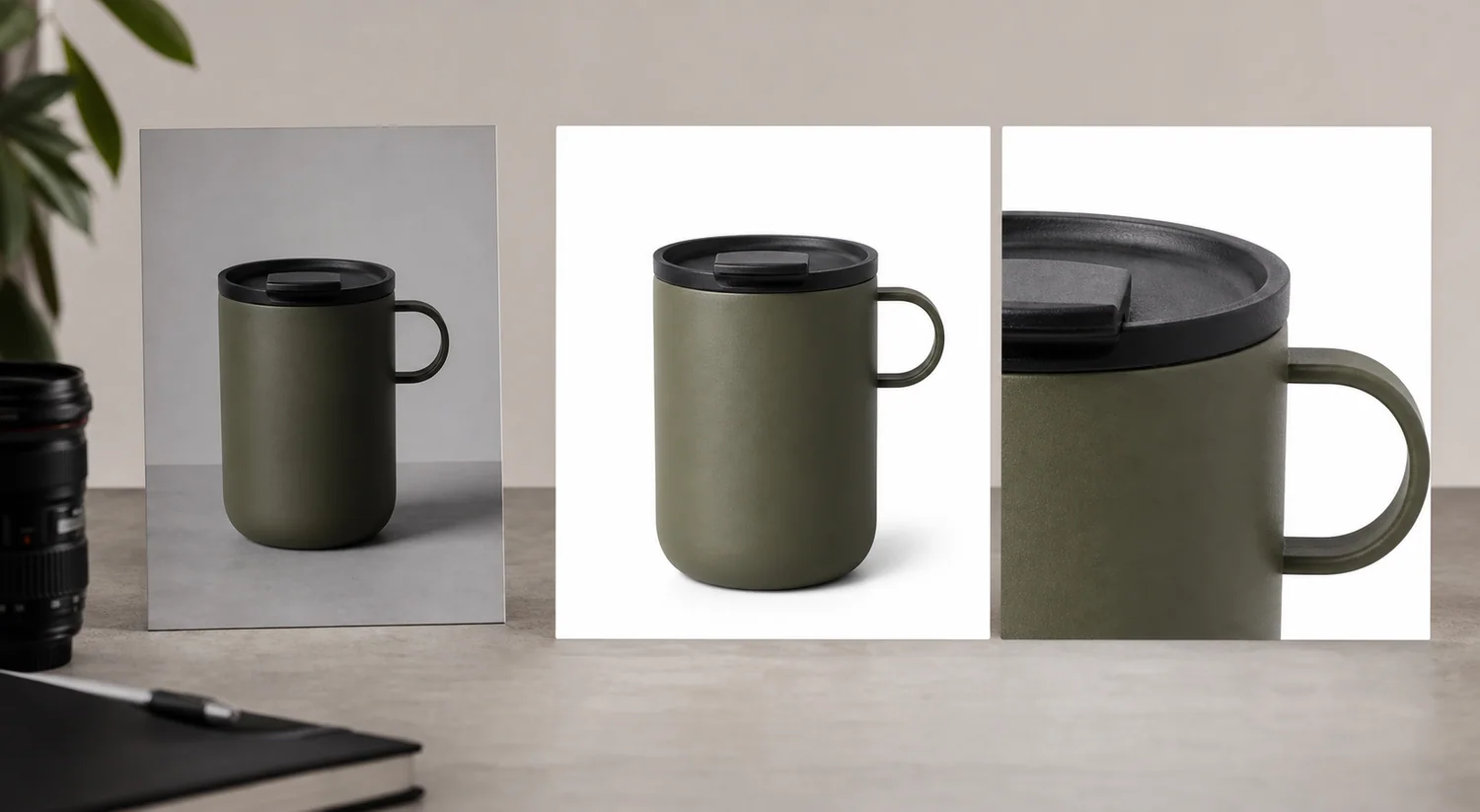
In KrafLayer, start with the [AI product image generator](/ai-product-image-generator) when you need new product-led visuals, then use the [product photo editor](/product-photo-editor) when a good image only needs cleanup. For ecommerce, the image set matters more than a single dramatic render because buyers need to recognize the product, inspect details, understand scale, and trust that every image shows the same SKU.
What A Product Image Set Generator Should Produce
A product image set for ecommerce is not a random batch of nice product pictures. It is a set of images where each frame answers a different buyer question.
Use this compact structure:
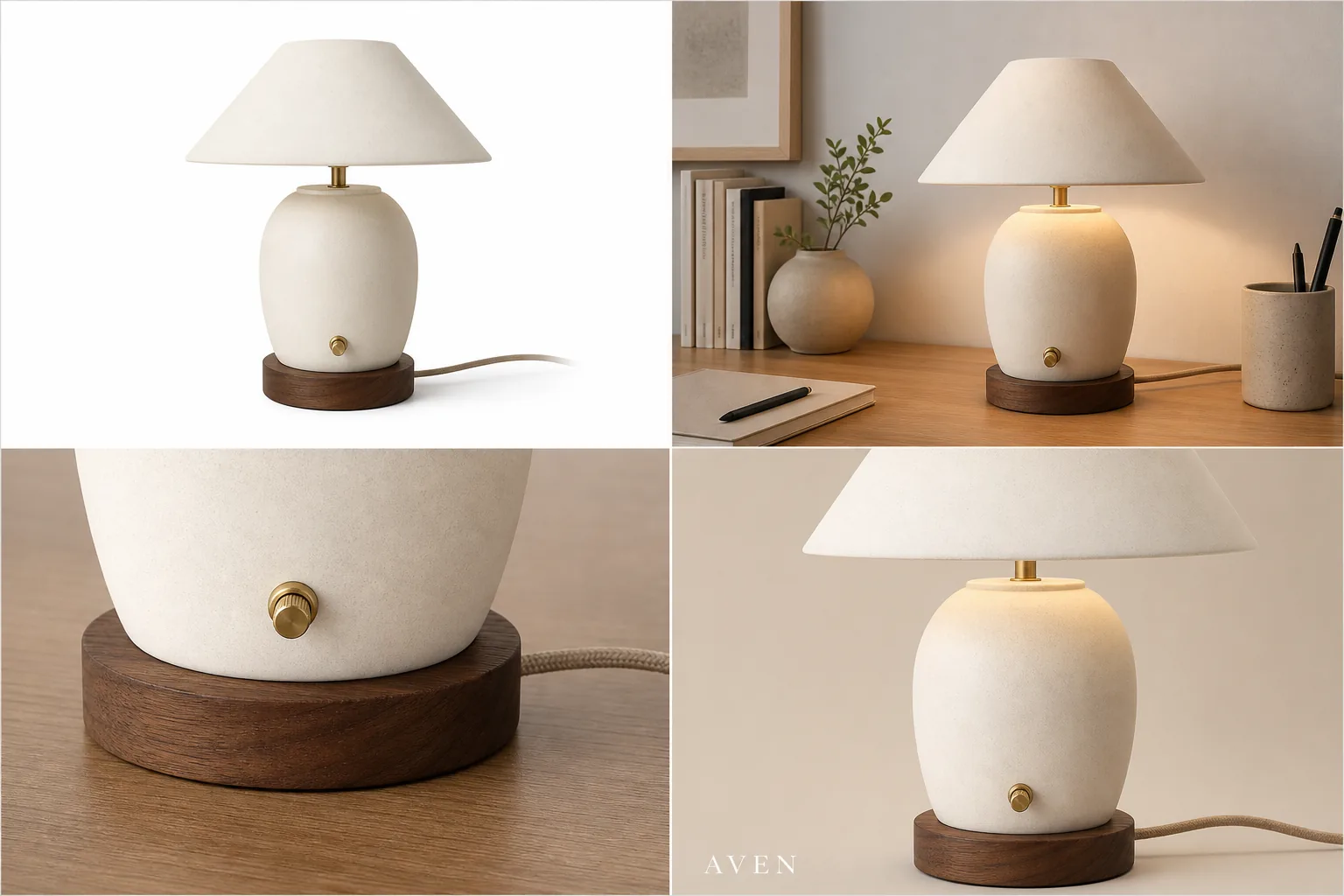
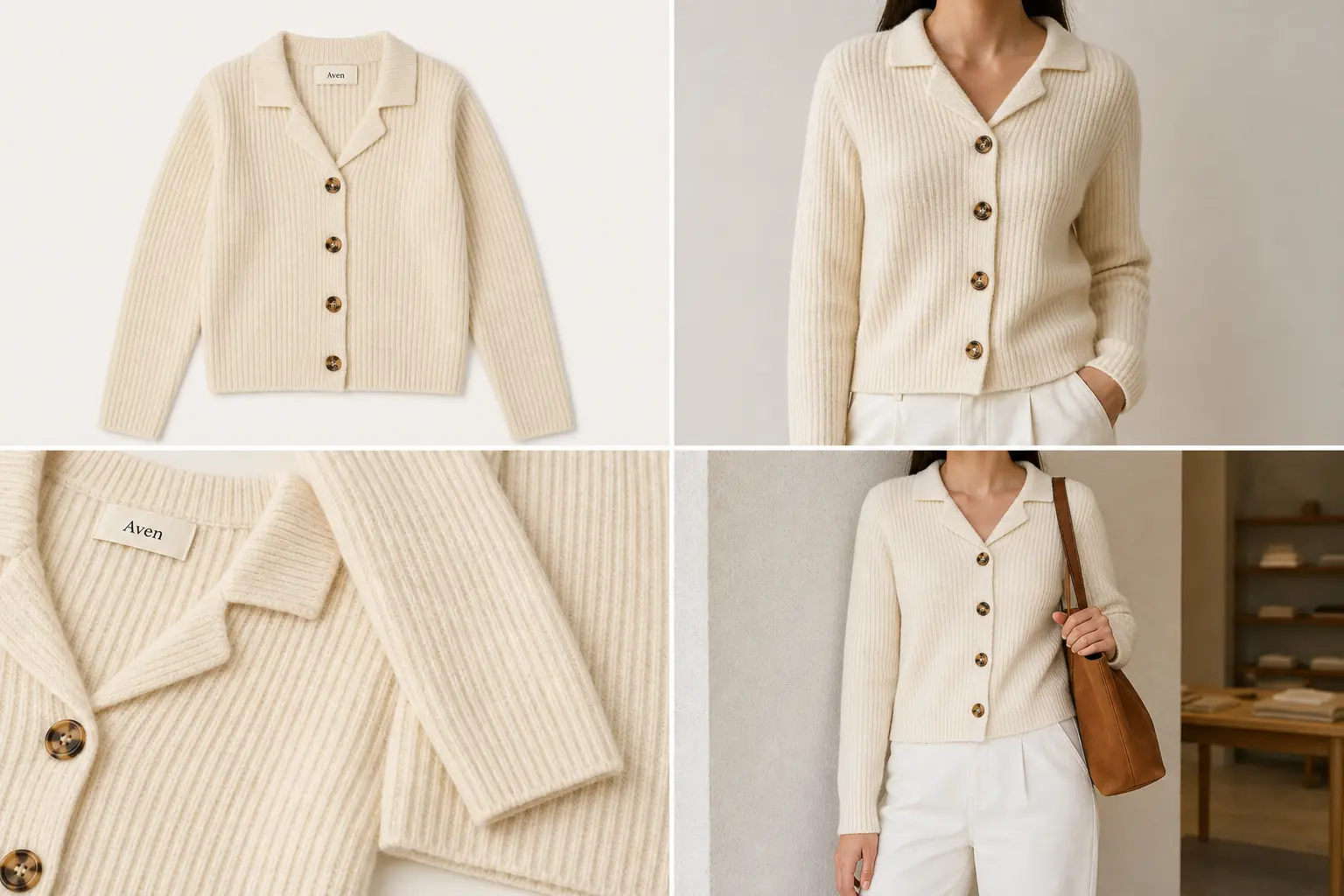
- Main product image: shows what the product is at a glance.
- Lifestyle product image: shows where the product fits in real use.
- Product detail image: proves a material, closure, texture, feature, or construction detail.
- Alternate angle: helps buyers understand depth, shape, opening, scale, or included parts.
- Ad crop: gives marketing teams a cleaner composition for paid, social, email, or landing-page creative.
For the olive lunch box example above, the protected product facts are the rounded rectangular shape, hinged handle, matte olive finish, front latch, lid seam, compact scale, and soft molded edges. The background can change. The lunch box should not become a cooler, handbag, toolbox, or storage bin.
Start With One Product Truth List
Before generating any image set, write a product truth list. This keeps the AI product image generator focused on the real product instead of inventing a more dramatic version.
Include:
- product type and silhouette
- true color and finish
- material texture
- handle, lid, latch, zipper, button, dial, seam, or closure details
- label or logo position when relevant
- product scale and included accessories
- details that should not appear, such as fake badges, platform marks, QR codes, barcodes, ratings, discounts, certifications, or unsupported claims
This list becomes the review standard for every generated image. A product image set generator is useful only when the set looks coordinated and the product remains accurate.
Generate Each Image Role Separately
Do not ask one prompt to create every ecommerce image role at once unless the output is only for planning. For final assets, generate or refine one role at a time so you can check product accuracy.
For a main product image, ask for a clear product-first composition, complete silhouette, simple surface, natural shadow, and no distracting props. This is the anchor image for the set.
For a lifestyle product image, keep the product dominant. The scene should explain use context without making the product small, covered, or hard to inspect. A desk, kitchen, gym bag, shelf, bathroom counter, or travel setup can work when it matches the item.
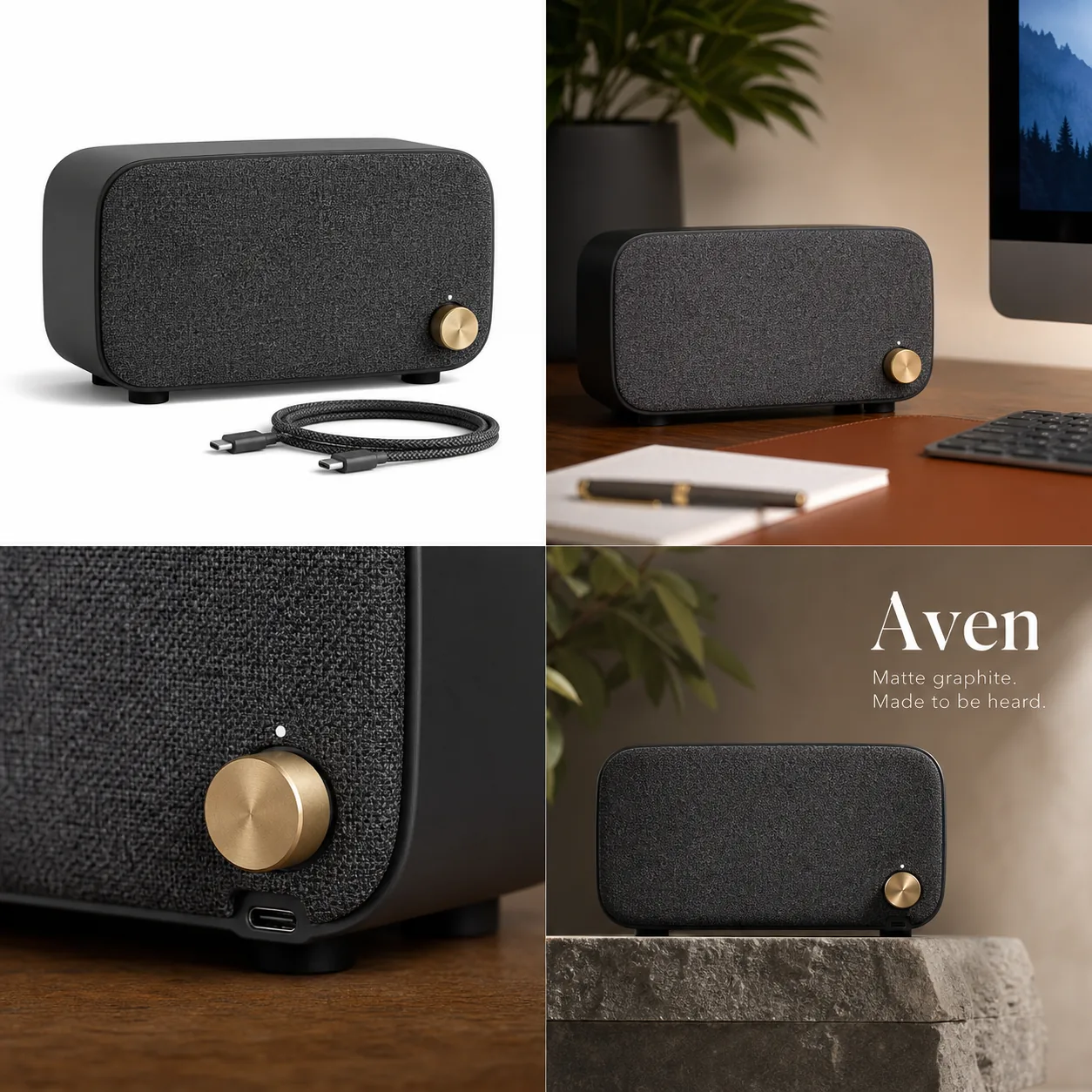
For a product detail image, choose one buyer-relevant proof point. That might be a latch, fabric weave, glass thickness, zipper pull, stitch line, dial, USB-C port, package label, lid seal, or material finish. A detail image should help the buyer inspect the real product, not invent a feature.
For an ad crop, keep extra space for future layout but avoid fake ad claims in the generated image itself. Do not add review stars, marketplace UI, badges, discount tags, certifications, or unreadable sales text.
Prompt Template For A Product Image Set
Use one prompt per image role:
Create a realistic ecommerce [main image / lifestyle image / product detail image / ad crop] from this product reference. Keep the same product type, shape, color, material, scale, handle, latch, seams, and visible product details. Make the product clear and sellable. Do not add fake platform UI, review stars, badges, certification marks, barcodes, QR codes, discounts, unsupported claims, or unreadable text.
For a detail image, make the proof point explicit:
Create a close product detail image of the same item focused on the [latch / handle / lid seam / gasket / texture / label / zipper / port]. Keep the detail consistent with the product reference. The image should help a buyer inspect the product, not add a new feature.
For an ad crop:
Create an ad-ready ecommerce crop of the same product with clean commercial lighting, stronger composition, and enough negative space for layout. Keep the product facts unchanged and do not include platform UI, badges, review stars, claim text, or fake promotional marks.
Review The Set Before Publishing
Review the full set side by side. A single image may look strong while the full set reveals drift.
Check:
- Does the product stay the same color in every image?
- Does the shape stay consistent across main, lifestyle, detail, and ad crops?
- Are the handle, latch, lid, seam, label, or hardware details in the same place?
- Does the lifestyle scene keep the product visible and believable?
- Does the detail image show a real detail from the product reference?
- Does the ad crop avoid unsupported claims and fake platform signals?
- Does the set feel coordinated enough for one product page or campaign?
If one image changes the SKU, remove it from the set. If the product is accurate but the crop, glare, shadow, or background is weak, edit that image instead of regenerating the whole set.
Where This Fits In Ecommerce Product Photography
Traditional [ecommerce product photography](/ecommerce-product-photography) usually plans a shot list before the shoot. AI image generation needs the same discipline. The shot list becomes the image role list.
For a Shopify product page, start with main, lifestyle, and detail images. If the product has texture, fit, scale, or construction details, add close crops. For a launch campaign, add ad-ready crops after the listing images are accurate. For [Shopify product images](/marketplace-product-images/shopify-product-images), keep the set consistent so the product page does not feel stitched together from unrelated visuals.
A product image set generator should speed up production, but it should not replace product review. The seller still needs to confirm that every generated image matches the item being sold.
Common Mistakes To Avoid
Avoid these errors when using AI for a full image set:
- generating a lifestyle scene before locking the main product image
- making the detail image from an invented feature
- changing color between images because the lighting prompt is too loose
- letting props cover the product
- using a dramatic ad crop that hides the product shape
- adding fake claim text, badges, review stars, or platform marks
- treating a generated image set as approved before a human review
The strongest sets are not the most decorative. They are the sets where each image has a clear selling role and all product details still match.
FAQ
What is a product image set generator?
A product image set generator creates multiple ecommerce visuals from one product reference or product prompt. A useful set usually includes a main product image, lifestyle image, product detail image, alternate angle, and ad-ready crop while keeping product details consistent.
How many images should an ecommerce product image set include?
Most products need at least three images: a main image, a lifestyle or scale image, and a product detail image. More complex products may need alternate angles, closeups, package images, and ad crops. The set should answer real buyer questions, not just fill a gallery.
Can AI create main images and detail images from the same product?
Yes, but each image should be reviewed against the product reference. AI can change lighting, setting, and crop, but the product shape, color, material, label position, closure, seam, hardware, and scale should remain consistent across the set.
When should I use a product photo editor instead of generating again?
Use a product photo editor when the product is accurate and only the background, crop, shadow, glare, edge, or minor distraction needs cleanup. Regenerate when the whole image role is wrong or when the product has already drifted away from the real SKU.
How does KrafLayer help create a product image set?
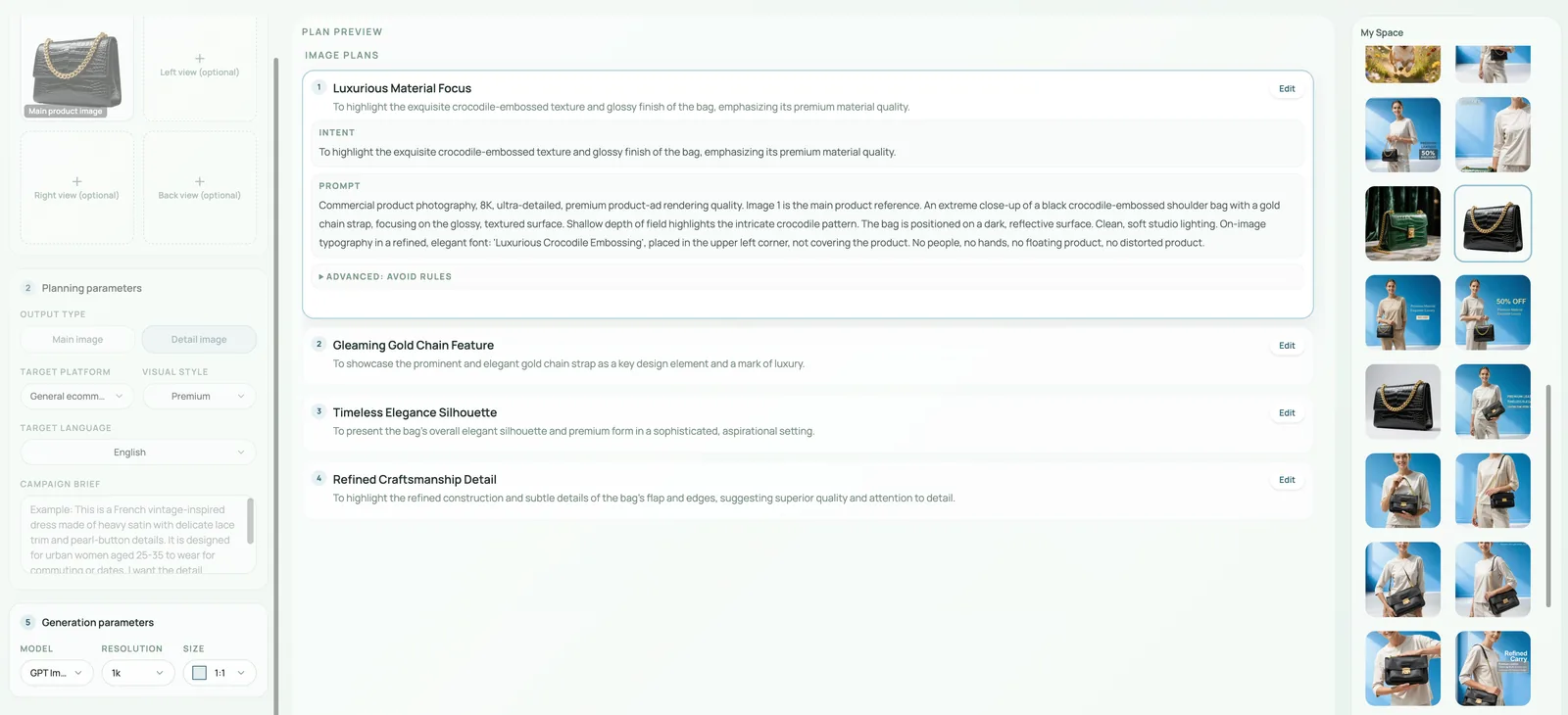
KrafLayer helps sellers create product-led visuals from a reference, then refine images with editing workflows when only part of the asset needs cleanup. That makes it easier to build main images, detail images, lifestyle images, and ad crops while keeping the product visible and reviewable.
Conclusion
A product image set generator is most useful when it behaves like a structured ecommerce shot list, not a random image maker. Start with product truth, create one role at a time, review the full set for consistency, and edit accurate images instead of regenerating them unnecessarily. KrafLayer supports this workflow by helping sellers produce main product images, lifestyle scenes, detail images, and ad-ready crops from a consistent product reference while keeping the final set practical for ecommerce use.
Keep exploring
Continue the story
More practical guidance on product accuracy, composition, and conversion-ready visuals.
Put it into practice
Take the next step in KrafLayer
Choose a generation or editing workflow that matches what you just learned.