Image generation
AI Product Photography vs Traditional Product Photography
TL;DR
A practical comparison of AI product photography and traditional studio photography for ecommerce teams deciding what to shoot, generate, and review.
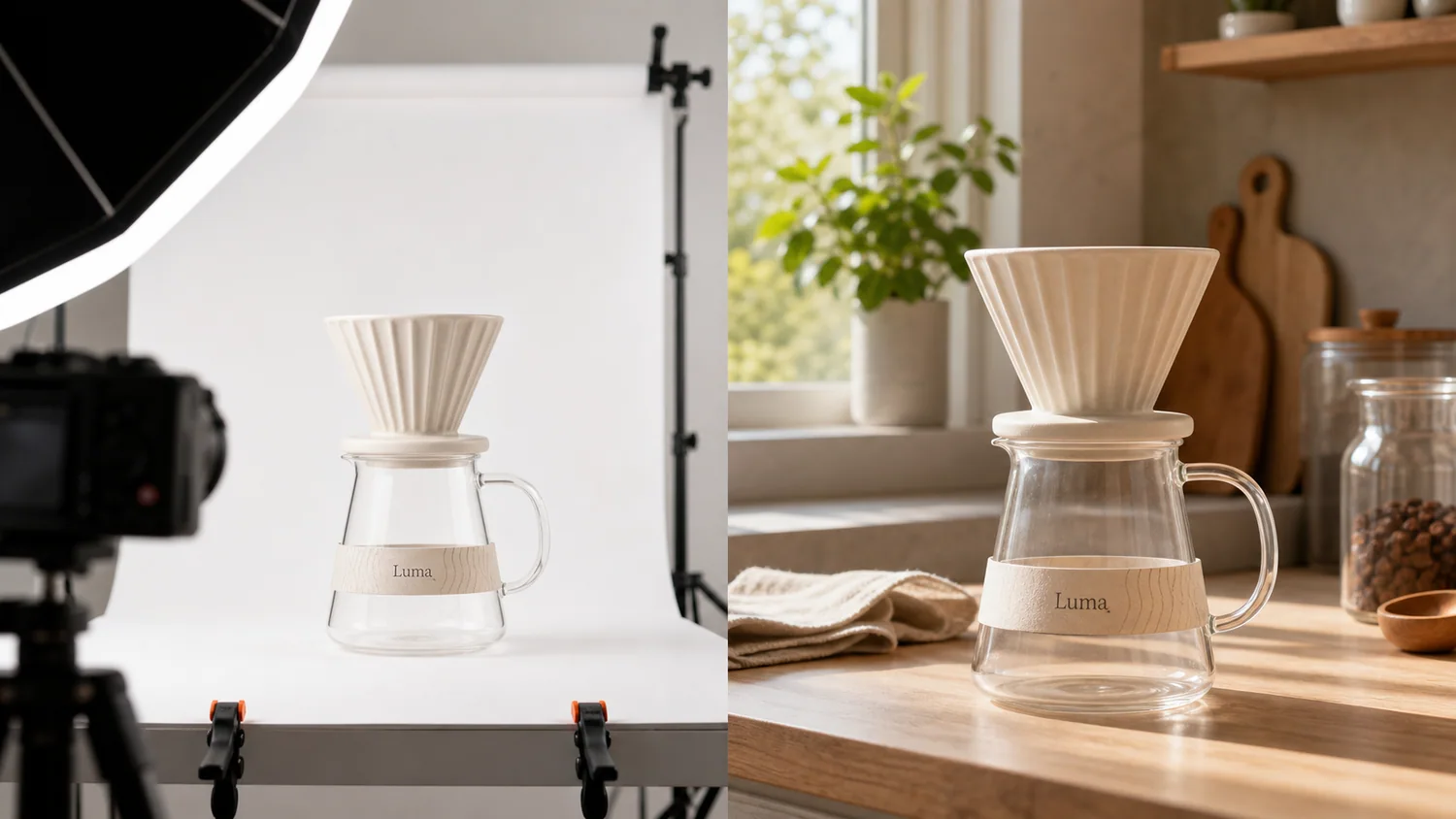
AI product photography is best when you already know the product facts and need more ecommerce image variations from a reference. Traditional product photography is best when you need the most reliable source image, exact material proof, complex physical styling, or a final image that cannot risk changing product details. Most ecommerce teams should not treat this as an either-or decision: shoot or collect one accurate product reference, then use AI to create additional main images, detail images, lifestyle scenes, and campaign visuals faster.
KrafLayer fits the AI side of that workflow by helping sellers turn a product reference into usable ecommerce images while keeping product review, editing, and channel adaptation in the loop. The practical goal is not to replace every shoot. It is to reduce how often every new angle, scene, or campaign layout requires a new shoot.
For the broader AI workflow, start with the [AI product photography](/ai-product-photography) owner page. This article focuses on the decision: when to use AI, when to use a traditional shoot, and how to combine both without hurting buyer trust.
If you are planning the full store image system, the [ecommerce product photography](/ecommerce-product-photography) page covers the larger production workflow beyond this AI-versus-studio decision.
Quick Answer: Which One Should You Use?
Use traditional product photography when the image must prove the exact physical item with minimal interpretation. Use AI product photography when you have a reliable product reference and need more selling contexts, crops, backgrounds, or campaign variations.
Practical rule: traditional photography creates product truth; AI product photography extends that truth into more ecommerce assets.
That rule keeps the workflow honest. A studio image can lock the real SKU, material, scale, and color. AI can then help produce supporting visuals for a Shopify product page, Amazon secondary images, landing pages, social ads, email, and seasonal campaigns. If the AI output changes the product, reject it or edit it before publishing.
The Real Difference Is Control
Traditional photography gives you control over the physical product, props, lighting, lens, set, and capture process. It is strongest when the product is new, high value, regulated, texture-sensitive, or visually complex.
AI product photography gives you control over production range. Once you have a trustworthy product reference, AI can help you explore more settings, crops, image roles, and merchandising ideas without rebuilding a physical set every time.
The tradeoff is simple:
| Decision point | Traditional product photography | AI product photography |
|---|---|---|
| Product truth | Strongest source of truth when captured well | Depends on the reference image and review process |
| New scenes | Requires set, props, lighting, and time | Can generate multiple backgrounds and contexts quickly |
| Main images | Best when exact shape, color, and material proof are critical | Useful when reference quality is clear and output is reviewed |
| Detail images | Strong for real texture, hardware, stitching, glass, and labels | Useful for supporting detail concepts, but must be checked closely |
| Campaign assets | Expensive to reshoot for every campaign | Good for seasonal, ad, email, and landing-page variations |
| Risk | Production cost and logistics | Product drift, fake details, impossible scale, or invented text |
Neither method is automatically better. The right method depends on what the buyer needs to believe from that image.
When Traditional Product Photography Still Wins
Traditional photography is the better starting point when the image needs to verify exact product facts.
Use a real shoot when:
- the product has fine text, labels, ports, seams, buttons, stone settings, or hardware that must be exact
- color matching matters, such as cosmetics, apparel variants, furniture, or materials with subtle undertones
- the product is reflective, transparent, highly textured, or hard to represent from a single reference
- the image will be used as the primary marketplace proof image
- the product category has safety, medical, compliance, or regulated buyer expectations
- you need a legal, packaging, or certification detail to appear exactly as printed
Traditional photography also gives your AI workflow better input. A clean, well-lit reference image often becomes the asset that makes later AI product photography usable.
When AI Product Photography Is The Better Production Layer
AI product photography works best after the product is known. It is especially useful when the team needs image volume, not a new physical proof of the product.
Use AI when you need:
- lifestyle images for store pages without building every scene physically
- background variations for product launches or campaigns
- detail-image concepts that explain material, use, or selling points
- ad creatives around the same SKU
- seasonal or audience-specific image versions
- quick testing before committing to a paid shoot
- visual refreshes for older listings that already have a decent product reference
In KrafLayer, this is the point where the [AI product image generator](/ai-product-image-generator) can turn one reference into new ecommerce image roles. Keep the prompt practical: name the product, define the image role, lock the facts that must stay unchanged, and avoid fake badges, claims, or extra accessories.
A Practical Hybrid Workflow
The strongest ecommerce workflow usually combines both methods.
1. Capture Or Choose One Accurate Source Image
Start with the most truthful image you have. It can be a studio photo, a supplier image you are allowed to use, or a clean phone photo if the product is visible enough.
Check that the image shows:
- product outline and proportions
- true color family
- material texture
- key parts and edges
- labels or package areas
- scale cues and shadow
- the correct variant
This image becomes the reference that AI must respect.
2. Decide The Image Role Before Generating
Do not ask AI for "better product photography" in general. Ask for one output at a time.
Examples:
- clean ecommerce main image
- detail image showing texture or construction
- lifestyle image for a Shopify product page
- secondary marketplace image
- landing-page hero image
- simple ad creative
Each role has different rules. A main image should make the product instantly readable. A detail image should prove one buyer-relevant feature. A lifestyle image should show believable use without hiding or resizing the product.
3. Lock Product Facts In The Prompt
Use the prompt to protect the SKU before describing style.
Create an ecommerce lifestyle image from this product reference. Keep the product shape, cream ceramic color, ribbed cone, glass carafe shape, paper band position, scale, and natural shadow consistent with the reference. Use warm kitchen counter lighting. Do not add logos, certification badges, extra products, unreadable claims, or product redesigns.
That instruction is useful because it tells the model what not to change. Product-preservation language matters more than decorative style language.
4. Review Against The Source
Before publishing an AI product photo, compare it with the source image.
Reject or edit the output if:
- the product silhouette changes
- color shifts into a different variant
- ports, buttons, handles, caps, seams, zippers, stones, or labels move
- material looks fake or too smooth
- scale no longer makes sense
- text, badges, or claims were invented
- the scene makes the product hard to inspect
If the output is close, use the [product photo editor](/product-photo-editor) for cleanup rather than regenerating the whole image. Small local edits are often safer than asking AI to reinterpret the product again.
Which Images Should Stay Traditional?
Keep the most product-critical images closer to real photography. For many stores, that means the first product proof image, color-sensitive variant images, package closeups, warranty or included-parts images, and regulated product details.
AI can still support those assets through cleanup, background improvement, or crop adaptation, but the source should stay real when buyer trust depends on exactness.
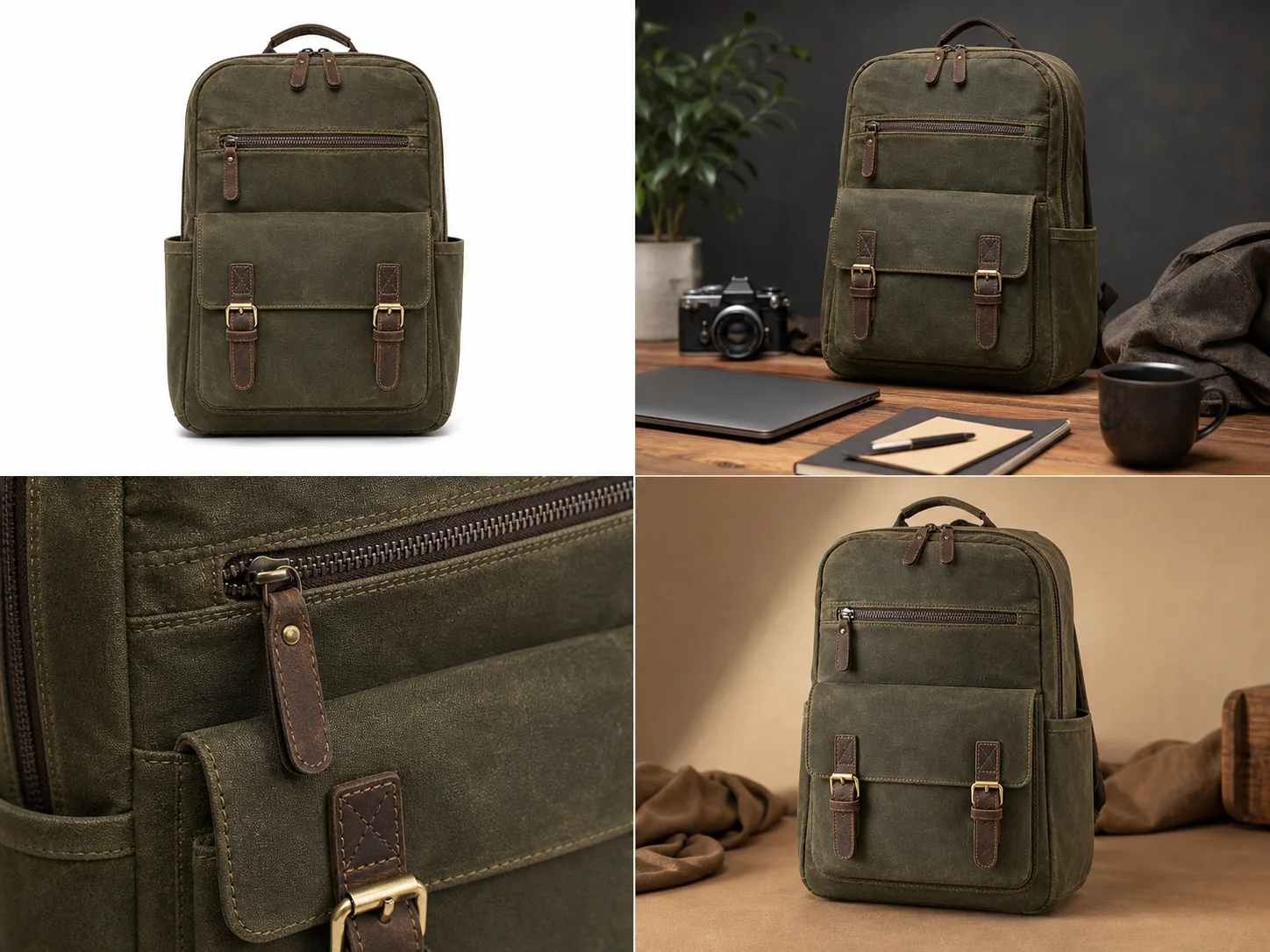
For example, a traditional shot should capture the exact texture of a leather handbag and the real shape of its hardware. AI can then help create a store hero, an email banner, and a lifestyle scene from that reference. The AI assets should support the real product, not invent a more expensive version of it.
Which Images Are Good AI Candidates?
AI is strongest for supporting image roles that need variety.
Good candidates include:
- lifestyle scenes for product pages
- hero images for landing pages
- email campaign visuals
- seasonal background variations
- paid ad creative variations
- social product posts
- simple detail-image layouts
- visual tests before a shoot
These assets still need review, but they usually have more creative room than the primary proof image. The buyer needs to recognize the product and understand the selling context, not inspect every printed character at macro distance.
Cost, Speed, And Quality Tradeoffs
Traditional product photography has up-front planning costs: product shipping, set design, photographer time, retouching, props, location, and revision cycles. The benefit is reliable capture when the shoot is well managed.
AI product photography has lower setup friction once the source image is ready. The cost moves from physical production into prompt control, output review, editing, and brand consistency. The risk is not that AI is too slow. The risk is that a fast image can quietly become inaccurate.
For ecommerce, speed only helps when product truth survives. A quick asset that changes the SKU creates more work later through returns, buyer confusion, or listing review.
FAQ
Is AI product photography better than traditional product photography?
AI product photography is better for creating variations, scenes, and campaign assets from an existing product reference. Traditional product photography is better for capturing exact product truth. The best ecommerce workflow often uses traditional photography for the source image and AI for supporting assets.
Can AI product photography replace a studio shoot?
AI can replace some repeat shoots for backgrounds, lifestyle scenes, ad creatives, and visual tests. It should not automatically replace a source shoot when exact color, material, packaging, scale, or compliance-sensitive product details need to be proven accurately.
What product photos should I generate with AI first?
Start with supporting assets: lifestyle images, detail-image concepts, landing-page visuals, email banners, and ad creatives. Keep the primary product proof image close to the real reference until you have a review workflow that reliably protects shape, color, material, and small details.
How do I keep AI product photos accurate?
Use a clear product reference, generate one image role at a time, lock product facts in the prompt, and compare every output against the source. Reject images with changed silhouettes, colors, parts, labels, scale, or invented claims.
How does KrafLayer help with AI product photography?
KrafLayer helps sellers turn a product reference into ecommerce product visuals, then refine outputs with editing workflows when an image needs cleanup, background improvement, or a more channel-ready crop. It is useful for expanding a product image set without treating accuracy as optional.
Conclusion
AI product photography vs traditional product photography is not a simple replacement question. Traditional photography is still the strongest way to capture product truth, while KrafLayer can help extend that truth into AI product photography assets such as main images, detail images, lifestyle scenes, and campaign creatives. For ecommerce teams, the practical advantage is a hybrid workflow: keep the real product facts accurate, then use AI to produce more selling images without rebuilding a studio setup for every new visual.
Keep exploring
Continue the story
More practical guidance on product accuracy, composition, and conversion-ready visuals.
Put it into practice
Take the next step in KrafLayer
Choose a generation or editing workflow that matches what you just learned.