Image generation
How to Create Food Packaging Detail Images for Ecommerce Pages
TL;DR
A practical workflow for creating food packaging detail images that show package material, closure, product texture, and label areas without inventing claims.
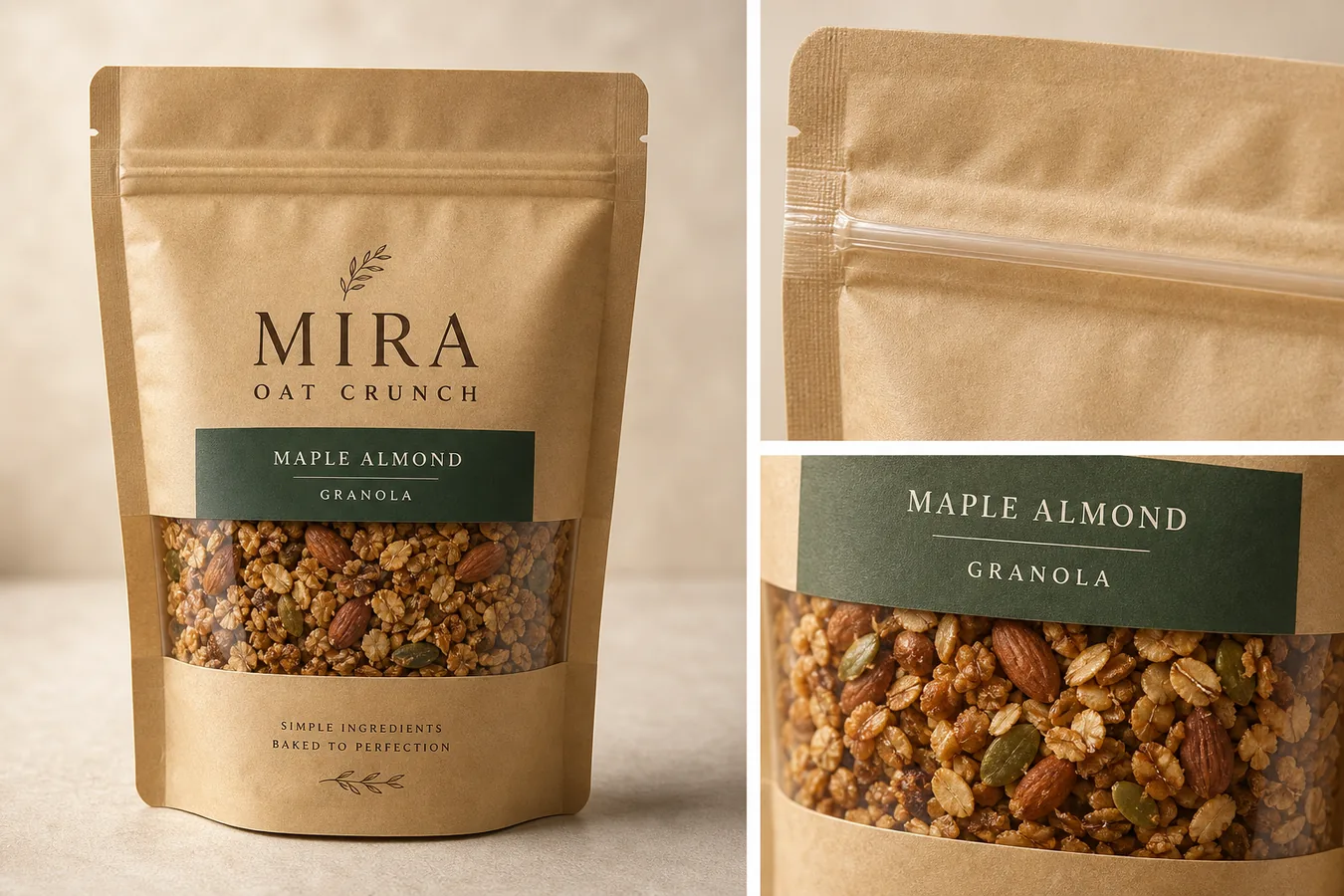
Food packaging detail images for ecommerce should help a shopper inspect the package before they buy. A good detail image shows the pouch, jar, box, bag, tin, bottle, or wrapper clearly, then zooms in on the material, seal, window, texture, label area, or serving cue that affects trust.
The important rule is this: AI can help create polished food packaging product photos, but it should not invent label facts. In [KrafLayer's AI product image generator](/ai-product-image-generator), use the package reference as the source of product truth, create one image role at a time, then review every visible label, claim, ingredient cue, and package detail before publishing.
What Food Packaging Detail Images Need To Prove
Food packaging detail images are not just decorative close-ups. They should answer buyer questions that the main image cannot answer on its own:
- What type of package is it: pouch, jar, carton, sleeve, box, bottle, tin, sachet, or wrapper?
- Does the material look matte, glossy, kraft, glass, metal, plastic, paperboard, or foil-lined?
- Is the seal, cap, zip, tear notch, window, label edge, or closure easy to understand?
- Can the shopper see enough product texture to trust what is inside?
- Is the label area clean, aligned, and believable?
- Are any claims, badges, ingredient text, or nutrition-like details unsupported or hard to read?
A useful rule for food packaging product photos is: show one product, one package system, and one buyer-relevant detail per image. If the image tries to explain everything at once, it usually becomes too busy for a product page.
Product packaging detail images should be treated as proof assets, not as generic campaign art. They earn their place on the page when they make the package material, closure, label area, or product window easier to inspect.
For packaged food, ecommerce detail images should stay narrow: one image can prove resealable closure, another can show the transparent window, and another can make the front label area easier to review.
Start With A Packaging Truth List
Before generating detail images, write down the product facts that must stay stable:
- Package shape: protect the pouch gusset, box edges, jar shoulder, cap, seam, fold, or wrapper contour.
- Material: protect kraft paper fiber, film gloss, glass thickness, metal reflection, paperboard texture, or foil shine.
- Label layout: protect logo position, product name area, color block, window placement, and blank label zones.
- Closure: protect zipper, tear notch, cap thread, lid shape, clip, seal line, or tamper band.
- Product window: protect the size, shape, opacity, and visible food texture.
- Color: protect real package color and avoid unwanted warm, green, or gray drift.
- Shadow: keep natural contact shadow so the package does not float.
This list is the standard for every image. For food packaging detail images for ecommerce, the goal is not to make a prettier imaginary package. The goal is to help the shopper understand the real product better.
Create The Right Detail Image Roles
Most ecommerce food pages need a small set of image roles rather than one oversized poster:
- Main package image: a clean product-forward image that shows the whole package and immediately identifies the product.
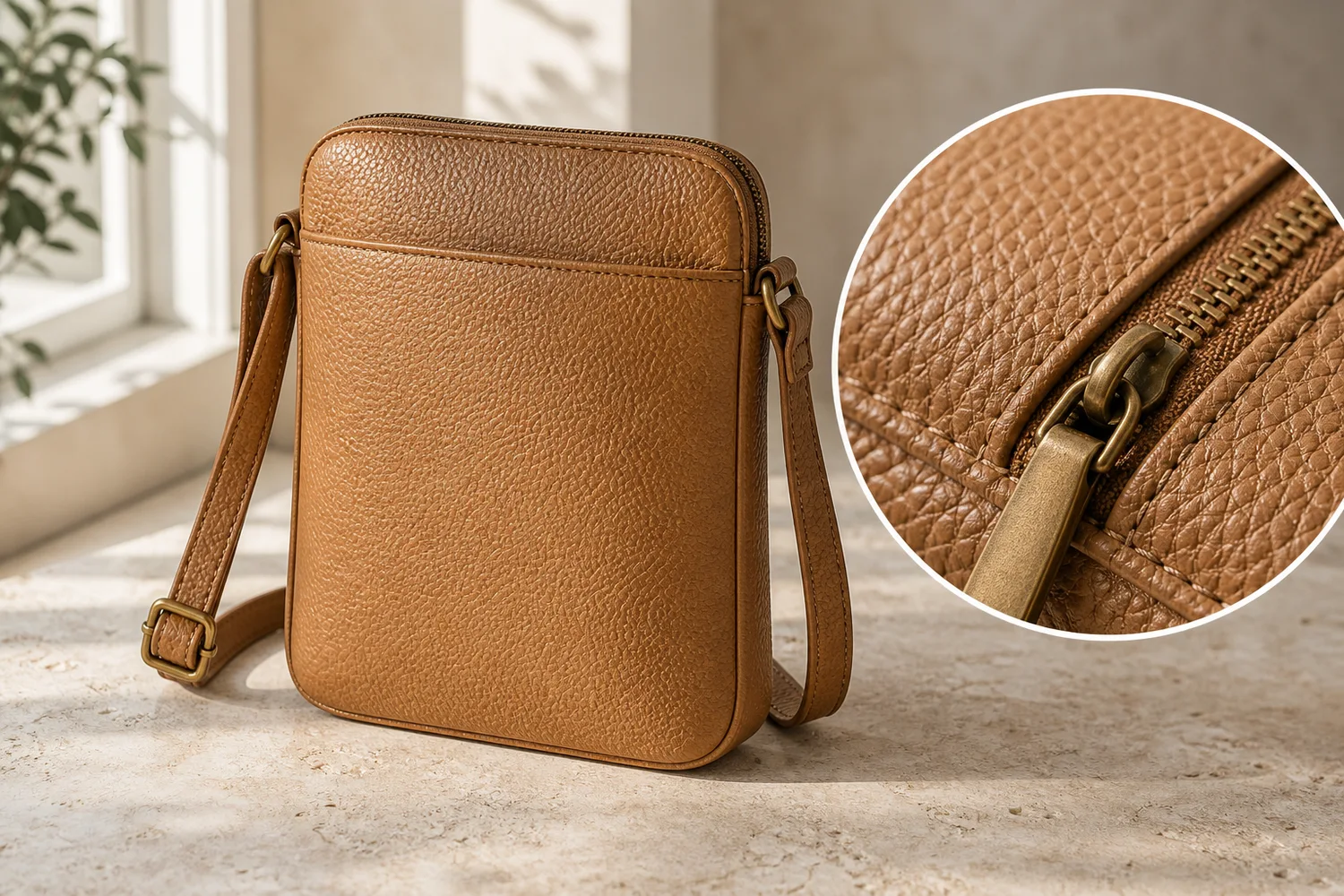
- Material detail: a close-up of kraft paper, glass, label stock, matte film, foil, or carton texture.
- Closure detail: a close-up of zipper, cap, lid, tear notch, resealable strip, or seal line.
- Product window detail: a close view of the visible food texture through a window or open-view area.
- Scale or serving context: a restrained supporting view that helps shoppers understand size, not a cluttered recipe scene.
- Label review image: a clean view of the front label area when the seller needs buyers to inspect flavor, variant, or product name.
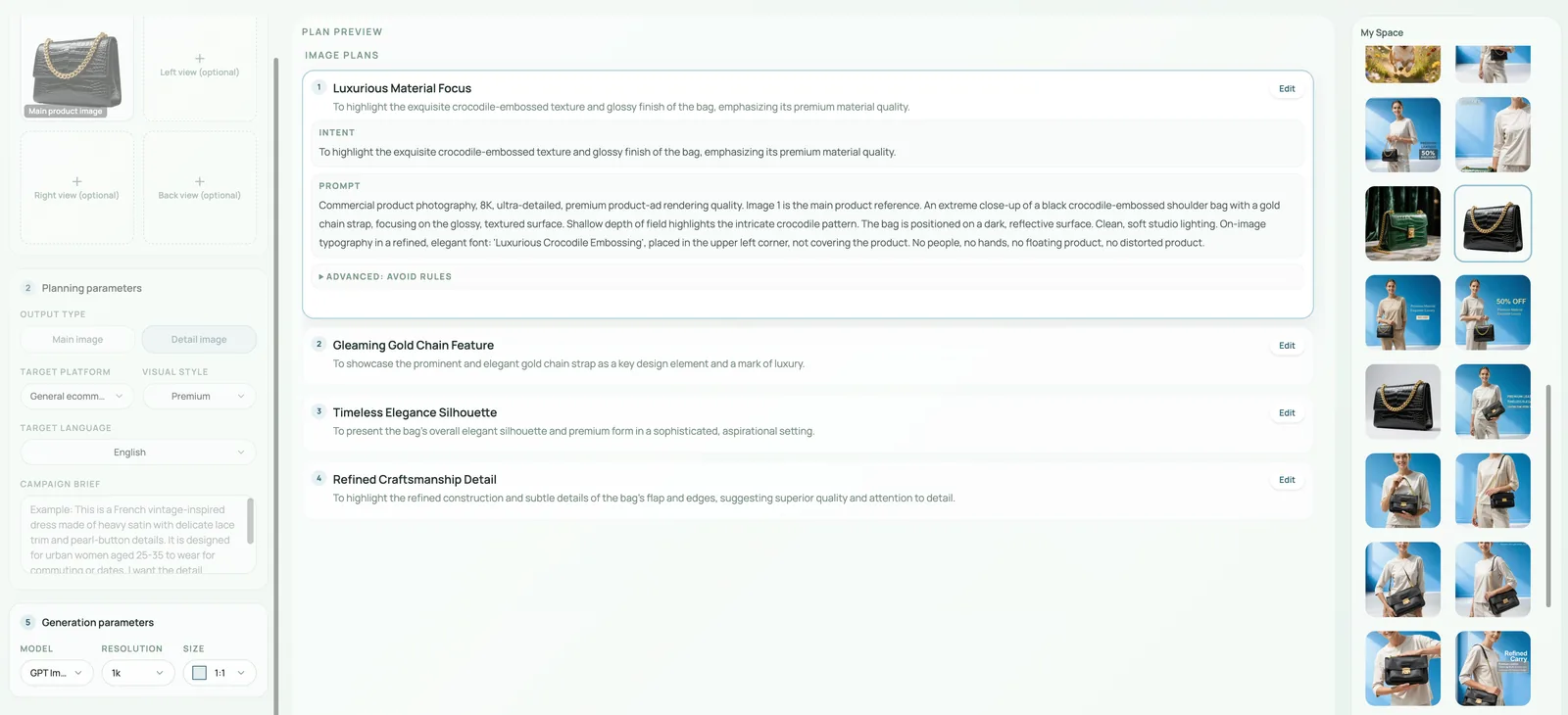
In KrafLayer, create these roles separately when accuracy matters. One generated hero image can introduce the product, but separate detail images are easier to review and less likely to bury important package facts.
Workflow For Generating Food Packaging Details
Use this workflow:
- Upload the cleanest package reference you have.
- Decide the exact image role before prompting: main image, closure detail, material detail, ingredient-window detail, or PDP support image.
- Ask for one clear packaged food product, not a table full of props.
- Protect package shape, material, label area, closure, color, window, and shadow.
- Avoid claims, badges, nutrition panels, QR codes, barcodes, marketplace marks, and certification-style icons unless they already exist in the source and are accurate.
- Generate the image.
- Compare the output with the reference.
- Use [KrafLayer's product photo editor](/product-photo-editor) if a small crop, background, or local cleanup issue needs adjustment.
- Use [AI image upscaling](/tools/ai-image-upscaler) only after checking that label edges, food texture, and package contours still look believable.
This keeps the AI product image generator workflow practical. The generated image can improve presentation, but the merchant still owns the final review.
Prompt Template
Use this prompt when you have a food package reference:
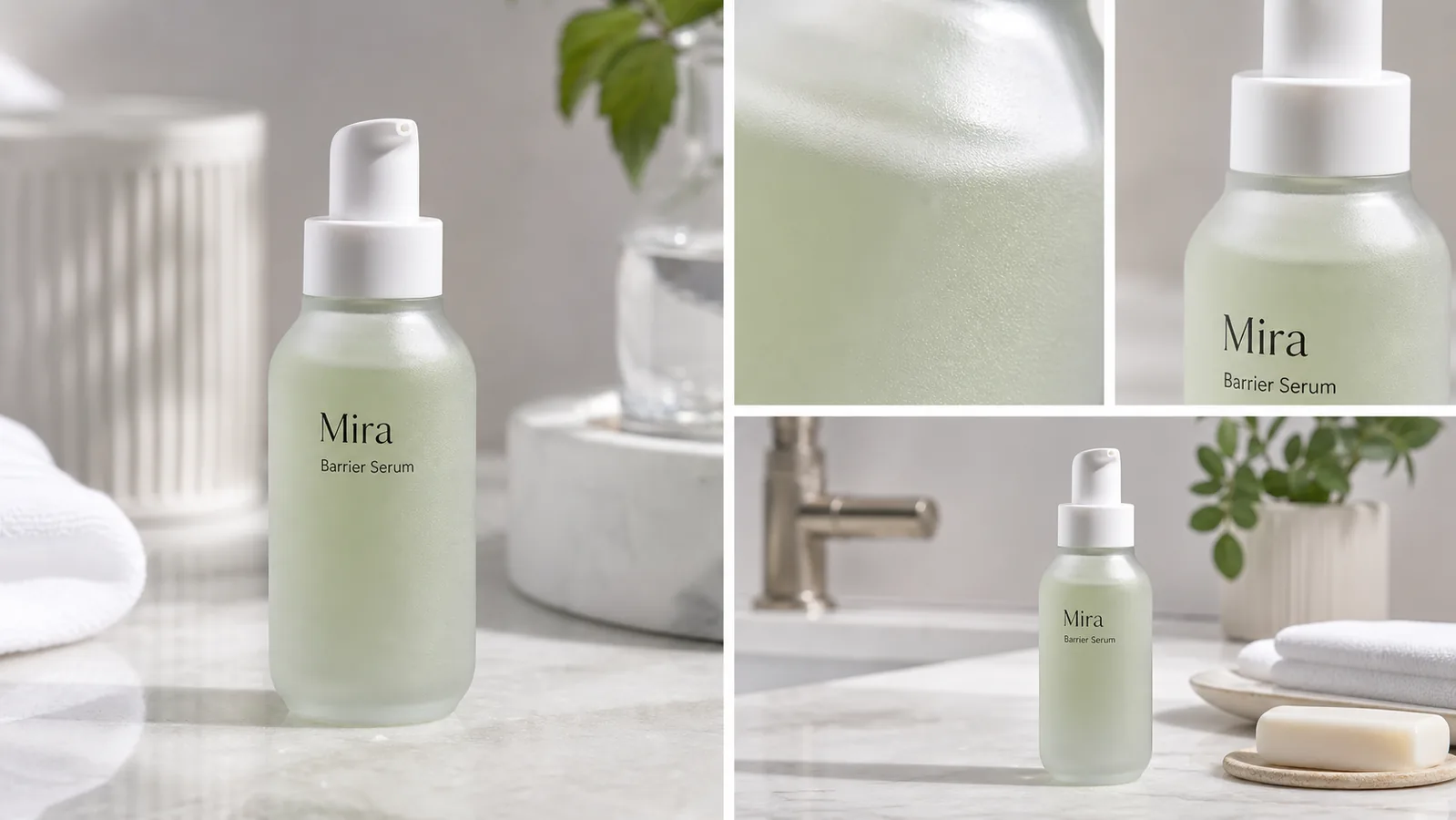
Create an ecommerce food packaging detail image using the reference package as the product truth. Keep the exact package shape, material texture, label layout, color, seal, zipper or cap, window placement, visible product texture, proportions, and natural shadow. Show one packaged food product with a clean main view plus one or two matching detail close-ups for package material, closure, or food texture. Use realistic studio lighting and restrained ecommerce styling. Do not invent nutrition facts, certification badges, barcodes, QR codes, health claims, marketplace UI, real brand marks, or unsupported label text.
For a material-focused detail image, add:
The detail close-up should show the same package material from the main image, including paper fiber, matte coating, transparent window, seal line, or closure detail.
For a product-window image, add:
The visible food texture should look appetizing and plausible, but it must not overfill the package, change the product type, or create unrealistic ingredients.
Label Text Needs Human Review
AI can make label areas look cleaner, but food packaging text needs extra caution. Do not assume generated label text is legally, nutritionally, or commercially correct.
Review every visible text area:
- Product name and flavor should match the SKU.
- Any ingredient cue should be factual or removed.
- Avoid fake nutrition panels, certification marks, health badges, organic marks, award seals, and allergen claims.
- Avoid tiny filler text that looks like real regulated copy.
- Do not use generated barcodes or QR codes.
- Keep fictional branding clearly fictional when creating examples.
If exact label text matters, use the generated image as layout direction, then place final approved label artwork through a design or retouching workflow. For ecommerce listings, a clean blank label area is safer than fake readable claims.
What To Check Before Publishing
Before a detail image goes live, compare it against the real package:
- Is the package still the same pouch, jar, carton, tin, bottle, or box?
- Did the AI change flavor color, label blocks, cap shape, window size, or package proportions?
- Are seams, folds, zippers, tear notches, caps, and seals in plausible positions?
- Does the food texture match the product type?
- Does the image show one buyer-relevant detail clearly?
- Is the product still readable at mobile size?
- Are there any fake badges, real-platform marks, nutrition-like claims, or official-looking icons?
- Does the image support the product page instead of becoming generic food advertising?
The best ecommerce detail image makes one product fact easier to inspect. It should not require the buyer to guess which package is being sold.
FAQ
Can AI create food packaging detail images for ecommerce?
Yes, AI can create food packaging detail images for ecommerce when the source package is clear and the prompt protects package facts. Use AI for presentation, close-ups, lighting, and composition, then manually review label text, claims, seals, material, and product texture before publishing.
What details should food packaging product photos show?
Food packaging product photos should show the full package first, then useful details such as material texture, resealable zipper, cap, label area, transparent window, product texture, serving cue, or package scale. Each detail image should explain one buyer-relevant point.
Can AI generate accurate label text on food packaging?
Do not rely on AI to generate accurate food packaging label text. It may create convincing-looking words, claims, nutrition-style panels, or badges that are not correct. Use approved label artwork for final text, or keep the generated image focused on package material and layout.
How do I keep AI food packaging images from looking fake?
Use one clear product, a real package reference, restrained lighting, natural shadow, plausible material texture, and a narrow detail goal. Avoid excessive props, impossible ingredient windows, fake badges, overfilled packages, and label text that looks official but has not been reviewed.
How does KrafLayer help with food packaging product images?
KrafLayer helps sellers turn food package references into main images, detail images, product-window views, and ecommerce support visuals. The workflow works best when the seller protects package shape, label layout, material, closure, color, and product texture before using the image.
Conclusion
Food packaging detail images for ecommerce work best when they make one product fact easier to inspect: the material, seal, window, texture, label area, or serving cue. KrafLayer helps sellers use an AI product image generator and editor workflow to create polished package visuals while keeping product truth, label review, and buyer trust at the center. For packaged food brands, the advantage is faster visual production without treating generated label text or unsupported claims as finished facts.
Keep exploring
Continue the story
More practical guidance on product accuracy, composition, and conversion-ready visuals.
Put it into practice
Take the next step in KrafLayer
Choose a generation or editing workflow that matches what you just learned.