Ecommerce
Ecommerce Product Photography Trends 2026: 7 Changes
TL;DR
Seven evidence-backed ecommerce product photography trends for 2026, covering product-media systems, SKU fidelity, AI provenance, virtual try-on, native formats, and quality control.
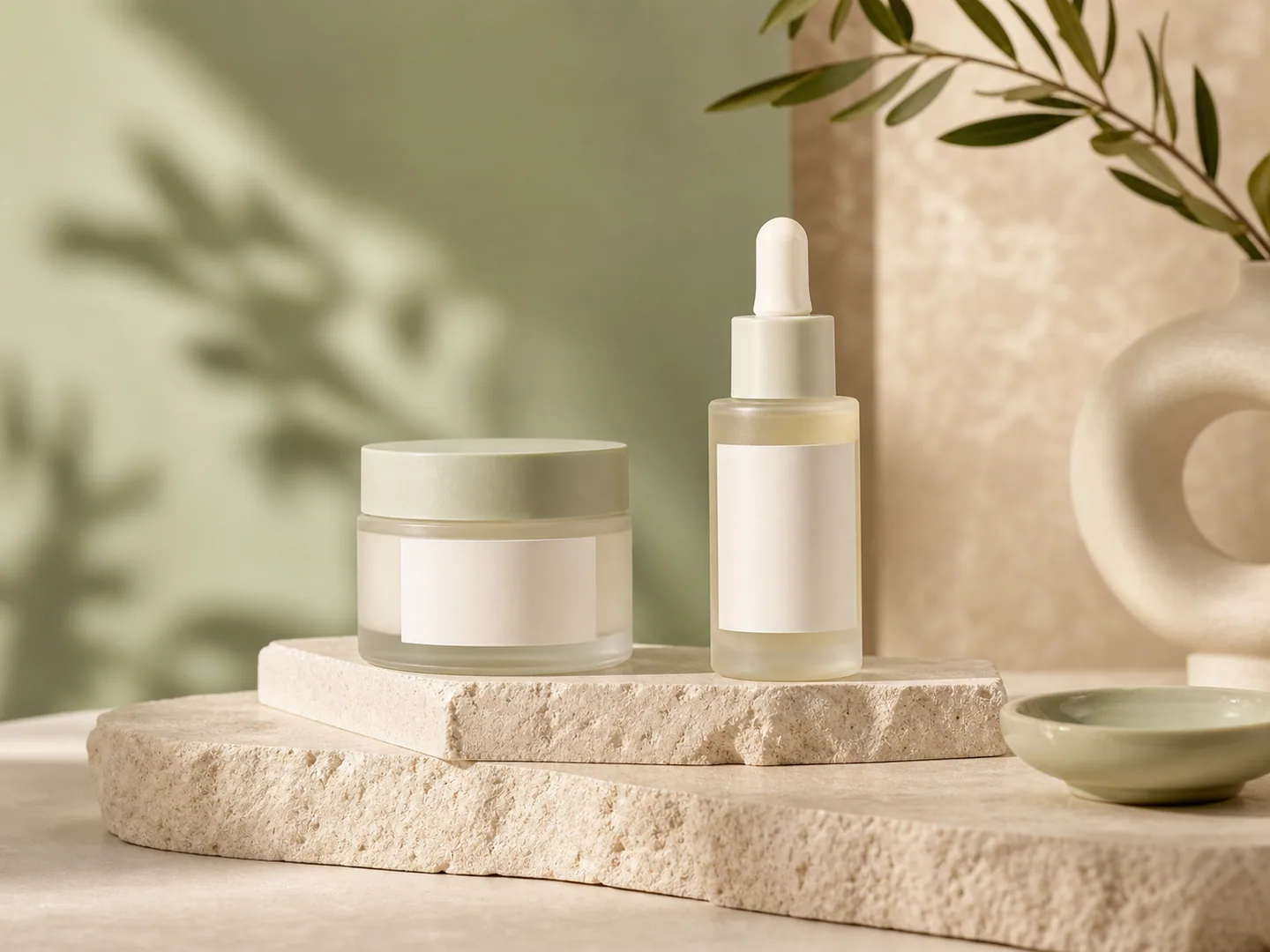
Ecommerce product photography in 2026 is becoming a production system rather than a hunt for one perfect hero shot. A store still needs a factual main image, but it also needs detail views, lifestyle context, mobile crops, ad variants, model imagery, and short video. The useful trend is not “more AI.” It is building more channel-ready assets from trustworthy product evidence without letting the SKU drift.
This guide separates durable changes from short-lived visual fashions. The evidence comes from current Google, Shopify, Amazon, Meta, and TikTok documentation checked on August 22, 2026. Where a platform reports its own survey or performance data, that source is named directly. The recommendations are workflow guidance, not a promise that a particular image style will raise conversion.
Quick Summary
Shopify accepts product images up to 5000 × 5000 pixels, Amazon recommends at least six listing images, and Google requires generative-AI product images to retain machine-readable source metadata. In 2026, build a verified product master first, then derive each gallery, ad, model, and video asset for one specific buying decision.
Abstract
The seven practical ecommerce product photography trends for 2026 are: coordinated image systems, stricter product-identity review, AI provenance, role-specific image generation, virtual try-on-ready source images, multi-format ad production, and a clearer boundary between editing, generation, and reshooting. Stores should measure asset usefulness and consistency, not the number of outputs.
Key takeaways
- One SKU needs a coordinated asset set, not random lifestyle variants.
- Product identity is a hard gate: labels, color, material, shape, parts, and scale must survive.
- Google requires AI-generated product images to retain the IPTC `DigitalSourceType` tag.
- White-background images, detail views, lifestyle scenes, model context, and vertical media do different jobs.
- The safest workflow edits the smallest necessary region and reshoots facts the source never captured.
Table of contents
1. [What changed in 2026](#what-changed-in-ecommerce-product-photography-in-2026) 2. [Trend 1: image systems](#trend-1-stores-are-building-image-systems-not-single-hero-shots) 3. [Trend 2: product identity](#trend-2-product-identity-is-the-quality-gate) 4. [Trend 3: AI provenance](#trend-3-ai-provenance-is-now-part-of-the-file) 5. [Trend 4: role-specific generation](#trend-4-each-generated-image-needs-one-job) 6. [Trend 5: virtual try-on](#trend-5-source-photos-are-being-prepared-for-virtual-try-on) 7. [Trend 6: multi-format production](#trend-6-one-campaign-needs-several-native-formats) 8. [Trend 7: editing versus reshooting](#trend-7-editing-generation-and-reshooting-have-clearer-boundaries) 9. [A practical asset plan](#what-should-a-2026-product-image-set-contain) 10. [Workflow and quality control](#how-do-you-build-the-system-without-losing-the-product) 11. [FAQ](#frequently-asked-questions)
What changed in ecommerce product photography in 2026?
Shopify now supports images, video, 3D models, and augmented-reality media on product pages, while Amazon recommends at least six images and lets sellers upload up to nine photos to a listing. The direction is clear: a product page is no longer a stack of interchangeable stills. Each asset needs to answer a different question about identity, detail, scale, use, or trust ([Shopify Help Center](https://help.shopify.com/en/manual/products/product-media); [Amazon](https://sell.amazon.com/blog/amazon-product-listings), 2026).
At the same time, generative tools have moved inside merchant and ad platforms. Google Product Studio can remove or generate backgrounds, increase resolution, create images, animate stills, and generate video. Meta offers background generation, image expansion, text generation, and animation inside Advantage+ creative. That makes production faster, but it also makes source control and review more important.
The durable shift is operational. Teams need a clean product master, a defined gallery plan, reusable crop zones, documented variant colors, a review checklist, and a record of which assets contain generated pixels. Without that system, more generation simply creates a larger pile of files to inspect.
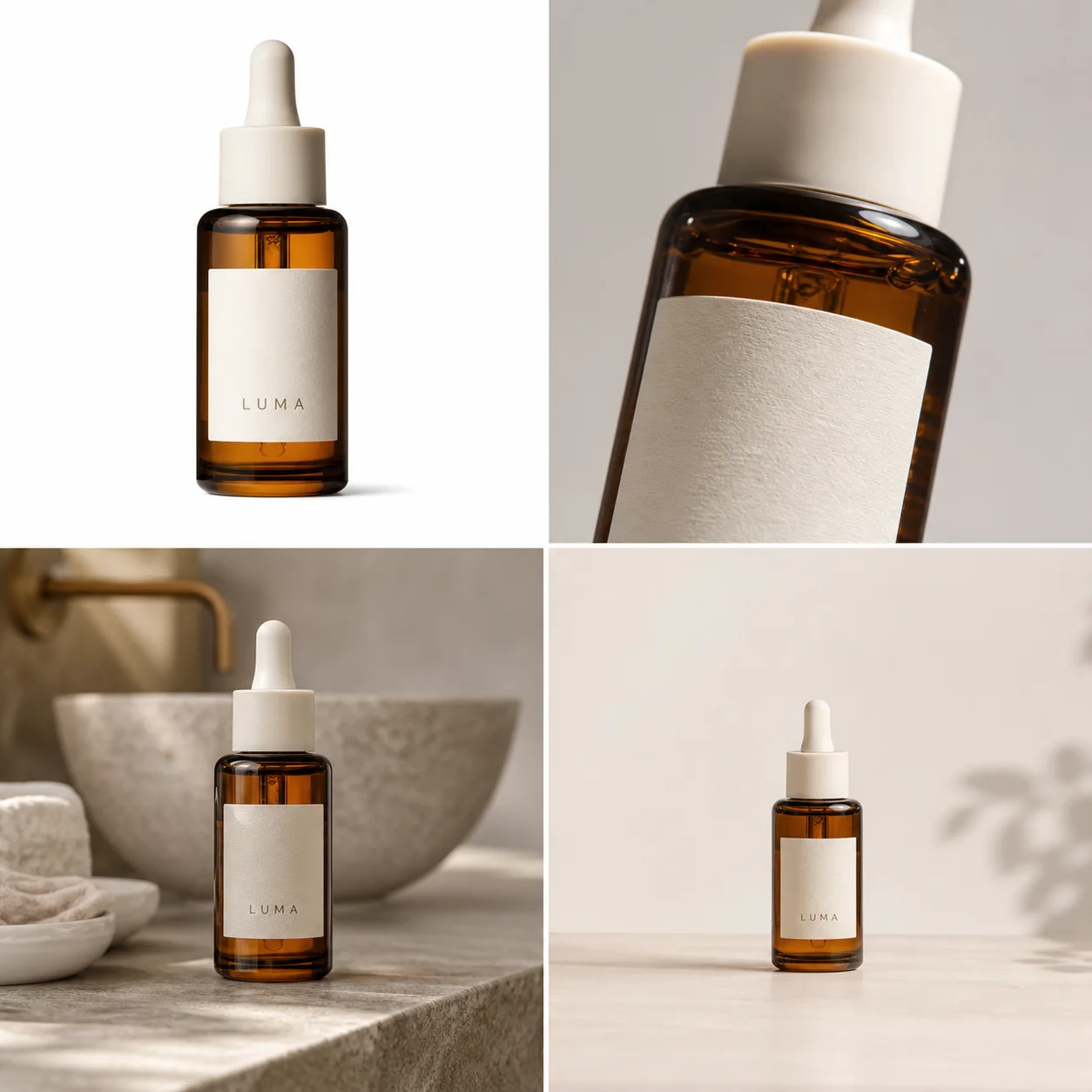
*GPT Image demonstration created for this guide. Compare the bottle silhouette, amber glass, ivory dropper, label position, and scale across all four roles. It is a workflow example, not a customer result or conversion test.*
Trend 1: Stores are building image systems, not single hero shots
Amazon recommends at least six listing images and names individual, lifestyle, scale, detail, packaging, group, and 360-degree views as distinct product-photo types. A useful image system assigns one buyer question to each frame instead of asking every image to be simultaneously factual, emotional, instructional, and promotional ([Amazon product photography guide](https://sell.amazon.com/blog/product-photos), 2026).
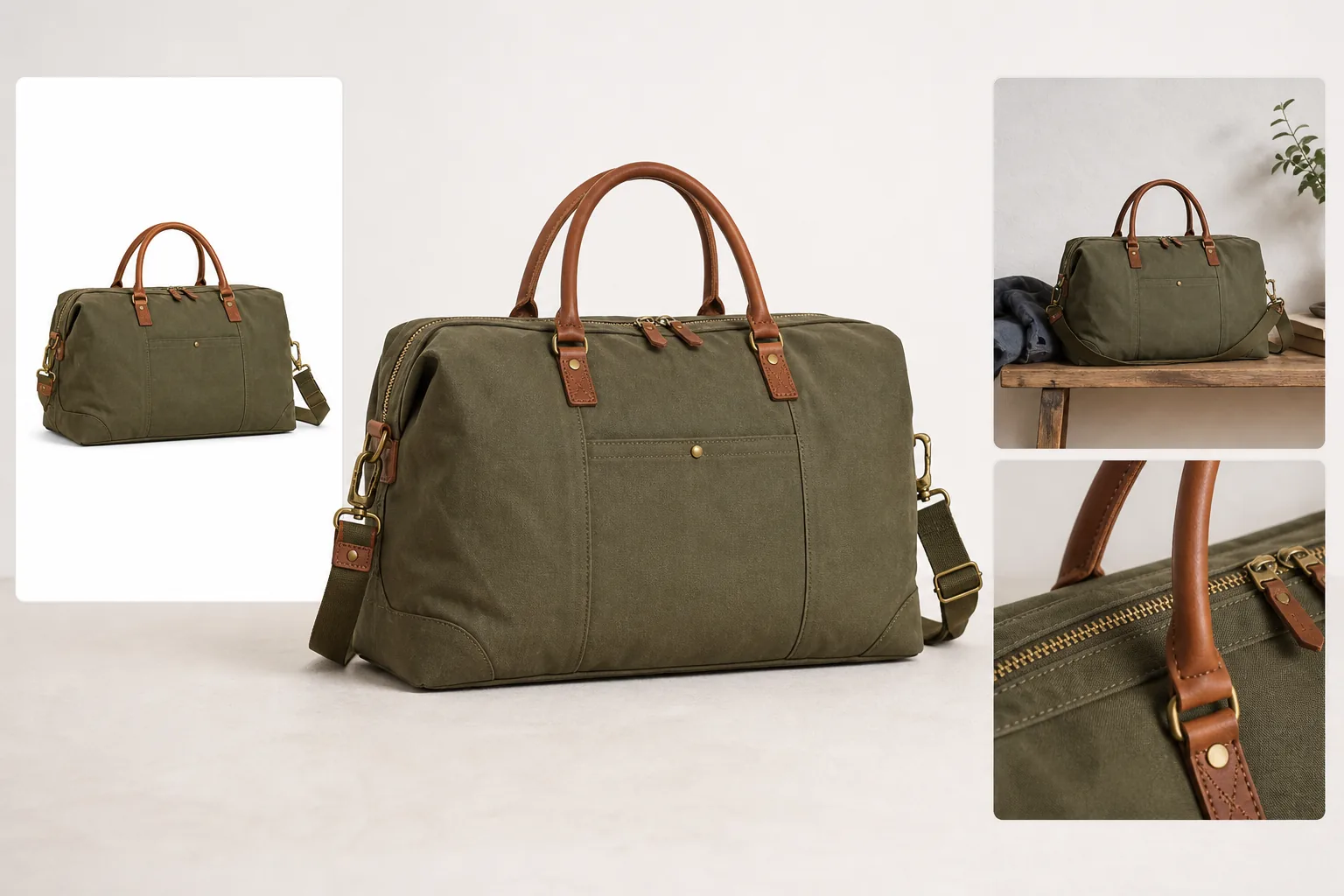
For a serum bottle, the system might include a plain main image, a dropper close-up, packaging contents, a hand-free bathroom scene, a verified scale cue, and a vertical campaign crop. For a handbag, it might include front, back, interior, closure, leather grain, on-model scale, and a lifestyle frame. The exact list changes by product risk.
The common mistake is generating ten attractive scenes before documenting the product. That reverses the work. Start with the questions a buyer could reasonably ask: What arrives? How large is it? What material is it? Which parts move? What is included? How does it look in use? Then create the minimum set that answers those questions.
Consistency also extends beyond color grading. Lock the product baseline, approximate frame fill, camera family, shadow style, crop logic, and background family for comparable SKUs. Small, deliberate exceptions are fine when a white or dark product would otherwise disappear.
Trend 2: Product identity is the quality gate
Google requires product imagery to show the correct variant and match its color, pattern, and material; its main-image guidance recommends 75% to 90% product fill. Those requirements make product fidelity more important than cinematic styling. A beautiful scene fails if it quietly changes the item being sold ([Google Merchant Center](https://support.google.com/merchants/answer/6324350?hl=en), 2026).
Review generated and heavily edited images against the original at full resolution. Use seven hard checks:
| Check | Compare with the source | Reject the output when |
|---|---|---|
| Silhouette | Outer shape, proportions, openings, handles | Width, depth, or construction changes |
| Color | Correct SKU, white balance, transparency | The result resembles another variant |
| Text and marks | Label, logo, numbers, warnings | Characters mutate or claims appear |
| Material | Grain, weave, gloss, glass, metal | Texture becomes generic plastic or fake fabric |
| Components | Caps, ports, seams, stones, fasteners | A part moves, disappears, or multiplies |
| Scale | Product dimensions relative to props or model | Perspective implies a false size |
| Light and contact | Shadow direction, reflection, surface contact | The product floats or lighting conflicts |
Do not average these into a flattering score. A missing clasp or wrong ingredient label is a hard failure even when six other checks pass. The review rule is simple: presentation can be approximate; product facts cannot.
Trend 3: AI provenance is now part of the file
Google requires generative-AI product images to retain an IPTC `DigitalSourceType` value such as `TrainedAlgorithmicMedia`, `CompositeSynthetic`, or `AlgorithmicMedia`. The requirement applies to main, additional, and lifestyle image links. Metadata is therefore part of the publishing workflow, not an invisible detail to strip during export ([Google Merchant Center AI-generated content](https://support.google.com/merchants/answer/14743464?hl=en), 2026).
Google also introduced asset-level AI labels across Ads and Merchant Center, with disclosures available through “How this ad was made.” Its own tools add machine-readable provenance such as SynthID and C2PA. Regulations and platform behavior still vary by region, so disclosure controls do not replace legal review ([Google AI content labels](https://support.google.com/merchants/answer/17231950?hl=en), 2026).
For a small store, the practical system can be modest:
- keep the untouched camera original;
- store the transparent or cleaned product master separately;
- record which files were generated, composited, or locally edited;
- preserve embedded provenance metadata when converting formats;
- keep prompts and reference filenames for high-risk assets;
- avoid calling demonstration imagery “photography” when it was fully generated.
This record is useful even when a channel does not display a label. When a label, ingredient line, or product part is challenged later, the team can trace the asset back to its source instead of guessing which edit created it.
Trend 4: Each generated image needs one job
Google Product Studio produces four background-generation outputs for review, while Amazon separates listing imagery into role-specific views. Both workflows support the same production rule: generate one image role at a time, then review it against a role-specific checklist ([Google Product Studio](https://support.google.com/merchants/answer/13708167?hl=en); [Amazon](https://sell.amazon.com/blog/product-photos), 2026).
“Create a complete ecommerce campaign” is a weak generation brief because it hides several incompatible jobs. A factual main image should minimize props and ambiguity. A detail image needs a sharp source of the exact mechanism or texture. A lifestyle image may introduce setting and emotion, but it still cannot conceal the SKU. A vertical ad needs safe space for interface overlays and copy.
Write prompts in two layers. First, lock the product: SKU, variant color, silhouette, material, exact visible marks, required components, and forbidden changes. Second, name the image role: canvas ratio, camera angle, background, light direction, prop restraint, and the single buyer question the frame should answer.
Generate two to four candidates for that role. Reject obvious identity errors before refining style. Fifty unrelated variants feel productive, but they make comparison harder and encourage teams to choose the prettiest output instead of the most accurate one.
Trend 5: Source photos are being prepared for virtual try-on
Google's try-on guidance asks for garment images of at least 512 × 512 pixels, ideally 1024 pixels or higher, with the whole garment visible. Flat-lay items should avoid excessive folds, while on-model sources should avoid hands, bags, or accessories covering garment details. Source photography now has downstream machine-use requirements in addition to ordinary listing quality ([Google virtual try-on](https://support.google.com/merchants/answer/16159685?hl=en-GB), 2026).
That does not mean every fashion seller should replace model photography. It means the source set should expose the garment clearly enough for several later uses: factual listing, product-on-model generation, try-on, fit explanation, detail crops, and campaign imagery.
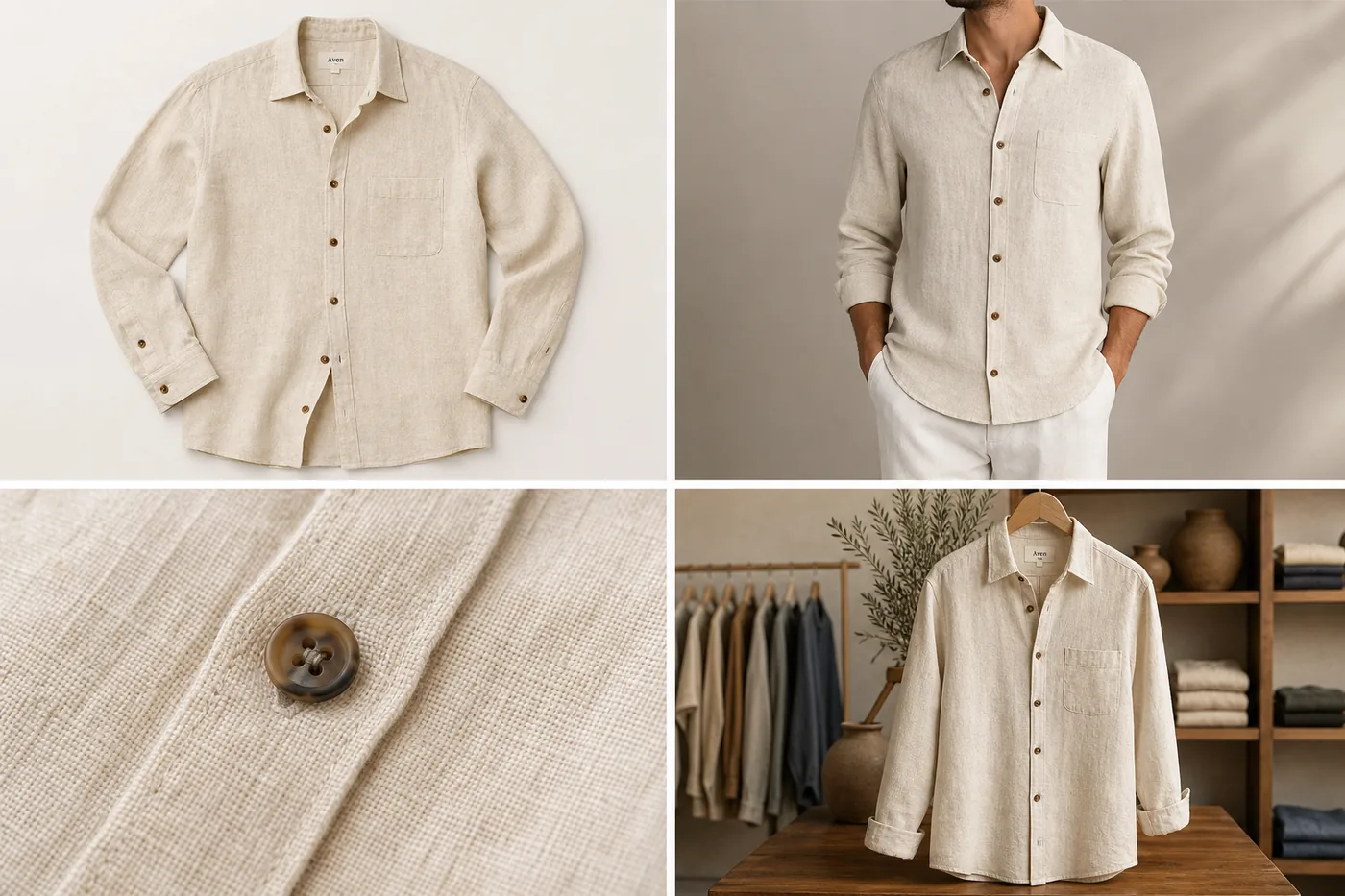
Capture front and back views, real color, full hems and sleeves, closures, trims, logos, and one or two material close-ups. For accessories, include anchors, clasps, interior construction, and a verified scale reference. A single dramatic flat lay with folds covering the seams is a poor master even if it performs well as a social post.
The same principle applies outside fashion. A reference-image generator cannot infer a hidden port, unseen bag interior, unreadable back label, or unknown furniture depth. Photograph those facts before asking software to produce new angles.
Trend 6: One campaign needs several native formats
Meta says more than four million advertisers use its AI creative tools, including image expansion for different placements. TikTok's official image-ad playbook lists horizontal 1200 × 628, square 640 × 640, and vertical 720 × 1280 assets for its carousel formats. A single square master is no longer a complete campaign deliverable ([Meta Advantage+ creative](https://www.facebook.com/business/ads/meta-advantage-plus/creative); [TikTok image ads playbook](https://ads.tiktok.com/business/library/Image_Ads_Carousel_Ads_Playbook.pdf), 2026).
Do not solve format coverage by blind cropping. A square catalog frame can lose the product or copy when forced into 9:16. A vertical ad can fail when interface controls cover the product. Build safe composition zones into the source: keep critical product details away from edges, leave intentional negative space, and preview the real placement before launch.
Create crops from a high-resolution reviewed master whenever possible. Shopify accepts product and collection images up to 5000 × 5000 pixels or 25 megapixels and says 2048 × 2048 usually displays best for square product images. That is enough room for clean store delivery and several derivative crops without starting from a thumbnail ([Shopify product media](https://help.shopify.com/en/manual/products/product-media/product-media-types), 2026).
Format variants should remain visibly related. Keep the same SKU, color treatment, background family, and campaign idea while moving the product and props for the native frame. “Consistent” does not mean every crop is mechanically centered.
Trend 7: Editing, generation, and reshooting have clearer boundaries
Google Product Studio separates background removal, background generation, resolution increase, image creation, animation, and video into different tasks. That product map reflects a useful risk rule: use the narrowest operation that solves the visible problem. Full regeneration is unnecessary when only dust, a cable, or a background is wrong ([Google Product Studio](https://support.google.com/merchants/answer/13708167?hl=en), 2026).
Use editing when the product pixels are already correct. Remove the background, erase a prop with a brush mask, upscale a small but sharp source, or correct one local glare area. Use generation when the job genuinely requires a new scene, campaign composition, or model context and the references cover the facts that must remain.
Reshoot when evidence is missing. Common reshoot triggers include unreadable regulated copy, motion blur, cropped construction, unreliable color, a hidden connector, a missing product angle, or reflective glare that obscures the actual material. Generated pixels can look plausible without being true.
This boundary is easy to overlook because generation is more entertaining than file cleanup. In practice, a clean cutout and three verified detail shots often create more reusable value than twenty speculative lifestyle scenes.
What should a 2026 product image set contain?
Amazon recommends at least six product images, and Shopify can display images, video, 3D, and AR. Treat six as a starting point, not a universal target. A simple mug needs fewer factual views than a convertible bag, appliance, or garment with fit-sensitive construction ([Amazon](https://sell.amazon.com/blog/product-photos); [Shopify](https://help.shopify.com/en/manual/products/product-media), 2026).
| Asset | Buyer question | Minimum source evidence | Typical channel role |
|---|---|---|---|
| Plain main image | What is the exact product? | Sharp full-product view | Marketplace and store grid |
| Alternate angle | What is on the side or back? | Actual side or back reference | Product gallery |
| Detail image | How does this material or part look? | Macro or high-resolution detail | PDP and A+ content |
| Included-items image | What arrives in the box? | Verified contents | PDP and marketplace gallery |
| Scale image | How large is it? | Real dimensions or photographed comparison | PDP secondary image |
| Lifestyle image | Where does it belong? | Strong identity master | Store, campaign, additional image |
| Model or try-on view | How does it fit or wear? | Garment/accessory coverage and scale | Fashion PDP and discovery |
| Vertical crop | Will it read in mobile placements? | High-resolution reviewed master | Stories, Reels, TikTok |
| Short video | How does it move or work? | Verified product actions | PDP, ads, social |
Add an asset only when it answers a new question. Repeating the same front angle on three backgrounds creates visual variety but little information gain.
How do you build the system without losing the product?
Shopify recommends a consistent camera and tripod position for product photography, and Google requires the correct variant, color, pattern, and material. Combine those ideas into a source-first workflow: standardize capture, preserve the master, then generate only the derivatives that the channel needs ([Shopify product photography](https://help.shopify.com/en/manual/products/product-media/product-photography); [Google Merchant Center](https://support.google.com/merchants/answer/6324350?hl=en), 2026).
1. Create a product evidence pack. Include the largest original files, essential angles, detail close-ups, dimensions, variant color, included items, and exact visible copy. 2. Clean the master conservatively. Correct dust, crop, exposure, and background without changing material or construction. 3. Plan the gallery by buyer question. Assign one purpose to each frame before generating. 4. Choose the narrowest KrafLayer workflow. Use the [product photo editor](/product-photo-editor) for cleanup and local corrections, the [AI product image generator](/ai-product-image-generator) for new compositions, and product-on-model workflows only when reference coverage supports them. 5. Generate role by role. Keep the identity lock stable while changing only the camera, scene, or output format needed for that role. 6. Review at full size and thumbnail size. Full size reveals mutated text and material; thumbnails reveal weak silhouette and clutter. 7. Export per destination. Preserve the reviewed master, embedded provenance, and a record of the crop used for each channel.
For a first pass, prioritize the highest-risk assets: factual main image, variant images, included contents, labels, mechanisms, and scale. Lifestyle and campaign work comes after those facts are secured.
What should you measure?
Amazon reports that product detail pages with shoppable video saw an average 23.8% sales increase compared with pages without video, based on its internal 2024 data. That is a platform-level observation, not a guarantee for an individual SKU. Measure each asset against the job it was designed to do ([Amazon product video](https://sell.amazon.com/blog/amazon-product-video), 2025).
Useful review metrics include main-image click-through rate, PDP image engagement, zoom use, gallery depth, video starts and completion, add-to-cart rate, conversion by device, return reasons linked to appearance, and the percentage of generated outputs rejected for product drift.
Run clean tests where traffic allows. Change one primary variable, such as the main image or gallery order, and keep price, promotion, title, and audience stable. For smaller stores, qualitative signals still matter: support questions, review complaints, and repeated confusion about size or included items often identify the next image the gallery needs.
Frequently asked questions
What is the biggest ecommerce product photography trend in 2026?
The biggest shift is from isolated hero images to coordinated product-media systems. Stores need factual main images, detail and scale views, lifestyle context, mobile crops, ads, model imagery, and often video. The system succeeds only when every asset preserves the same SKU identity.
Is AI replacing traditional product photography?
AI replaces some repeated production work, especially background variants, campaign crops, scene concepts, and selected model imagery. It does not replace missing evidence. Photograph labels, hidden construction, exact color, texture, dimensions, and regulated details when buyers need those facts.
How many product images should a store use?
Amazon recommends at least six images, but the right count depends on product complexity. Use enough images to show identity, angles, material, scale, included items, and use context. Do not add near-duplicate frames simply to reach a number.
Should the first image use a white or lifestyle background?
For marketplace-style main images, white is usually the least ambiguous choice and often aligns with platform guidance. Lifestyle imagery works better as a secondary role for context, scale, and desire. Always check the current rules for the specific channel and category.
How can I keep AI product photos accurate?
Build a product evidence pack, write an identity lock, generate one image role at a time, and compare every output with the source for silhouette, color, text, material, components, scale, and contact lighting. Reject changed product facts rather than averaging them into a score.
Do AI-generated ecommerce images need labels?
Requirements vary. Google Merchant Center requires generative-AI product images to retain machine-readable IPTC digital-source metadata, and Google also offers AI disclosure controls for ads and Merchant Center assets. Preserve provenance and check the destination's current rules before publishing.
Conclusion
Ecommerce product photography in 2026 is less about chasing a fashionable background and more about managing product evidence across a growing set of outputs. KrafLayer can help a seller clean the source, create role-specific product images, prepare model or lifestyle context, and build channel variants from one reviewed product master. The advantage is not unlimited generation. It is a controlled workflow that produces more useful assets while keeping the product recognizable.
References
1. [Google Merchant Center: Product image requirements](https://support.google.com/merchants/answer/6324350?hl=en), accessed August 22, 2026. 2. [Google Merchant Center: AI-generated content](https://support.google.com/merchants/answer/14743464?hl=en), accessed August 22, 2026. 3. [Google Merchant Center: Product Studio](https://support.google.com/merchants/answer/13708167?hl=en), accessed August 22, 2026. 4. [Shopify Help Center: Product media types](https://help.shopify.com/en/manual/products/product-media/product-media-types), accessed August 22, 2026. 5. [Amazon: Product photography guide](https://sell.amazon.com/blog/product-photos), accessed August 22, 2026. 6. [Meta: Advantage+ creative](https://www.facebook.com/business/ads/meta-advantage-plus/creative), accessed August 22, 2026. 7. [TikTok for Business: Image ads playbook](https://ads.tiktok.com/business/library/Image_Ads_Carousel_Ads_Playbook.pdf), accessed August 22, 2026.
Keep exploring
Continue the story
More practical guidance on product accuracy, composition, and conversion-ready visuals.
Put it into practice
Take the next step in KrafLayer
Choose a generation or editing workflow that matches what you just learned.