Ecommerce
Ecommerce Product Photos: What Every Listing Image Set Should Include
TL;DR
A practical checklist for ecommerce product photos: main image, angle view, product detail image, lifestyle context, and review checks.
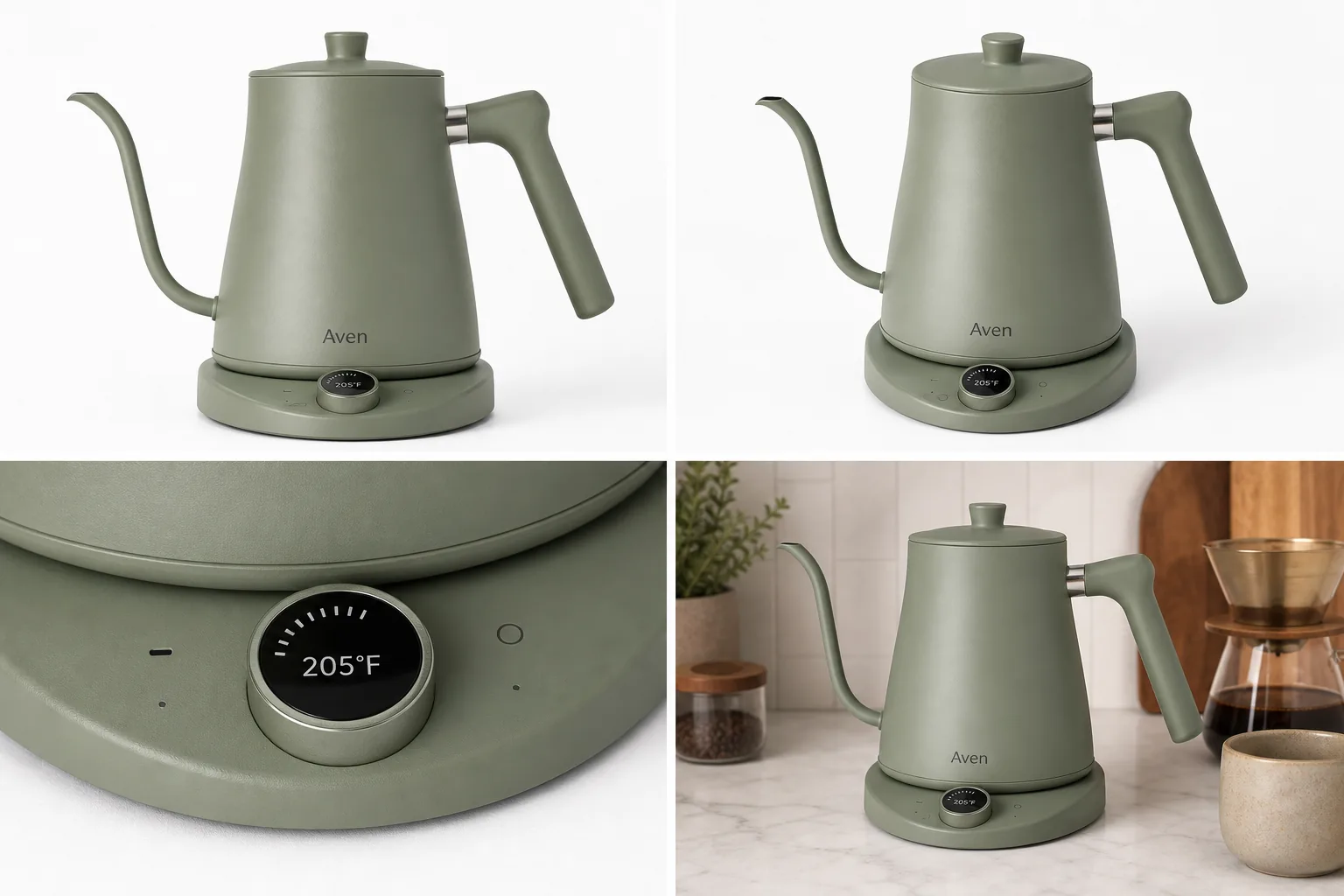
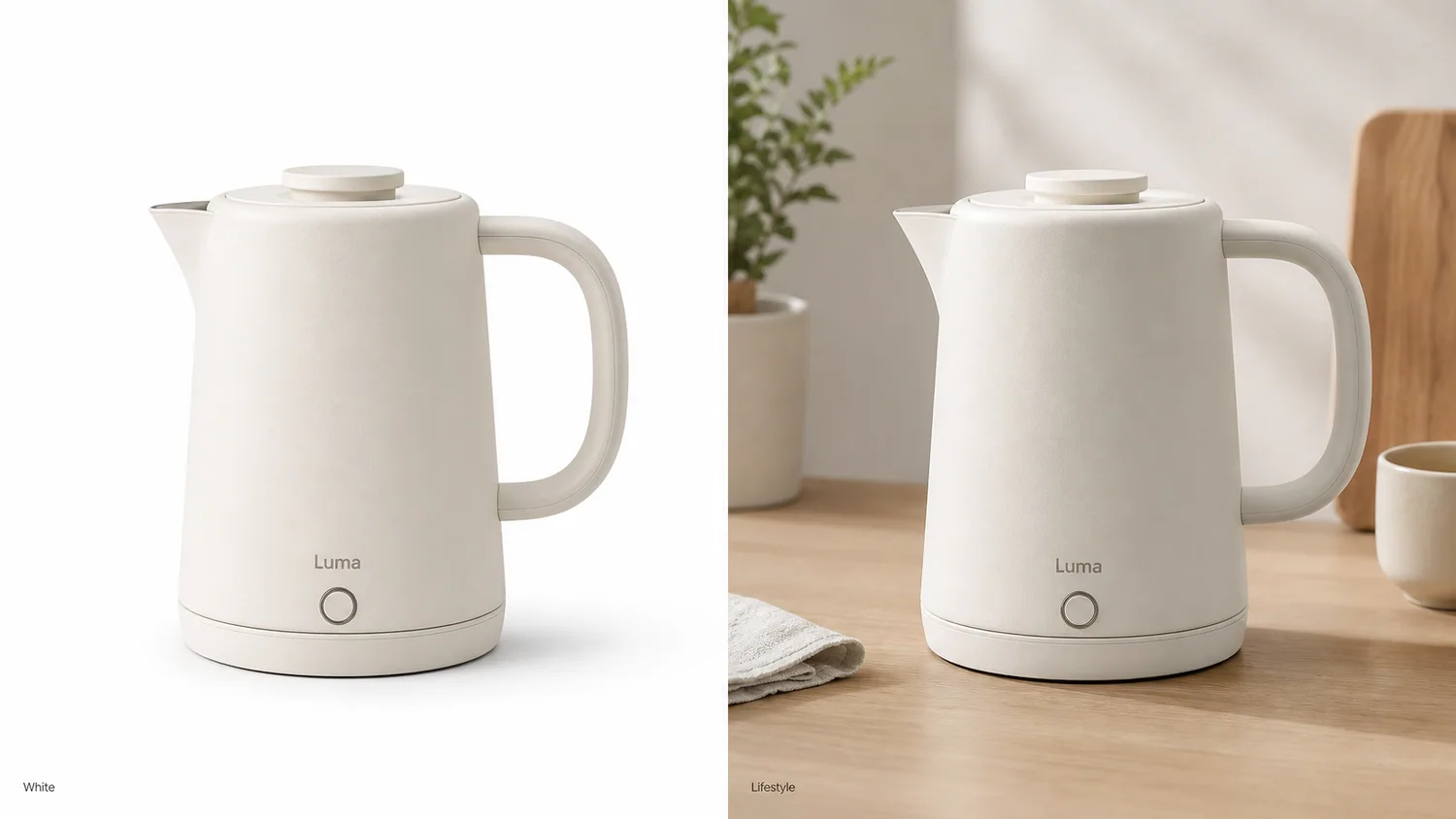
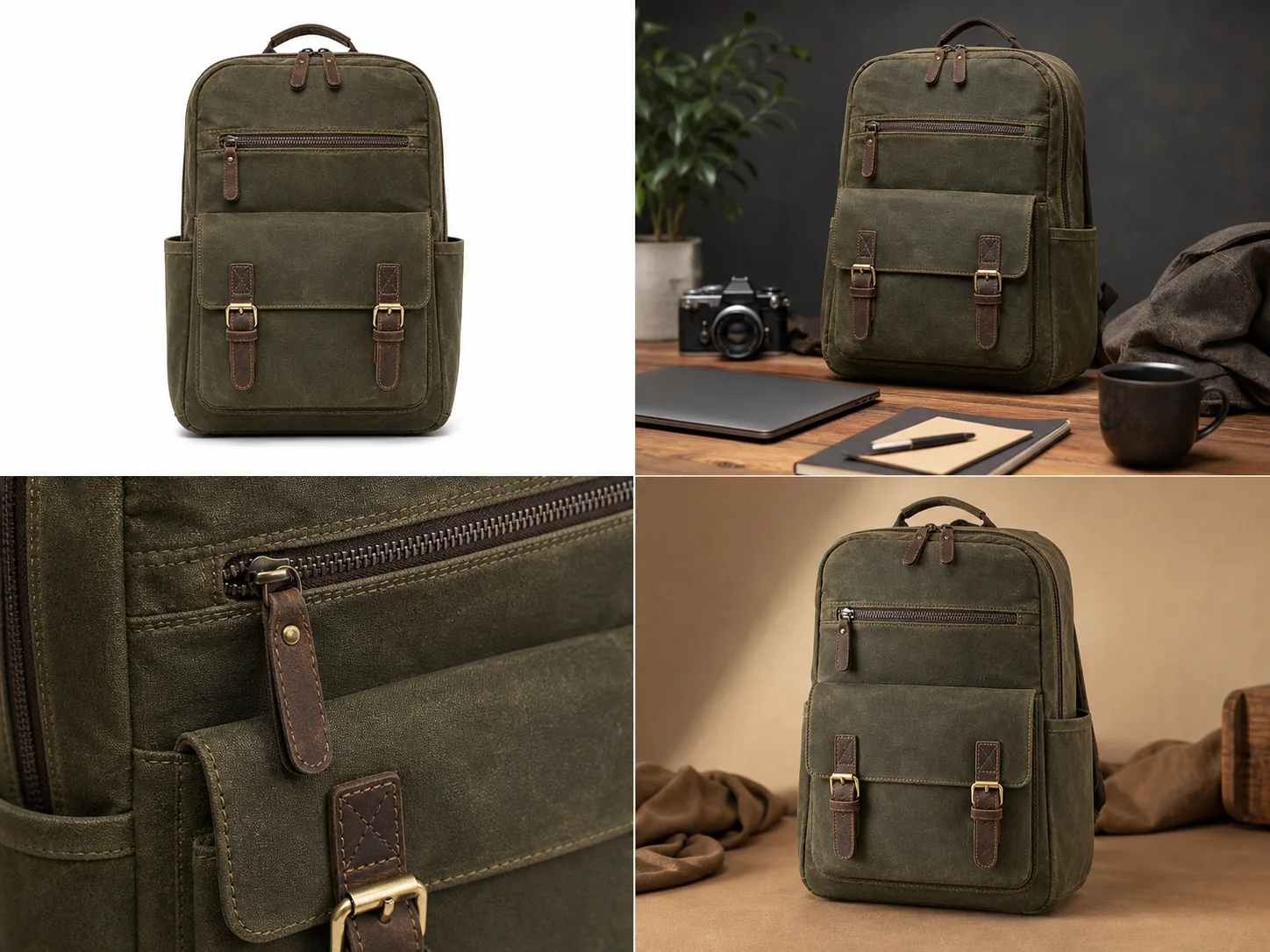
Ecommerce product photos should work as a set, not as disconnected nice-looking images. A useful listing usually needs one clean main image, one angle or scale view, one product detail image, and one restrained lifestyle image. The rule is simple: every image should either identify the product, explain its shape, prove a detail, or show how it fits into real use.
KrafLayer fits into that workflow after the product facts are clear. Sellers can use [ecommerce product photography](/ecommerce-product-photography) planning to decide what the listing needs, then use AI generation and editing to create missing image roles without turning the product into a different SKU.
Ecommerce Product Photos Are A Buyer Checklist
Ecommerce product photos are not decoration for a product page. They are the buyer's evidence. A listing image set should help a shopper answer the questions they would normally answer by picking up the item in a store.
For most products, the photo set should answer:
- what the product is
- what color, shape, and size it appears to have
- what material, finish, or construction detail matters
- what is included and what is not included
- how the product might look in use
- whether the same SKU is shown consistently across the whole listing
This is why one beautiful hero image is rarely enough. The main photo gets attention, but the supporting photos reduce doubt. Product listing images work best when each image has a role and all roles point back to the same product truth.
The Four Images Most Listings Need
Start with four practical image roles before creating extra campaign assets.
Main image:
- Use a clean product-first view.
- Keep the full silhouette visible.
- Avoid distracting props, fake badges, sale stickers, and busy scenes.
- Make the product recognizable in a small thumbnail.
Angle or scale image:
- Show the side, back, open state, worn view, hand scale, or three-quarter structure.
- Explain parts that the main image hides.
- Keep crop, color, shadow, and product scale consistent with the main image.
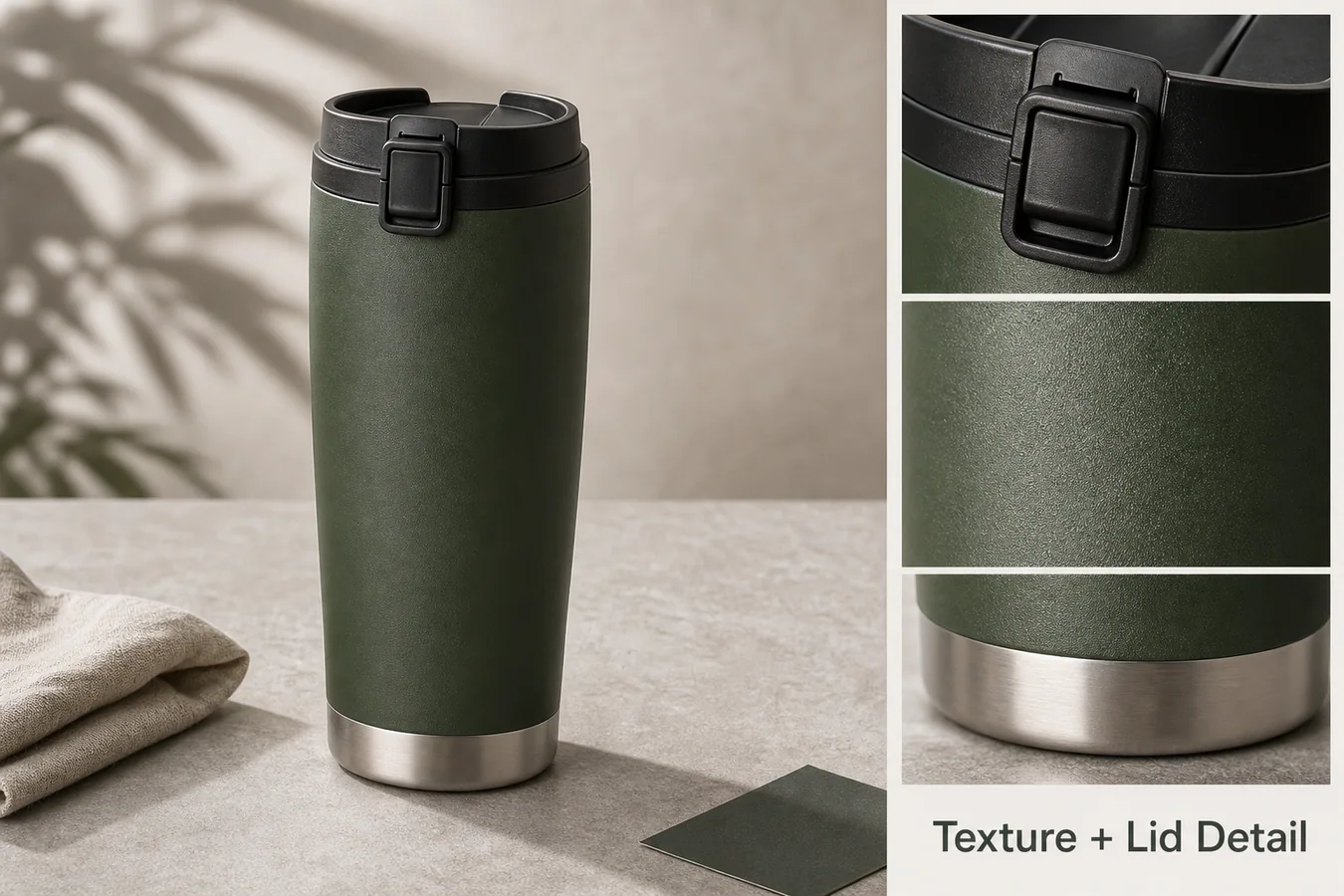
Detail image:
- Show one buyer-relevant proof point.
- Focus on texture, hardware, stitching, dial, label area, screen edge, closure, ingredients panel, material finish, or package construction.
- Do not invent details that are not in the real product.
Lifestyle image:
- Add a restrained setting that explains use, scale, or mood.
- Keep the product dominant.
- Avoid scenes that hide the SKU or imply a different bundle, performance claim, or use case.
If you can only make four ecommerce product photos, make these four strong before adding banners, posters, or social crops.
How To Plan A Listing Image Set
Use this planning flow before opening an AI product image generator or product photo editor.
1. Write the product-truth list: color, material, shape, label position, hardware, seams, ports, dimensions, included parts, and any defects or condition details buyers should see. 2. Choose the image roles: main, angle, detail, lifestyle, variant, bundle, comparison, or ad crop. 3. Pick one strongest reference image as the source of truth. 4. Create or clean the main image first. 5. Build the angle image from the same product facts. 6. Choose detail images based on real objections: texture, closure, display, material quality, scale, or usage. 7. Add lifestyle context only after the product is clear. 8. Review the entire set in product-page order.
A strong listing image set feels coordinated because the product stays stable, not because every background is identical. Backgrounds can change by role, but color, shape, material, scale, and important details should not drift.
Where KrafLayer Fits In The Workflow
KrafLayer is useful when the seller has product evidence but needs better production quality, more image roles, or cleaner listing assets.
Use [AI product photography](/ai-product-photography) when you need a product-forward main image, a lifestyle scene, or a consistent visual direction from a reference.
Use the [AI product image generator](/ai-product-image-generator) when you want to create missing product listing images from a clear brief, such as a main image plus a matching detail or lifestyle view.
Use the [product photo editor](/product-photo-editor) when the image already shows the right product but needs background cleanup, crop correction, object removal, upscaling, or lighting improvement.
The best AI instruction is narrow and product-protective:
Create ecommerce product photos for this same product. Preserve the exact color, shape, proportions, material finish, label position, buttons, seams, hardware, base, shadow behavior, and scale. Create one clean main image, one angle image, one product detail image, and one restrained lifestyle image. Do not add marketplace logos, fake badges, QR codes, barcodes, review stars, sale stickers, certification marks, or unsupported claims.
For an edit, make the instruction even narrower:
Keep this exact product unchanged. Improve listing clarity, background, crop, light, and sharpness. Preserve true color, material texture, silhouette, scale, label placement, hardware, seams, buttons, and buyer-relevant details.
Specific prompts help AI improve the ecommerce image set without rewriting the product.
Product Detail Images Should Prove Something
Product detail images are strongest when they answer a buyer objection. Do not create closeups just because they look premium.
Good product detail images can prove:
- fabric weave, leather grain, ceramic glaze, metal brushing, or glass thickness
- zipper teeth, clasp strength, button placement, hinge shape, strap anchor, or lid fit
- screen edge, port layout, dial markings, switch placement, vent pattern, or cable connection
- package texture, closure, label area, pump, cap, window, or approved artwork
- size relationship, hand scale, stacked set, bundle contents, or replaceable parts
Avoid detail images that invent nutrition facts, certification marks, warranty claims, medical claims, barcodes, QR codes, marketplace logos, review stars, or performance promises. If a detail affects trust, it needs to match the real product or approved source material.
Review Checks Before Publishing
Before publishing ecommerce product photos, review the set twice: once as thumbnails and once at full size.
Thumbnail review:
- Can the buyer recognize the product immediately?
- Does the main image still work when small?
- Do the supporting images look like the same SKU?
- Is the product dominant in every frame?
Full-size review:
- Does color stay consistent?
- Did AI change material, finish, shape, label placement, hardware, seams, ports, or buttons?
- Does the detail crop clearly connect to the main product?
- Does the lifestyle image imply a false bundle or unsupported use case?
- Are shadows, scale, and crop believable?
- Are there any accidental logos, badges, fake text, claims, or marketplace UI elements?
The safest ecommerce product photos are not always the most dramatic. They are the images that make the product easier to understand and harder to misread.
Common Mistakes To Avoid
Avoid building a listing from one mood image. It may look polished, but buyers still need product evidence.
Avoid making every image a lifestyle scene. Lifestyle images are useful, but they should not replace main and detail images.
Avoid changing the product between images. A slightly different handle, zipper, label, port, or cap can make the listing feel unreliable.
Avoid using AI to hide defects that buyers should know about. For resale, handmade, vintage, or condition-sensitive products, accurate condition details are part of buyer trust.
Avoid stuffing image text with claims. Short feature labels can help in some detail images, but fake badges and unsupported statements create risk and reduce credibility.
FAQ
What are ecommerce product photos?
Ecommerce product photos are the images used to help buyers understand and trust a product online. A complete set usually includes a main image, angle or scale image, product detail image, and lifestyle image. Each image should have a job and should preserve the same product facts.
How many ecommerce product photos should a listing have?
Many listings can start with four strong images: main, angle, detail, and lifestyle. More complex products may need variant images, bundle views, size comparisons, packaging views, or multiple product detail images. The right number depends on what the buyer needs to inspect before purchase.
What is the difference between ecommerce product photography and product listing images?
Ecommerce product photography is the broader process of creating product visuals for online selling. Product listing images are the specific images used on a product page or marketplace listing. In practice, ecommerce product photography should produce listing-ready images with clear roles, accurate details, and consistent product truth.
Can AI create product listing images?
AI can create product listing images when it starts from a clear reference and a narrow brief. It is useful for main images, detail images, lifestyle scenes, and background variations. Human review is still necessary because AI can change color, scale, material, labels, ports, seams, or included parts.
How can KrafLayer help create ecommerce product photos?
KrafLayer helps sellers turn a product reference into ecommerce product photos for different listing roles. You can create main images, detail images, lifestyle scenes, and edited product assets, then check that the product remains accurate before using the images on a store, marketplace, or ad campaign.
Conclusion
Ecommerce product photos work best when they form a clear listing image set: main image for recognition, angle image for structure, detail image for proof, and lifestyle image for context. KrafLayer helps sellers create and edit those product visuals from a product-first workflow, so the final assets can support ecommerce product photography without drifting away from the real SKU. The advantage is not simply more images; it is a more complete, trustworthy product page built around accurate product detail.
Keep exploring
Continue the story
More practical guidance on product accuracy, composition, and conversion-ready visuals.
Put it into practice
Take the next step in KrafLayer
Choose a generation or editing workflow that matches what you just learned.