Ecommerce
Product Photography for Ecommerce: Image Types, Workflow, and AI Handoff
TL;DR
A practical guide to ecommerce product image roles, AI handoff, product-truth checks, and listing-ready photo sets.
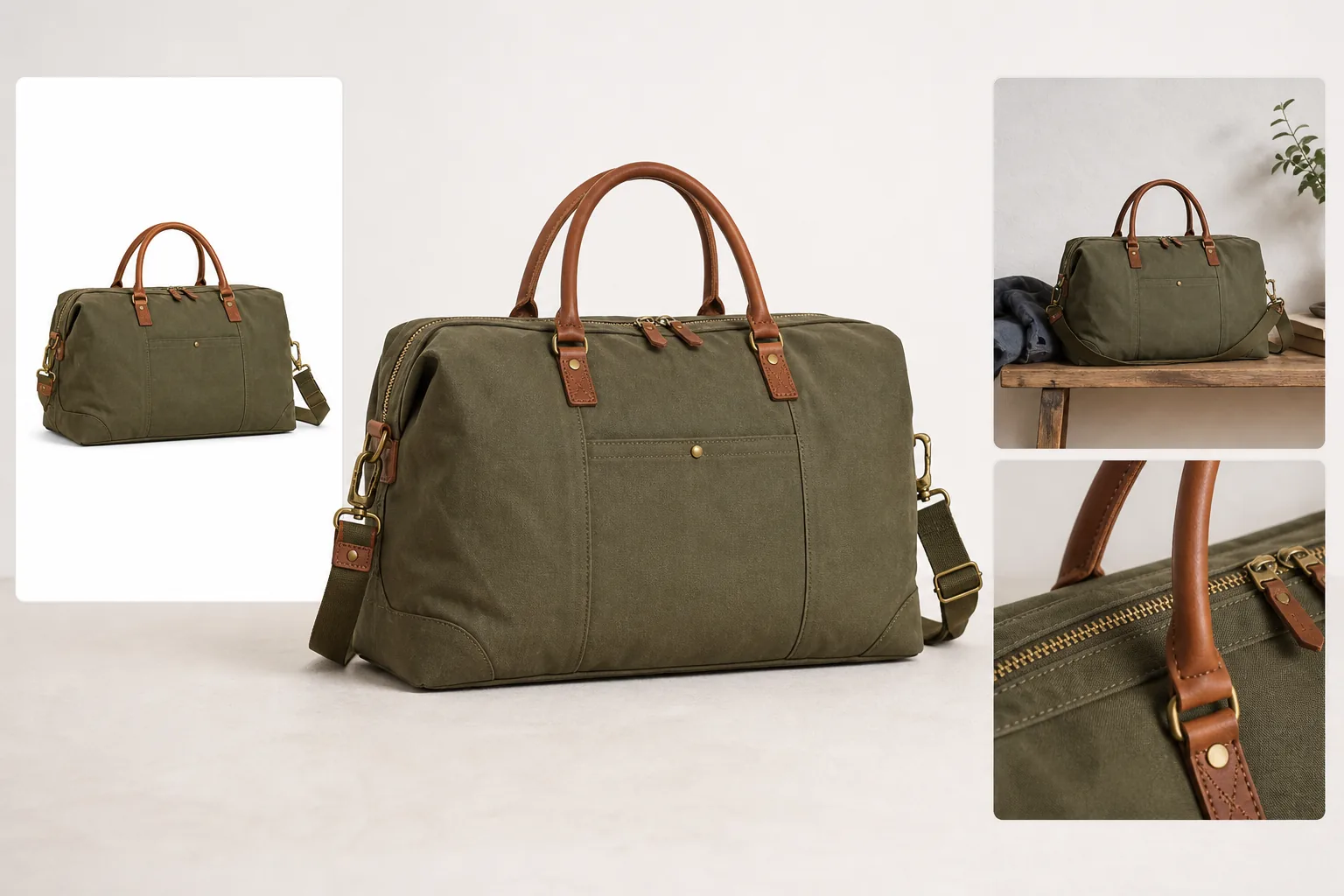
Product photography for ecommerce is not one perfect image. A strong listing usually needs a main image that identifies the product, a lifestyle image that explains use or scale, and detail images that prove material, function, or finish. The practical rule is: photograph or preserve the product truth first, then build every extra image around that truth.
KrafLayer fits after you know what each image must prove. Use [ecommerce product photography](/ecommerce-product-photography) planning to define the set, then use AI generation and editing only where it can improve selling clarity without changing the SKU.
What Product Photography For Ecommerce Must Do
Product photography for ecommerce has one job before it has any style: help the buyer understand what is being sold. A beautiful image that hides the product, changes the material, or invents a feature is weaker than a simple image that shows the product clearly.
For most listings, the image set should answer four questions:
- What is the product?
- What size, shape, color, and material does it have?
- What detail makes the buyer trust it?
- Where or how would the buyer use it?
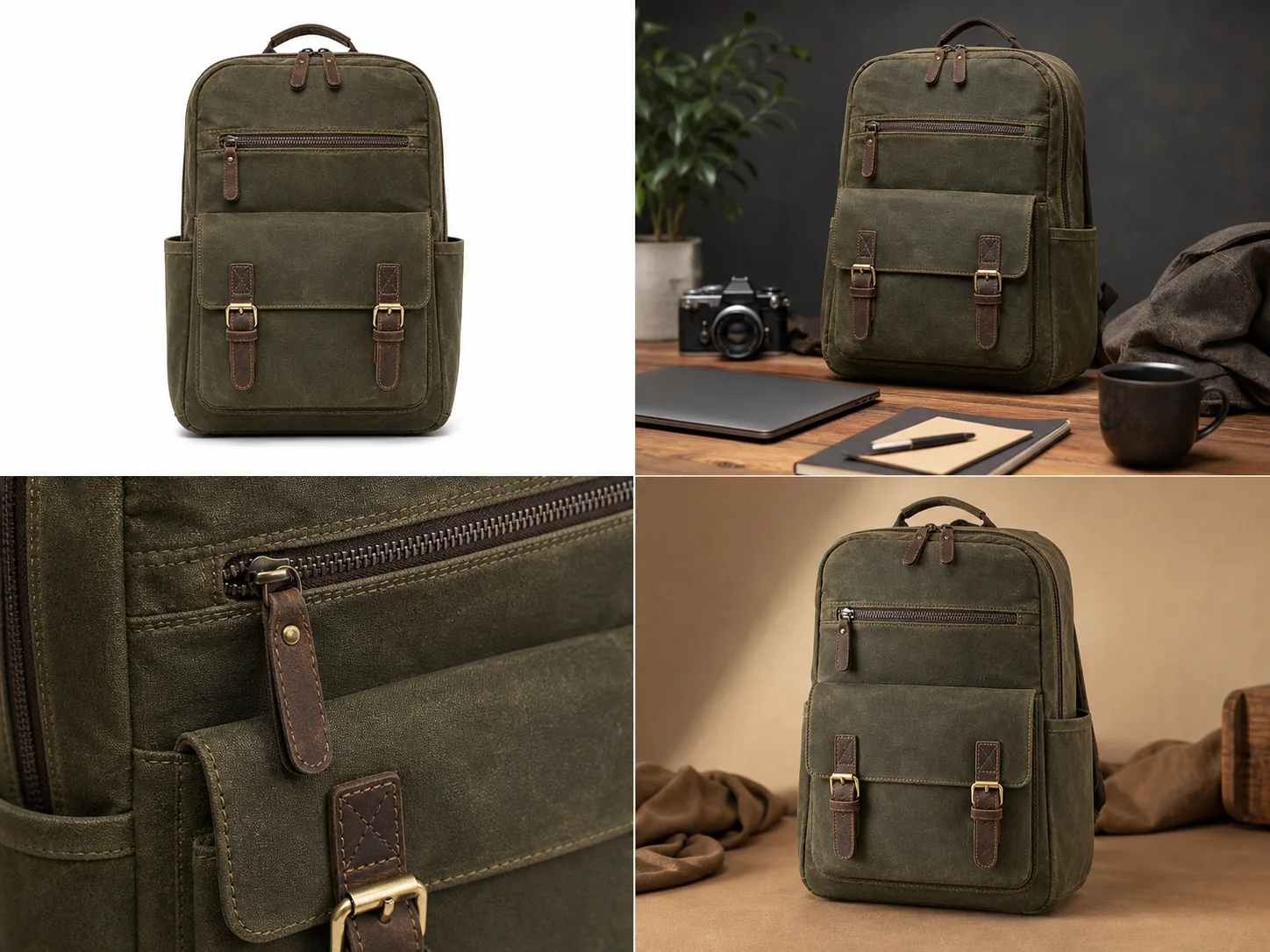
That is why ecommerce product photography works best as a set. The main image creates recognition. The angle image shows structure. The detail image proves texture, hardware, stitching, label quality, screen edge, finish, or closure. The lifestyle image adds scale and context without pretending the product is something else. Together, these product listing images should feel coordinated enough for a buyer to trust the page.
The Core Ecommerce Image Types
Start with image roles before thinking about tools, prompts, or backgrounds.
Use this practical set for most products:
- Main image: a clean, product-first view with enough margin, natural shadow, and no distracting props.
- Angle image: a side, three-quarter, open, worn, or in-use view that explains shape and depth.
- Detail image: a tight crop of the material, closure, texture, hardware, label, screen, edge, seam, strap, or functional part.
- Lifestyle image: a restrained scene that shows scale, setting, use case, or buyer aspiration.
- Comparison or set image: only when the product has real sizes, variants, bundles, or included parts.
The main image should make the product recognizable in a thumbnail. The detail image should answer a buyer objection. The lifestyle image should create context without stealing attention from the SKU.
A Practical Ecommerce Product Photography Workflow
Use this workflow whether you are shooting from scratch, cleaning supplier photos, or extending a small set with AI.
1. Define the product facts that cannot change. 2. Pick the listing roles you need: main, angle, detail, lifestyle, variant, or ad crop. 3. Choose one product-truth reference image. 4. Create the main image before the creative images. 5. Match crop, product scale, lighting direction, and background logic across the set. 6. Build detail images from real buyer-relevant features. 7. Add lifestyle context only after the product is clear. 8. Review the full set as thumbnails and full-size images. 9. Reject any image that changes color, material, structure, label placement, scale, or included parts.
This workflow keeps ecommerce product photos from becoming random campaign images. Every image has a job, and every job points back to the same product.
Where AI Helps Without Replacing Product Truth
AI can be useful in ecommerce product photography when it is treated as a production assistant, not as a license to redesign the SKU.
Use KrafLayer's [AI product photography](/ai-product-photography) workflow when you already know the product facts and need more image roles: a cleaner main image, a restrained lifestyle scene, a detail-forward composition, or a better ad crop.
Use the [AI product image generator](/ai-product-image-generator) when you need to create a listing-ready visual direction from a clear reference and a specific brief.
Use the [product photo editor](/product-photo-editor) when the source photo is useful but has a weak background, uneven light, low resolution, clutter, glare, or crop problems.
The safest AI handoff is specific:
Create an ecommerce product photography set for this same product. Preserve the exact product shape, color, material, stitching, hardware, zipper, label position, proportions, and shadow behavior. Create one clean main image, one restrained lifestyle image, and one close detail image that proves material quality. Do not add marketplace logos, fake badges, QR codes, barcodes, certification marks, review stars, sale stickers, or unsupported claims.
For editing an existing photo, use a narrower instruction:
Keep this exact product unchanged. Improve background, crop, lighting, and listing clarity. Preserve true color, material texture, silhouette, scale, label placement, hardware, seams, and buyer-relevant details.
Specific instructions protect the product. Vague prompts invite drift.
Product Facts To Lock Before Editing
Every category has details that should be protected before you generate, edit, or publish images.
For apparel, lock true color, fabric texture, collar, sleeve, hem, buttons, seams, pockets, fit, and drape.
For bags, lock silhouette, strap length, zipper shape, leather or canvas texture, stitching, hardware finish, panel seams, and handle placement.
For beauty packaging, lock bottle shape, cap, pump, label position, liquid color, glass thickness, box proportions, and approved artwork.
For electronics, lock ports, buttons, seams, screen shape, vents, LEDs, finish, cable placement, and scale.
For furniture, lock proportions, legs, arms, handles, cushion shape, fabric weave, wood grain, edge profile, and floor contact shadow.
For food packaging, lock package shape, closure, label layout, transparent window, material texture, and approved claims. Do not invent nutrition facts, certification marks, barcodes, QR codes, health claims, allergen claims, or regulated copy.
If a detail affects buyer trust, it belongs in the product-truth checklist.
How To Review The Final Image Set
Review the finished set as a buyer would see it: first in thumbnails, then in full-size product-page order.
A strong ecommerce product photography set passes these checks:
- the product is immediately recognizable in the first image
- every image appears to show the same SKU
- color and material stay consistent across the set
- product scale does not jump wildly between images
- detail crops clearly connect to the main product
- lifestyle context supports the product instead of hiding it
- no image implies a false bundle, feature, certification, or use case
- no AI output invents hardware, labels, seams, ports, ingredients, or packaging details
- image quality is high enough for zoom and mobile viewing
The best ecommerce listing images feel coordinated, but not fake. They look like one product story built from reliable product evidence.
FAQ
What is product photography for ecommerce?
Product photography for ecommerce is the process of creating images that help buyers understand, compare, and trust a product online. It usually includes a clear main image, supporting angle views, detail crops, and restrained lifestyle images. The goal is not only attractive visuals; it is accurate product communication.
How many ecommerce product photos do I need?
Most products need at least a main image, one angle image, one detail image, and one lifestyle or scale image. Complex products may need more detail shots, variants, bundle views, or use-case images. The right count depends on what buyers must inspect before they feel comfortable purchasing.
Can AI create ecommerce product photos?
AI can create or extend ecommerce product photos when it starts from clear product truth and a specific brief. It works best for clean main images, lifestyle scenes, detail compositions, and ad crops. Every output still needs human review for color, shape, material, scale, labels, and buyer-relevant details.
What makes ecommerce product photos trustworthy?
Trustworthy ecommerce product photos show the same product consistently. They preserve color, material, scale, silhouette, label placement, and important details. They avoid fake badges, unsupported claims, misleading bundles, over-edited materials, and lifestyle scenes that hide what the buyer actually receives.
How can KrafLayer help with ecommerce product photos?
KrafLayer helps sellers plan, generate, and edit ecommerce product photos from a product-first workflow. You can create main images, lifestyle scenes, and detail visuals, then use editing tools to clean backgrounds, improve quality, and prepare listing images while checking that product facts stay accurate.
Conclusion
Product photography for ecommerce works when every image has a clear selling job and every image preserves the same product truth. KrafLayer helps sellers move from one product reference to a coordinated image set: clean main image, useful detail crop, restrained lifestyle scene, and edited listing assets that feel ready for a product page. The result should not be generic AI polish; it should be a clearer, more trustworthy way to sell the actual product.
Keep exploring
Continue the story
More practical guidance on product accuracy, composition, and conversion-ready visuals.
Put it into practice
Take the next step in KrafLayer
Choose a generation or editing workflow that matches what you just learned.