Ecommerce
Product Detail Images for Ecommerce: Closeups, Callouts, and Accuracy Checks
TL;DR
A practical guide to ecommerce detail images, closeups, callouts, product-truth checks, and KrafLayer workflows.
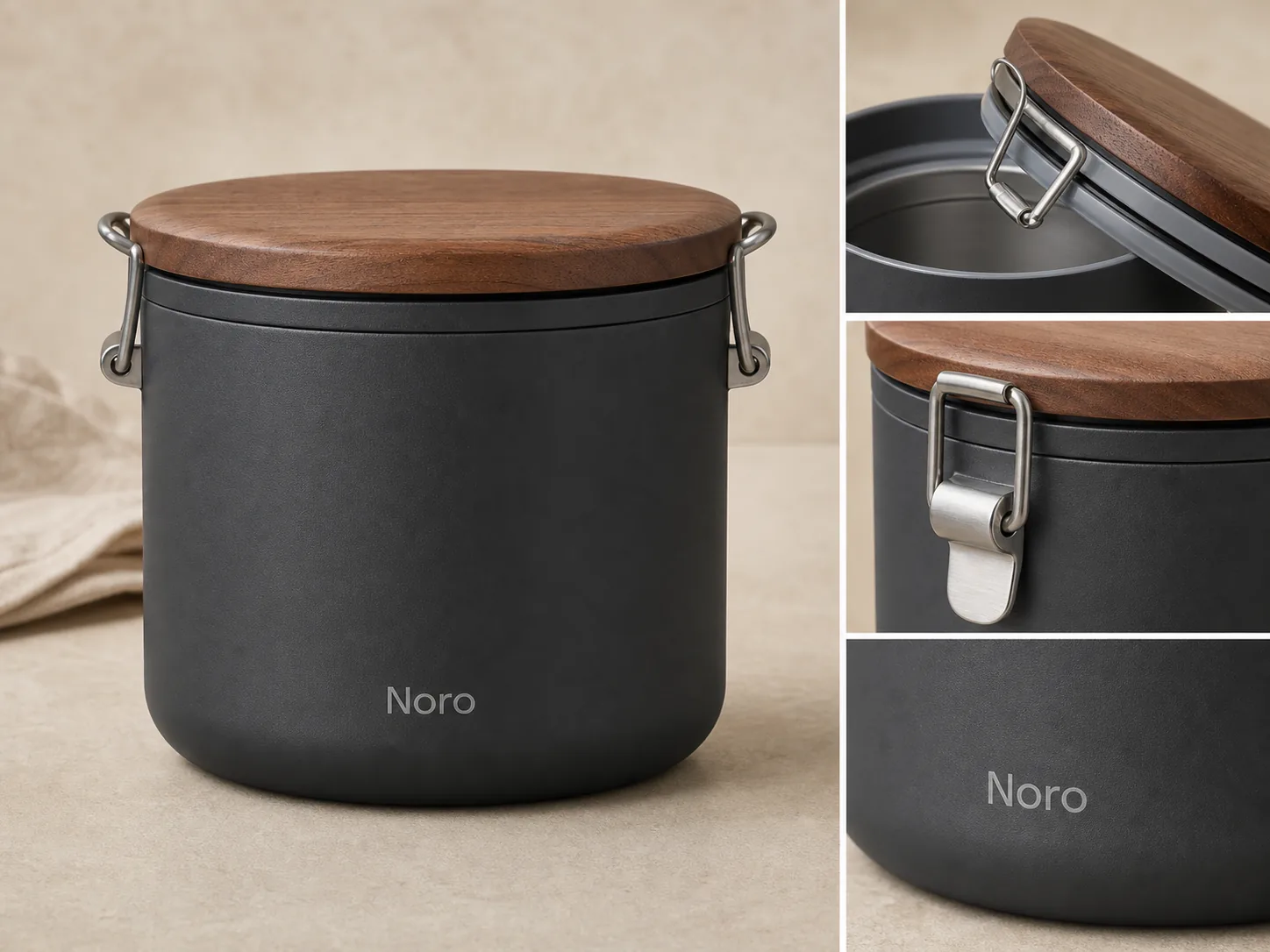
Product detail images for ecommerce should prove something a buyer cannot confirm from the main image. Use closeups for material, texture, closure, fit, label quality, scale, hardware, packaging, or construction. Do not create detail shots just because they look premium; each one should answer a buyer question.
The practical rule: one detail image, one proof point. In KrafLayer, start with a verified product reference, create or edit only the detail roles you need, then review every output against the same product facts before it goes into the listing.
Product Detail Images Should Prove A Fact
A product detail image is a secondary ecommerce photo that lets the buyer inspect one useful part of the item. It is not a decorative crop. It should make a specific product fact easier to trust.
Good ecommerce detail images can show:
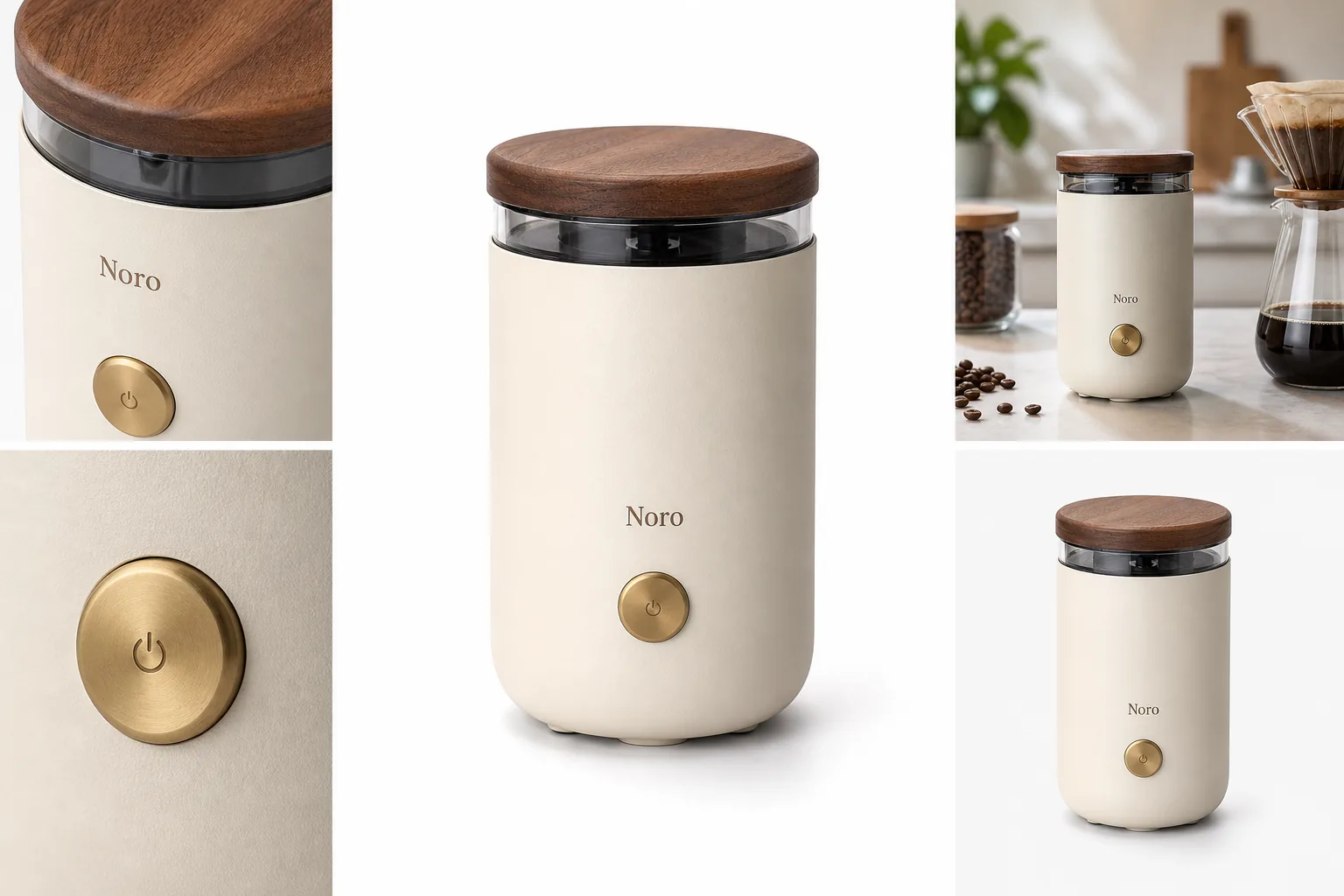
- leather grain, weave, knit, ceramic glaze, glass thickness, metal brushing, or matte texture
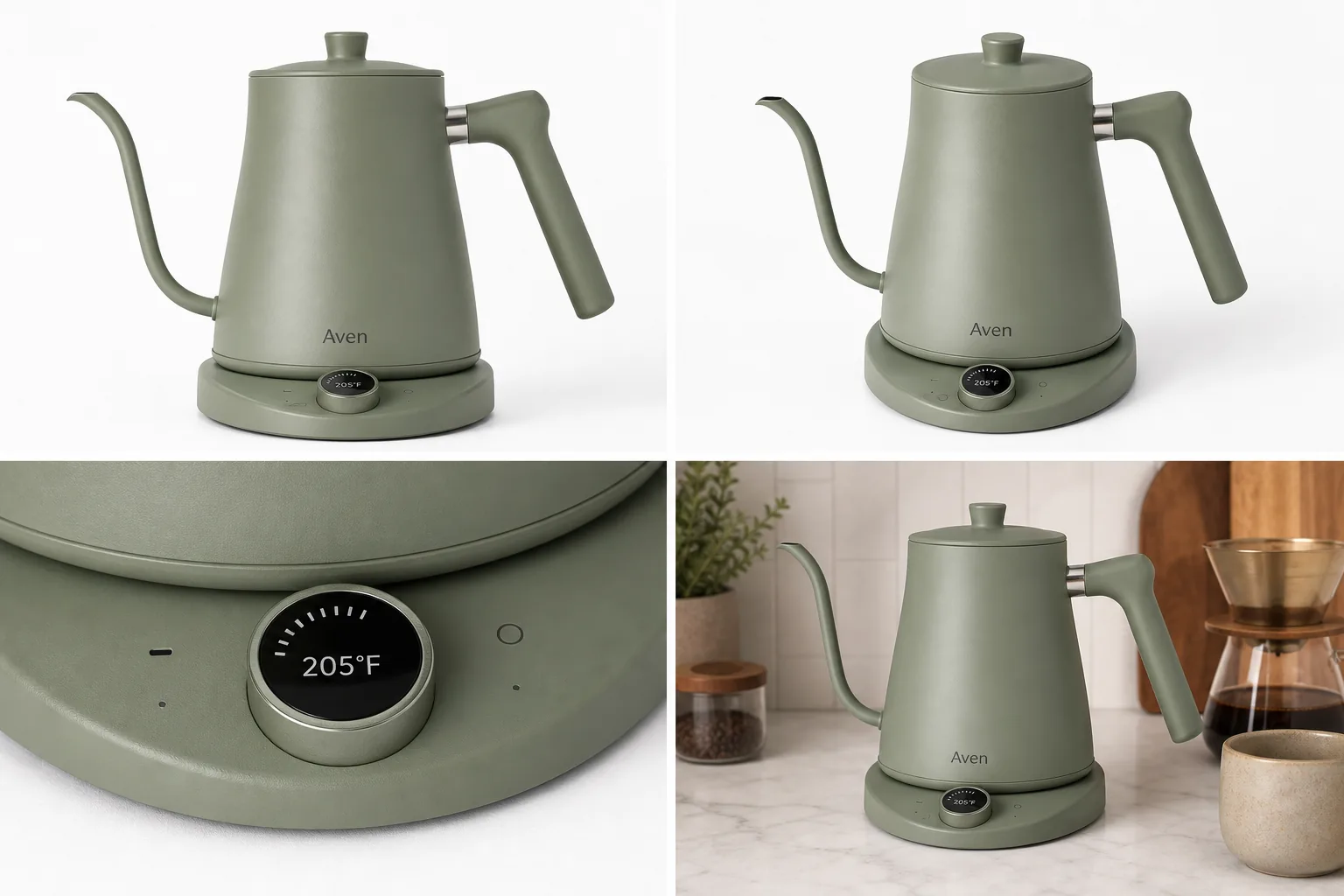
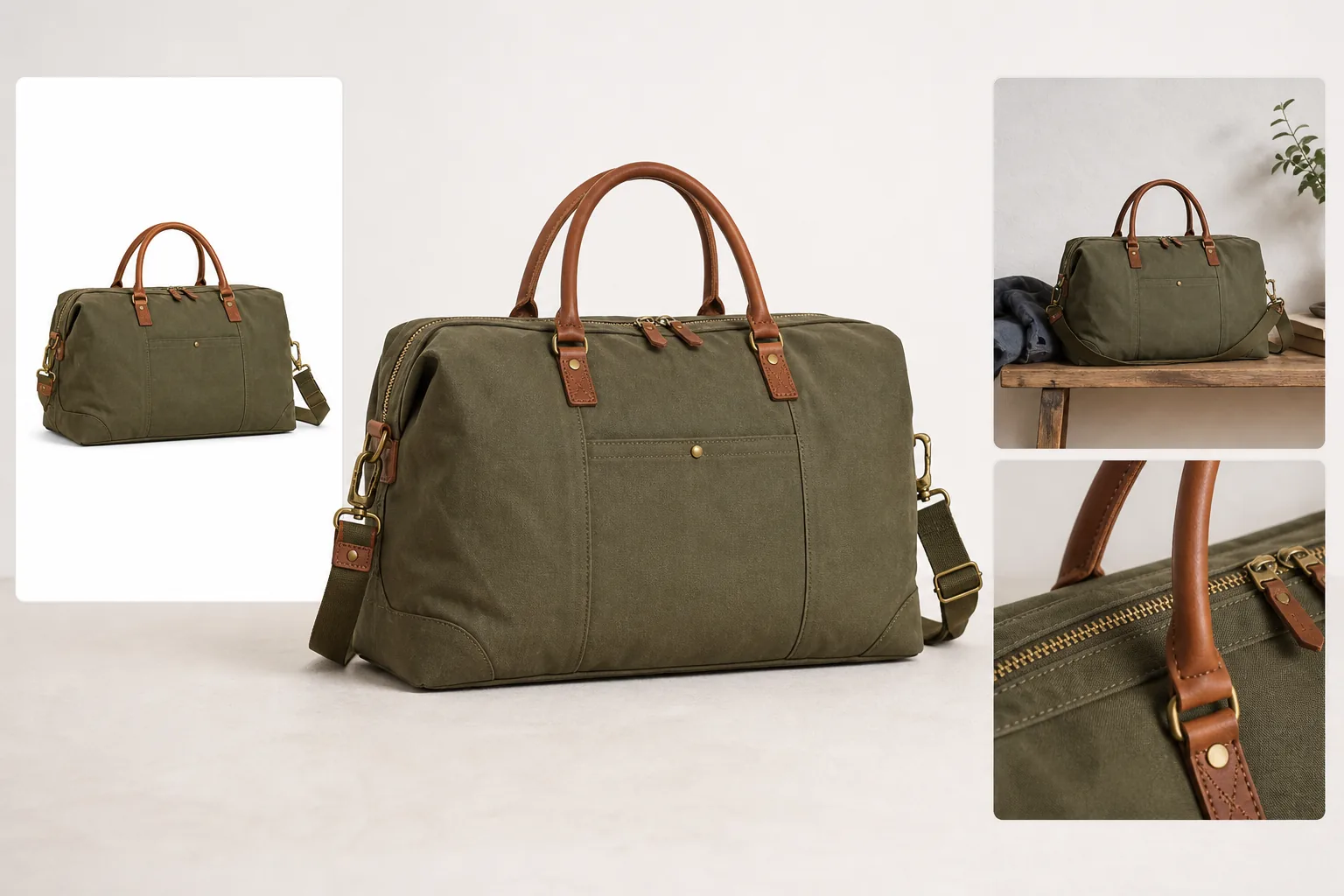
- zipper teeth, pullers, latches, hinges, snaps, clasps, lids, seams, stitching, straps, or buttons
- label placement, package material, cap shape, pump design, closure quality, or transparent windows
- fit, scale, thickness, edge finishing, interior structure, storage space, or included parts
- a controlled product callout when the label is short, factual, and approved
If the image does not make a buyer more confident, it probably belongs outside the product gallery.
Choose Closeups By Buyer Objection
Start with the doubt a buyer might have. Detail images are strongest when they remove friction before a support question, return, or abandoned cart.
For apparel, the buyer may need fabric texture, seam construction, collar shape, cuff detail, pocket placement, stretch, or drape. For bags, they may need leather grain, hardware finish, zipper quality, strap anchors, edge paint, and interior structure. For packaging, they may need the closure, label area, material, product window, cap, pump, or tamper-safe visible structure.
Use this filter:
- If the main image already proves the point, skip the closeup.
- If the detail affects trust, make it visible.
- If the detail is regulated, technical, medical, nutrition, safety, or performance-related, do not invent it with AI.
- If the product varies by color, size, bundle, or material, keep the detail image tied to that exact variant.
Product closeup images should support the sale by reducing uncertainty, not by making the product look like a different item.
Keep Product Truth Before Styling
The fastest way to ruin ecommerce product photography is to make every closeup more dramatic than the actual SKU. Detail images need enough polish to look sellable, but the product facts come first.
Before generating or editing detail images, write a short product truth list:
- exact color and finish
- material texture and grain
- label, logo, or artwork position
- seams, stitching, hardware, ports, lids, handles, or closures
- package shape, fill level, transparent parts, or included accessories
- real scale cues and buyer-relevant condition details
Use that list as the review standard. A detail image can improve crop, light, clarity, and background. It should not change the material, redesign the hardware, invent a new label, hide condition issues, or add parts the buyer will not receive.
How To Create Detail Images In KrafLayer
Use the [AI product image generator](/ai-product-image-generator) when you need new product detail images from a product reference. Use the [product photo editor](/product-photo-editor) when you already have a real closeup but need better crop, cleanup, background, lighting, or consistency.
A practical KrafLayer workflow:
- Pick the clearest main product reference.
- List the details that must stay unchanged.
- Decide the role of each image: material proof, closure proof, scale proof, label proof, or feature proof.
- Generate one role at a time instead of asking for a crowded gallery.
- Upscale or edit weak closeups with the [AI image upscaler](/tools/ai-image-upscaler) only after the product facts are correct.
- Compare every output with the reference before publishing.
For broader planning, connect the detail set back to your [ecommerce product photography](/ecommerce-product-photography) system. Detail images should work with the main image, angle views, lifestyle shots, marketplace crops, and ads instead of feeling like isolated creative experiments.
Use this prompt direction when creating a detail-image set:
Create ecommerce product detail images for the same matte charcoal insulated lunch container with a walnut-look lid, silicone seal, brushed steel latch, rounded container body, and small fictional Noro wordmark. Preserve the exact product color, lid shape, latch hardware, seal position, material texture, proportions, logo placement, lighting direction, and shadow. Create one clean main view and three close detail images: seal, latch, and matte texture. Do not add real logos, marketplace UI, badges, review stars, barcodes, QR codes, certification marks, sale stickers, medical claims, safety claims, or unsupported performance claims.
For editing an existing closeup:
Keep this exact product detail unchanged. Improve crop, clarity, lighting, background cleanliness, and sharpness. Preserve material, texture, edge shape, label position, hardware, seams, color, scale, condition details, and any approved artwork.
The prompt should protect the product before it asks for presentation.
When To Use Callouts
Product callout images can help when the feature is visible and the text is factual. They are risky when they turn into fake proof.
Good callouts are short and inspectable:
- "brushed steel latch"
- "silicone seal"
- "pebbled leather"
- "woven cotton lining"
- "matte ceramic glaze"
Weak callouts are vague or unsupported:
- "best quality"
- "premium guarantee"
- "clinically proven"
- "official certified"
- "number one"
If a claim needs lab data, legal approval, marketplace approval, supplier documentation, or regulated substantiation, do not put it into an AI-generated image. Keep the detail visual and let approved product copy handle claims.
Review Detail Images As A Set
Do not review detail images one by one only. Review them as part of the product page.
Use this checklist:
- The main image still explains what is being sold.
- Each detail image has a different job.
- Closeups come from the same product, not a redesigned version.
- Material, finish, stitching, hardware, label, scale, and included parts stay consistent.
- The detail crop is close enough to inspect on mobile.
- Text callouts are short, factual, and approved.
- No image adds fake badges, seals, platform UI, review stars, barcodes, QR codes, or unsupported claims.
- The image set helps buyers understand the product faster.
If two detail images prove the same thing, keep the clearer one. A tight gallery with five useful images usually sells better than ten repeated crops.
FAQ
What are product detail images for ecommerce?
Product detail images for ecommerce are closeup or secondary product photos that help buyers inspect material, texture, construction, labels, closures, scale, fit, or features. They support the main image by proving details that affect trust and purchase confidence.
How many product detail images should I use?
Most listings need one to three product detail images. Use more only when each image answers a different buyer question, such as material texture, hardware quality, package closure, scale, interior structure, or label clarity.
Can AI create ecommerce detail images?
AI can create ecommerce detail images when it starts from a clear product reference and a narrow brief. The seller still needs to review color, material, scale, hardware, labels, seams, included parts, and claims because AI can quietly change product facts.
Should detail images include text callouts?
Use text callouts only when they are short, factual, and visible in the product itself. A callout like "silicone seal" or "brushed steel latch" can help. Avoid fake badges, marketplace marks, review stars, regulated claims, or unsupported performance promises.
Are product detail images different from lifestyle images?
Yes. Lifestyle images show use, context, scale, or styling. Product detail images focus on inspection: material, finish, construction, label, closure, fit, or feature proof. Most ecommerce galleries need both, but they should not do the same job.
Conclusion
Product detail images for ecommerce work when each closeup proves one buyer-relevant fact. Start with product truth, choose closeups by buyer objection, keep callouts factual, and review the full image set before publishing. KrafLayer helps sellers create, edit, and upscale detail images from a product-first workflow, so material, texture, closures, labels, and construction become easier to inspect without turning the SKU into something else.
Keep exploring
Continue the story
More practical guidance on product accuracy, composition, and conversion-ready visuals.
Put it into practice
Take the next step in KrafLayer
Choose a generation or editing workflow that matches what you just learned.