Ecommerce
How to Keep Product Images Consistent Across Shopify, Amazon, Etsy, and Ads
TL;DR
A practical workflow for keeping product images consistent across Shopify, Amazon, Etsy, and ads without changing the SKU.
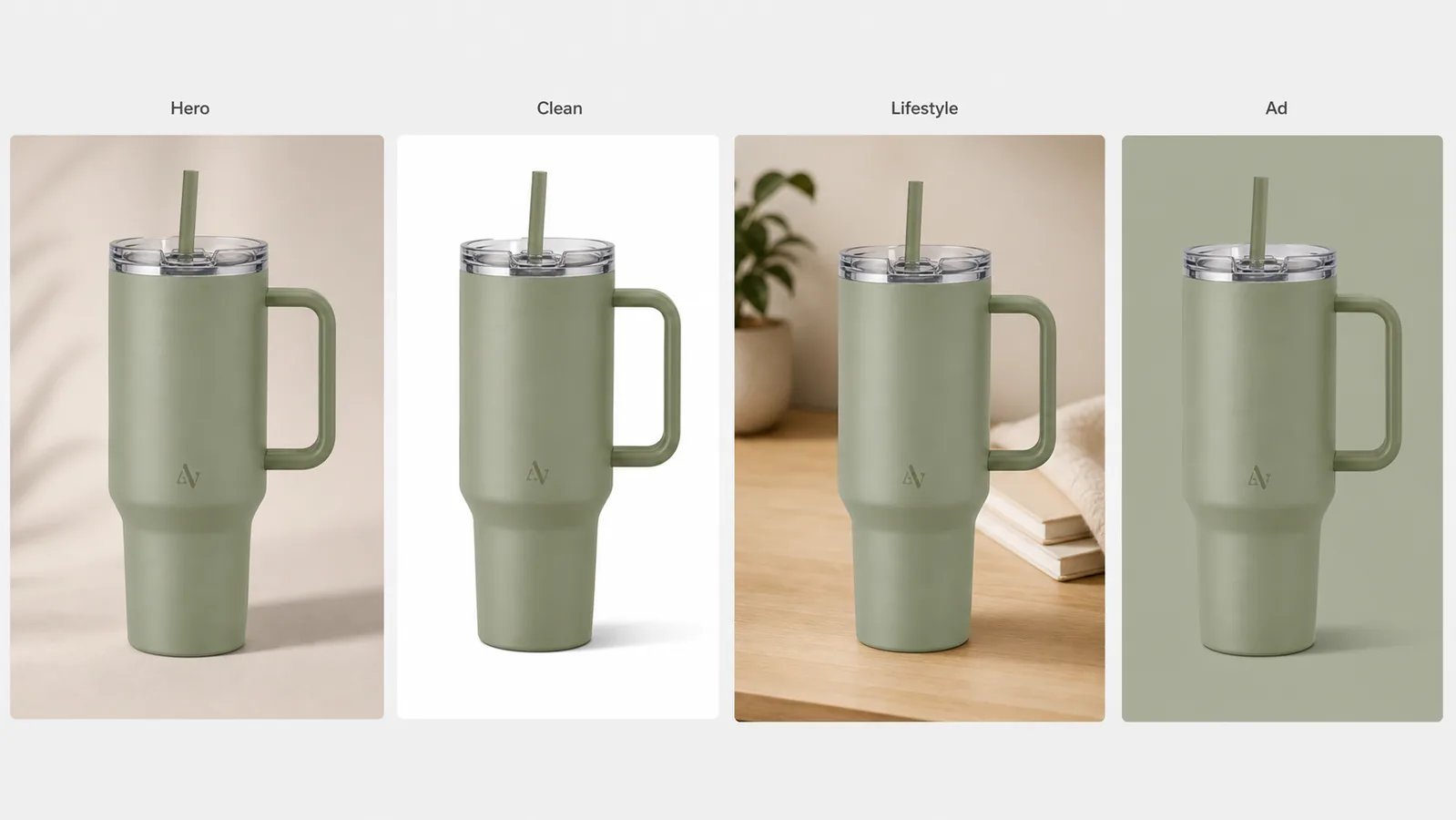
Multi-platform ecommerce product images with consistent brand style work when the same SKU is recognizable everywhere, even when the crop, background, and channel role change. The product shape, color, material, logo area, lighting direction, and scale should stay stable. The platform-specific part is the image job: clean inspection, marketplace readiness, handmade context, campaign crop, or detail proof.
The practical rule is simple: create one product-truth reference first, then adapt image roles one at a time. In KrafLayer, that means keeping the product facts locked while using generation and editing workflows to produce a Shopify-ready image set, Amazon-style clean product photos, Etsy-friendly context, and ad crops from the same visual system.
Start With A Product Truth List
Before making channel variants, write down the facts that cannot change. This is the anchor for consistent ecommerce product images.
For a physical product, the list should include:
- Product shape and proportions.
- True color and finish.
- Material texture, edge details, and surface behavior.
- Logo or label placement, if the product uses one.
- Hardware, lid, strap, zipper, cap, ports, seams, or other buyer-visible parts.
- Camera angle, scale cues, and natural shadow style.
- Any claim or detail that must be verified outside the image.
This list matters more than a style mood board. A mood board can make images attractive, but the product-truth list keeps the seller from publishing four beautiful images that accidentally look like four different SKUs.
Define One Brand Style, Then Change The Image Role
Brand consistency does not mean every image must look identical. It means each image feels like it came from the same product system.
Keep these stable:
- Color temperature and contrast level.
- Shadow softness and general light direction.
- Product size in frame for each image type.
- Background restraint, even when the scene changes.
- Fictional or owned brand marks, never copied marketplace or competitor marks.
- A small set of recurring materials, surfaces, or accent colors.
Change these by channel:
- Crop ratio.
- Background role.
- Amount of white space.
- Detail versus full-product emphasis.
- Context level: plain, marketplace clean, handmade lifestyle, or ad-friendly.
For [ecommerce product photography](/ecommerce-product-photography), the buyer should never need to re-learn the product as they move from the main image to the platform-specific image set.
Use A Channel Matrix Instead Of Random Variants
A channel matrix prevents thin, random image generation. It tells the designer what each asset must do.
| Image role | Best use | What should stay consistent |
|---|---|---|
| Clean product image | Shopify product page, marketplace gallery, catalog grid | Product color, shape, scale, edge detail, shadow |
| Main marketplace image | Amazon-style inspection, price comparison pages | Full SKU visibility, clean crop, honest product facts |
| Handmade or lifestyle context | Etsy-style storytelling, boutique pages | Material truth, restrained props, believable scale |
| Square ad crop | Paid social, retargeting, collection promos | Product identity, brand color, readable silhouette |
| Detail image | Product page proof, close-up selling point | Same material, hardware, seam, label, or texture |
This is also a useful handoff document for agencies. Instead of asking for "more versions," ask for one image per role.
Build The Set In KrafLayer
Use this workflow to keep Shopify, Amazon, Etsy, and ad images aligned:
1. Upload the cleanest product reference. 2. Write the product-truth list before prompting. 3. Generate the neutral hero image first. 4. Create the clean marketplace version from the same product facts. 5. Add a restrained lifestyle version only after the clean version is stable. 6. Create the ad crop last, using the same color, product scale, and lighting family. 7. Use the editor to fix small background, crop, or local detail issues. 8. Review all images together as a set before publishing.
The [Shopify product image workflow](/marketplace-product-images/shopify-product-images) usually benefits from a full gallery: clean main image, detail image, and use-case image. Shopify product images can feel warmer than a bare catalog crop, but the product still needs enough margin and detail for a product page. [Amazon product photos](/marketplace-product-images/amazon-product-photos) need more cautious review because sellers should avoid unsupported claims and make sure the product is represented accurately. [Etsy product photos](/marketplace-product-images/etsy-product-photos) can use more context, but the handmade or boutique feel should not hide material, scale, or texture.
Prompt Template For Consistent Brand Style
Use a prompt that separates product facts from channel role:
Create a realistic ecommerce product image for the same product reference. Preserve the product shape, color, material finish, proportions, logo or label placement, hardware, seams, camera angle, scale, and natural shadow. Use the same calm brand style: soft neutral light, restrained background, clear product hierarchy, and no clutter. Adapt only the image role to [clean marketplace image / warm lifestyle product image / square ad crop / detail image]. Do not invent real marketplace logos, badges, review stars, certification marks, QR codes, barcodes, or unsupported product claims.
For a multi-image set, add:
The final images should feel like one brand system. Keep color temperature, contrast, product scale, and shadow style consistent across all versions.
This prompt does not ask the model to copy a platform. It asks for a channel-appropriate product image while keeping the owned product and brand style intact.
What To Check Before Publishing
Review the image set as a buyer, not only as a designer.
Check product consistency:
- Does every image show the same SKU?
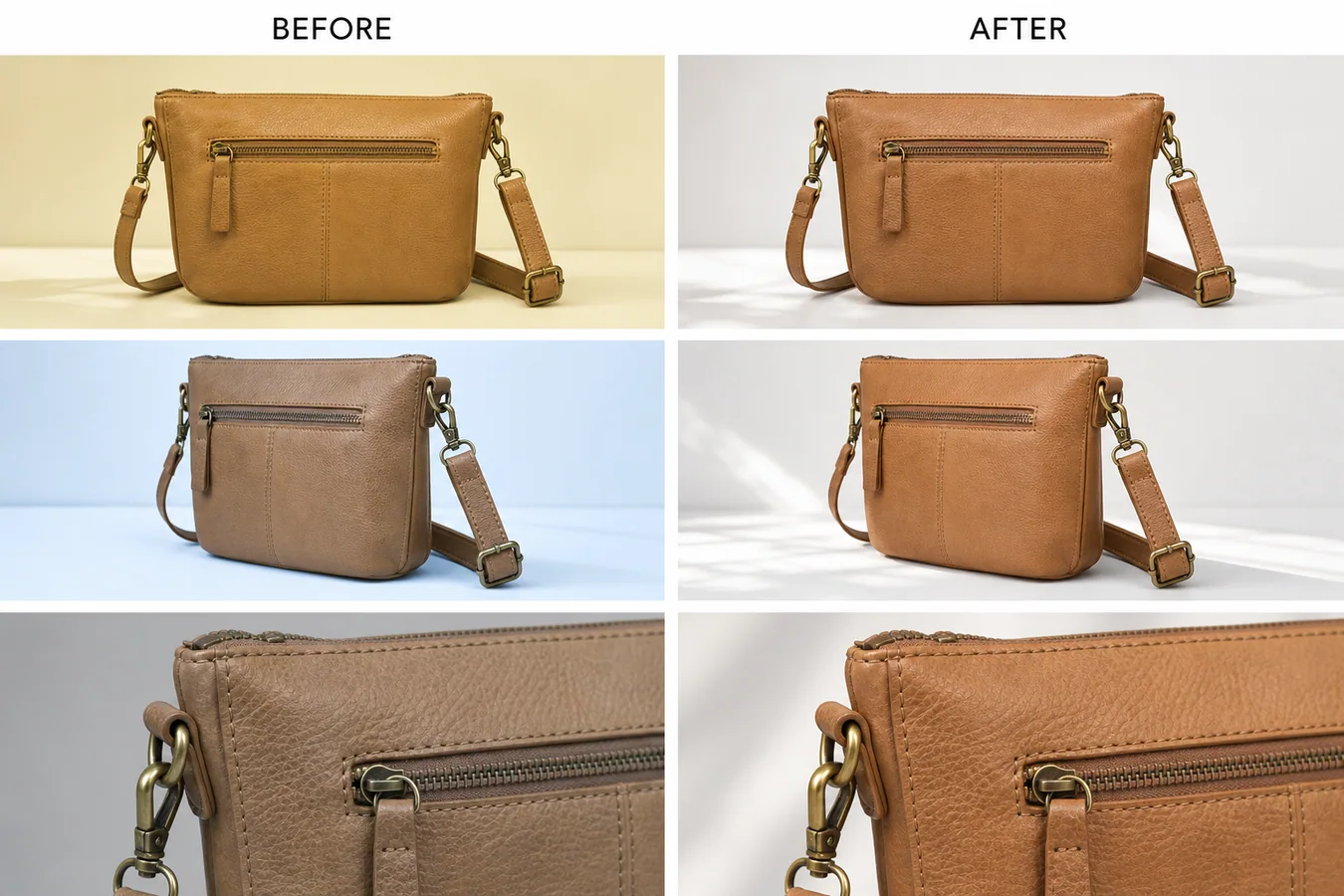
- Did the product color drift between platforms?
- Did the model change the handle, cap, seam, label, logo area, button, or port layout?
- Is the product scale believable in every crop?
- Does the lifestyle scene make the product easier to understand?
Check brand consistency:
- Do the images share a lighting family?
- Are backgrounds varied without feeling unrelated?
- Are props restrained and relevant?
- Is text short, factual, and readable if used at all?
- Are fictional marks clearly fictional and not close to real brands?
Check channel risk:
- Are there fake badges, review stars, marketplace marks, or policy-like labels?
- Are there unsupported claims such as waterproof, medical, certified, organic, or safety language?
- Is the clean image still suitable as a product-inspection image?
- Does the ad crop still show enough product to recognize the SKU?
If one variant drifts, regenerate or locally edit that variant instead of accepting the whole set. Consistency comes from reviewing the images together.
A Practical Multi-Platform Sequence
A strong product image system usually follows this order:
1. Product-truth reference. 2. Clean product image. 3. Marketplace-ready main image. 4. Detail proof image. 5. Lifestyle or handmade-context image. 6. Square ad crop. 7. Final consistency review.
Do not start with the most dramatic ad image. Start with the version that proves the product, then build the creative variants around it.
FAQ
What are multi-platform ecommerce product images with consistent brand style?
They are product images adapted for different selling contexts while preserving the same SKU and brand feel. The product facts stay fixed, but the crop, background, context, and image role change for Shopify, Amazon, Etsy, ads, or other ecommerce placements.
Should Shopify, Amazon, Etsy, and ad images look the same?
No. They should feel related, not identical. A Shopify gallery may include clean and detail images, Amazon-style product photos should stay inspection-focused, Etsy images can use restrained handmade context, and ads can use tighter crops. The product identity should remain stable across all of them.
Can AI keep brand style consistent across ecommerce product images?
AI can help, but only if you give it product facts and a clear style system. Use the same reference, protect product shape and color, define the lighting family, and review all outputs together. Do not publish variants that quietly change the SKU.
What should I avoid when creating platform-specific product images?
Avoid real marketplace logos, fake badges, review stars, certification marks, QR codes, barcodes, unsupported claims, and platform-policy wording that you have not verified. Also avoid lifestyle scenes that make the product small, vague, or hard to inspect.
What is the safest first image to create?
Start with a clean product image. It gives you a product-truth baseline for later Shopify gallery images, Amazon product photos, Etsy lifestyle images, and ad crops. Once the clean version is accurate, creative variants are easier to control.
Conclusion
Multi-platform ecommerce product images with consistent brand style are built from product truth first and channel adaptation second. Keep the SKU stable, define one visual system, and change only the role of each image. KrafLayer helps sellers create that image set from a product reference, then refine individual variants so the final gallery feels coherent across Shopify, Amazon, Etsy, and ads.
Keep exploring
Continue the story
More practical guidance on product accuracy, composition, and conversion-ready visuals.
Put it into practice
Take the next step in KrafLayer
Choose a generation or editing workflow that matches what you just learned.