Image generation
Free AI Product Photography: What to Try and What to Check
TL;DR
A practical free-to-start AI product photography workflow with product-truth checks before any image goes live.
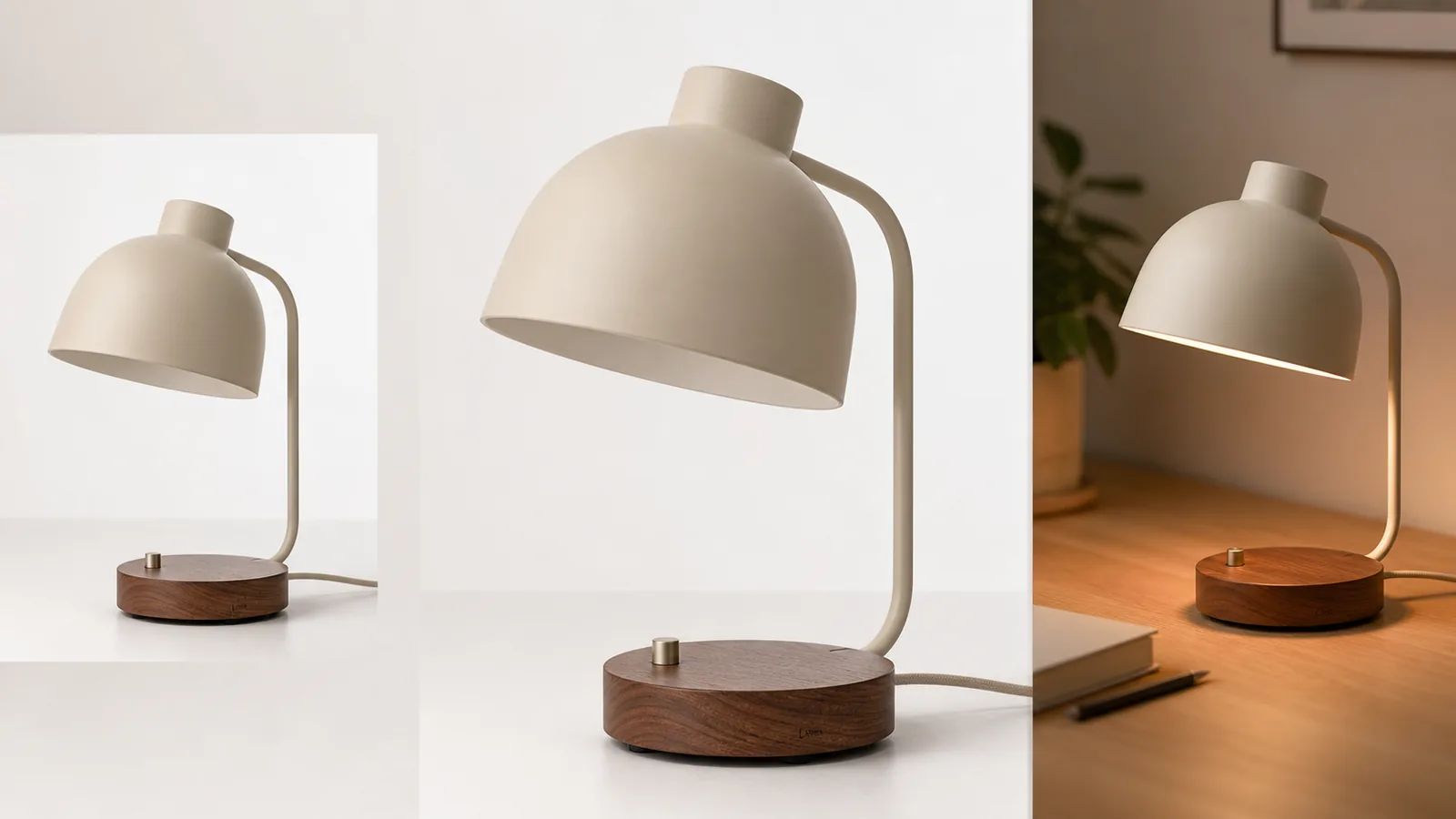
AI product photography free usually means free-to-start, trial credits, limited exports, or a no-cost way to test whether AI can create useful product images from your references. Treat the first outputs as a proofing round, not as automatically publish-ready listing assets.
The practical rule: use free AI product photography to test product fit, scene quality, and edit workflow before you spend money or publish. In KrafLayer, that means starting from a real product reference, generating one clear ecommerce image role, then checking product facts before using the result.
What Free AI Product Photography Can Help You Test
Free AI product photography is useful when you need to learn whether a tool understands your product type, keeps the SKU recognizable, and produces images that match your selling channel. It is not a shortcut around product review.
Use a free AI product photo generator test for:
- turning one reference image into a clean white-background product image
- creating a simple lifestyle scene for a product page or ad draft
- checking whether material, color, label position, hardware, and scale stay stable
- comparing image roles before choosing a paid workflow
- finding which edits still need a product photo editor before the image can go live
For a seller, the goal is not "get a free image." The goal is to learn whether AI product images can become trustworthy ecommerce assets for your exact product.
What To Check Before Publishing A Free Output
Free outputs can look polished while still changing product facts. Review the image as if a buyer will compare it with the shipped item.
Check these before publishing:
- Product shape: shade, handle, cap, zipper, strap, collar, port, clasp, or base geometry should match the reference.
- Color and material: fabric, leather, wood, glass, metal, ceramic, plastic, and matte finishes should not drift.
- Label and logo area: fictional marks are fine for demos, but real product artwork must stay accurate.
- Scale: the product should not become taller, smaller, thinner, bulkier, or more premium than the real SKU.
- Included parts: do not add accessories, cords, attachments, claims, or bundles the buyer will not receive.
- Channel fit: white-background, lifestyle, detail, and ad crops should each do a different ecommerce job.
If the image fails one of these checks, use it as a draft direction, not as a final product image.
A Free-To-Start Workflow In KrafLayer
Use [AI product photography](/ai-product-photography) as the planning page when you want to understand the method. Use the [AI product image generator](/ai-product-image-generator) when you are ready to create an actual product-led visual from a reference.
A practical KrafLayer workflow:
- Upload the clearest product reference you have.
- Write a short product truth list: color, material, shape, label, key parts, scale, and anything that must not change.
- Generate one image role first, such as white-background listing image, lifestyle scene, detail image, or ad crop.
- Compare the result to the reference before generating more versions.
- Use the [product photo editor](/product-photo-editor) for cleanup, background changes, local fixes, or final polish.
- Connect the final image back to your broader [ecommerce product photography](/ecommerce-product-photography) set so it does not feel disconnected from the rest of the listing.
This is how a free test becomes useful: it tells you whether the product is a good AI photography candidate and what review steps are required before publishing.
Prompt Direction For A Free Test
Start narrow. A broad prompt can make the first free run look impressive while changing the SKU.
Use a prompt like this:
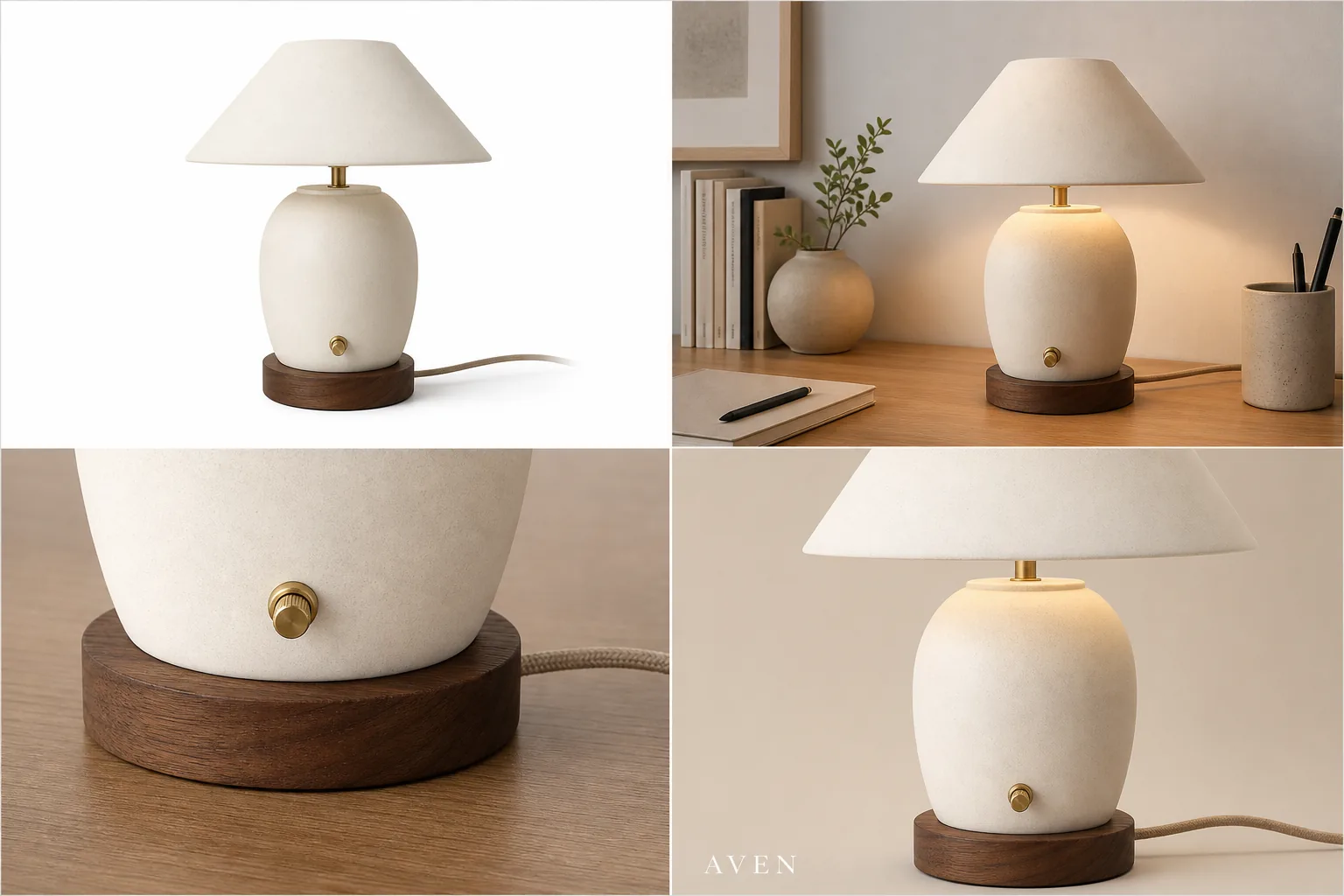
Create a clean ecommerce product photo of the same matte cream desk lamp with a rounded shade, walnut base, small switch, visible cord, and simple fictional Luma mark. Preserve the exact shade shape, cream color, walnut grain, base height, switch position, cord placement, proportions, and lighting direction. Create one white-background listing image and one warm desk lifestyle version. Do not add real logos, marketplace UI, prices, badges, review stars, certification marks, QR codes, barcodes, unsupported claims, or extra accessories.
For a clothing, bag, skincare, jewelry, electronics, or furniture product, replace the lamp facts with your own product truth list. Keep the same rule: protect the product before asking for style.
When A Free Tool Is Enough
A free AI product photography tool may be enough when the product is simple, the reference is clear, the image role is low risk, and the result only needs light cleanup. Examples include internal mockups, early campaign directions, simple lifestyle tests, or draft product-page concepts.
Use extra review or a paid workflow when:
- the product has precise labels, ingredients, regulatory wording, or package artwork
- small hardware, ports, stones, clasps, stitching, or seams affect buyer trust
- color accuracy matters for apparel, cosmetics, furniture, jewelry, or decor
- the image will be used in a marketplace listing, paid ad, or high-traffic product page
- the first output looks beautiful but not identical to the reference
Free-to-start is a good testing model. Unlimited-free or publish-without-review is the wrong expectation for ecommerce product photography.
How To Compare Free AI Product Photography Tools
Do not compare AI product photography tools only by how dramatic the examples look. Compare them by how well they protect product facts.
Use this checklist:
- Can the tool use a real product reference?
- Does it support ecommerce image roles, not only artistic scenes?
- Can you create white-background, lifestyle, detail, and ad-style images without changing the SKU?
- Does it provide editing paths for background cleanup, upscaling, and local fixes?
- Are outputs clear enough for mobile product pages?
- Are free limits transparent enough for your workflow?
- Can you avoid fake badges, platform UI, unsupported claims, and misleading product changes?
The best AI product photography tools make review easier. They do not ask you to trust every generated image blindly.
FAQ
Is there free AI product photography?
Yes, but it usually means free-to-start access, trial credits, limited generations, or a test workflow. Use free AI product photography to evaluate product fit, image quality, and review needs before relying on the result for a live ecommerce page.
Can I use free AI product photos in my store?
You can use them only after reviewing product accuracy, rights, channel fit, and claim safety. Check color, shape, material, labels, hardware, scale, included parts, and any text in the image. If the output changes the SKU, do not publish it.
What is the best free AI product photo generator test?
The best test starts with one clear product reference and one narrow image role. Ask for a white-background listing image or one simple lifestyle scene, then compare the result against product truth before trying a larger image set.
What should free AI product photography not promise?
It should not promise unlimited free generation, guaranteed marketplace approval, perfect product accuracy, legal compliance, or publish-ready results without review. Ecommerce images still need human checking because small product changes can mislead buyers.
How does KrafLayer fit a free-to-start workflow?
KrafLayer fits when you want to test AI product images from a reference, then continue into editing, background cleanup, upscaling, or product-page image planning. Start with one product role, review accuracy, and expand only after the SKU stays stable.
Conclusion
AI product photography free is best treated as a careful test, not a guarantee. Use it to check whether AI can preserve your product, create useful ecommerce image roles, and fit your listing workflow. KrafLayer gives sellers a practical path from reference image to generated product photo to editor cleanup, so a free-to-start test can become a reliable production workflow only after the product facts pass review.
Keep exploring
Continue the story
More practical guidance on product accuracy, composition, and conversion-ready visuals.
Put it into practice
Take the next step in KrafLayer
Choose a generation or editing workflow that matches what you just learned.