Platforms
eBay Product Background Removal: Keep Edges and Condition
TL;DR
Remove eBay product photo backgrounds while preserving edge detail, real contact shadows, item condition, color, texture, and listing evidence.
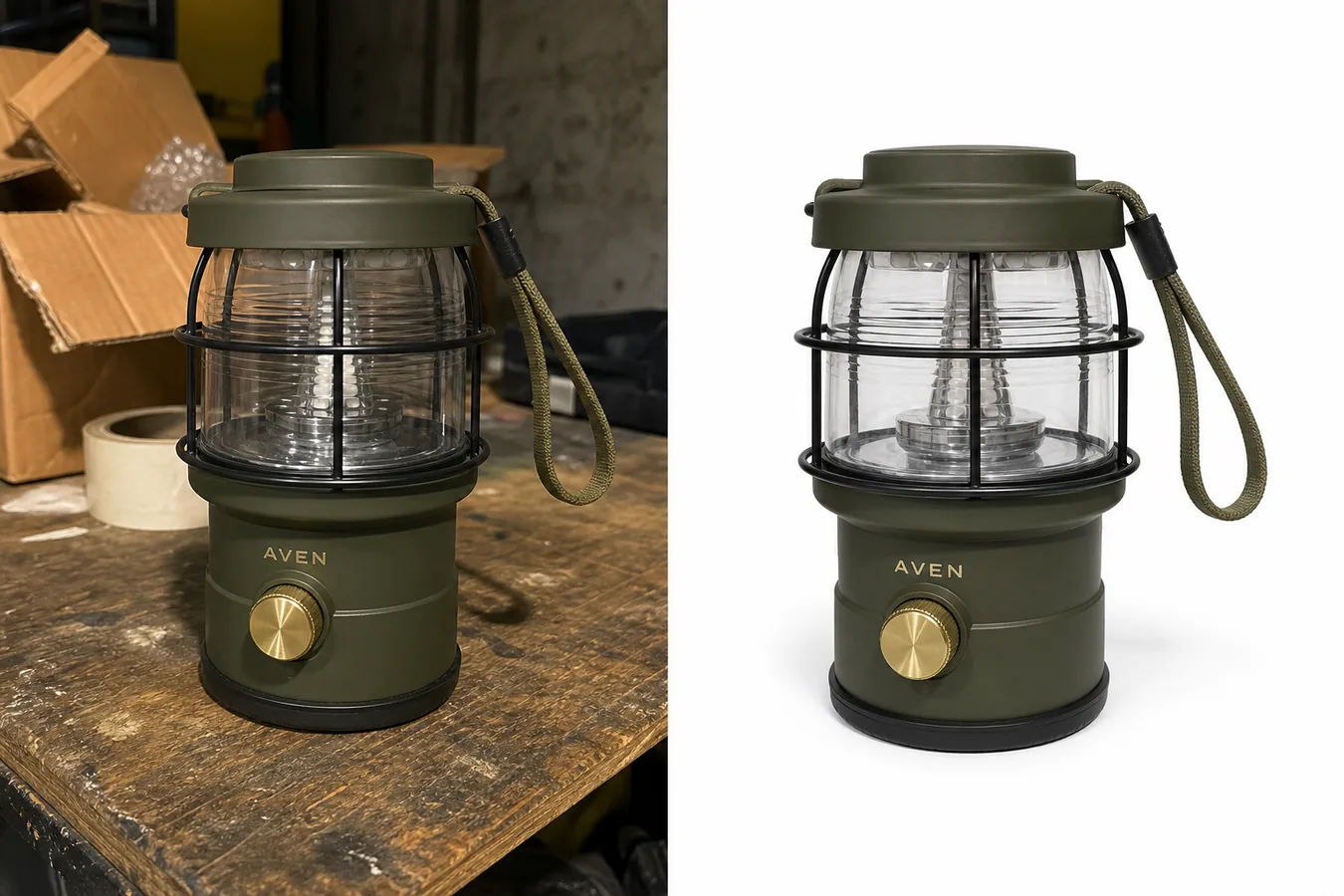
For eBay product background removal, the goal is a clearer listing photo, not a cleaner-looking item. Preserve the complete silhouette, real condition, surface texture, color, scale cues, and a believable contact shadow.
eBay product photo background removal is not just about making a cutout. The goal is to remove garage clutter, carpet texture, boxes, tape, table stains, or busy home backgrounds while keeping the product believable enough for a buyer to inspect.
The practical rule: use a [product background remover](/tools/ai-background-remover) to create a clean product asset, then review the edges, shadow, color, scale, and material details before uploading. In KrafLayer, this is a simple background-removal workflow, but the seller still needs to check that the item looks like the same SKU, not a polished replacement.
If your task is to remove eBay product photo background clutter from a real seller image, keep the product reference beside the edited version until every buyer-visible detail has been checked.
When Background Removal Helps An eBay Listing
Background removal helps when the original photo shows a real product but the surrounding scene distracts from it. Common cases include:
- a product photographed on a garage bench, kitchen counter, carpet, or storage shelf
- cardboard, tape, tools, labels, bags, or dust around the item
- uneven light that makes the product harder to read
- a busy texture behind a small accessory
- a resale item that needs a cleaner first image for buyer scanning
- multiple listing photos that need a more consistent visual style
For resale and marketplace work, the best edited photo still looks honest. The buyer should see the same product shape, color, condition, parts, hardware, label area, and surface texture that appeared in the source photo.
What To Preserve During eBay Product Photo Background Removal
Before using any AI product photo editor, write down the product facts that must not change:
- silhouette, proportions, and crop
- true product color and finish
- straps, handles, cords, buttons, knobs, ports, seams, zippers, hinges, or hardware
- transparent, reflective, fabric, leather, metal, or glass edges
- wear, patina, scuffs, texture, or condition details that a buyer should know
- shadows that make the product feel grounded
- label placement or simple brand text if it belongs to the product
- scale cues when the item size is not obvious
This matters more for secondhand, handmade, vintage, and one-off inventory. A clean white background product photo can improve presentation, but it should not hide condition or make the item look newer, larger, smoother, or more premium than it is.
Workflow: Remove An eBay Product Photo Background Without Losing Realism
Use this workflow for a single listing image:
- Start with the sharpest source photo available.
- Crop out large empty areas before editing, but keep the full product visible.
- Run the image through KrafLayer's [AI Background Remover](/tools/ai-background-remover).
- Place the product on a clean white, off-white, or very light neutral background.
- Keep a natural contact shadow instead of floating the item.
- Compare the edited image against the original at full size.
- Check product edges, transparent parts, reflective areas, cords, straps, handles, and small hardware.
- Review the image at mobile size because many buyers browse listings on phones.
- Use the [product photo editor](/product-photo-editor) only for local cleanup that does not change the product facts.
- Keep the original photo as a reference and use extra listing images when condition or scale needs more context.
If the removed background creates fuzzy edges, missing straps, warped transparent parts, or a floating product, do not publish that version. Regenerate, use a tighter source crop, or keep a more natural background.
White Background Is Useful, But Not Always The Only Choice
A white background product photo is often useful for the primary listing image because it makes the item easy to scan. It also helps create consistency across a batch of products.
Use a clean white or off-white background when:
- the product shape is clear against light space
- the product has enough contrast at the edges
- the item is small and needs immediate recognition
- the original background distracts from condition or details
- you are building a consistent marketplace image set
Use a subtle neutral surface instead when:
- the product is white, transparent, reflective, or glass
- the contact shadow helps show scale
- the item looks fake when fully isolated
- texture, condition, or material needs a grounded context
Good ecommerce product photography should make the product easier to trust. It should not make the item look detached from reality.
Review Checklist For Marketplace-Ready Images
Before uploading the edited image, check:
- Does the product look like the same item as the source photo?
- Did the background remover preserve thin straps, cords, handles, and loops?
- Are transparent or reflective parts still readable?
- Is the product color still accurate?
- Does the contact shadow look natural?
- Are condition details still visible where buyers need them?
- Does the product sit fully inside the crop?
- Is there any leftover halo, jagged edge, old background color, or cutout fringe?
- Does the photo avoid fake marketplace UI, badges, review stars, logos, and unsupported claims?
- Would a buyer understand the product quickly at mobile size?
This review step is where eBay product photo background removal becomes useful instead of risky. The cleaner image should reduce distraction while keeping the buyer's understanding of the product intact.
Prompt Or Direction To Use
For a one-click background remover, you usually do not need a creative prompt. Use an editing direction like this when a tool asks for guidance:
Remove the cluttered background and keep the exact product unchanged. Preserve the product shape, color, scale, transparent or reflective parts, straps, handles, hardware, label area, condition details, and natural contact shadow. Place the product on a clean light ecommerce background. Do not add logos, badges, marketplace UI, claims, new parts, or extra props.
For a transparent PNG export, add:
Preserve alpha transparency around the product edge and keep a separate natural shadow version if the listing image needs to feel grounded.
For batch work, apply the same crop ratio, background tone, and shadow strength across the set so the store feels consistent.
How KrafLayer Fits This Workflow
KrafLayer is useful here because sellers can turn rough product photos into cleaner listing assets without treating the edit as a full redesign. Start with [AI Background Remover](/tools/ai-background-remover), use [Product Photo Editor](/product-photo-editor) for local cleanup, and keep [ecommerce product photography](/ecommerce-product-photography) principles in mind: clear subject, accurate product facts, readable details, and a visual style that helps buyers decide.
For eBay sellers, the advantage is not making every item look like a studio shoot. The advantage is making the product easier to inspect while keeping the item honest.
What does eBay currently require from listing photos?
eBay requires at least one image, allows up to 24, sets a 500 × 500 pixel minimum, recommends about 1600 × 1600, and accepts files up to 12MB. It says the main photo should show the whole item face-on against an uncluttered neutral background ([eBay photo guidance](https://www.ebay.com/help/selling/listings/adding-pictures-listings?id=4148), 2026).
White is generally useful, but eBay notes that a darker background may work better for shiny or reflective objects. Background choice should improve edge visibility, not create drama that hides condition.
Preserve condition evidence for used items
eBay tells sellers to photograph flaws, scratches, and imperfections and prohibits catalog or stock photos for used items. Background removal must not erase wear at the silhouette, soften a chipped edge, remove a stain, or rebuild a missing part ([eBay photo guidance](https://www.ebay.com/help/selling/listings/adding-pictures-listings?id=4148), 2026).
Keep one unedited condition reference and use additional images for flaws, serial marks, accessories, and scale. If an imperfection touches the background, mask around it manually rather than trusting an automatic cutout to decide whether it belongs to the item.
Review edges and shadows separately
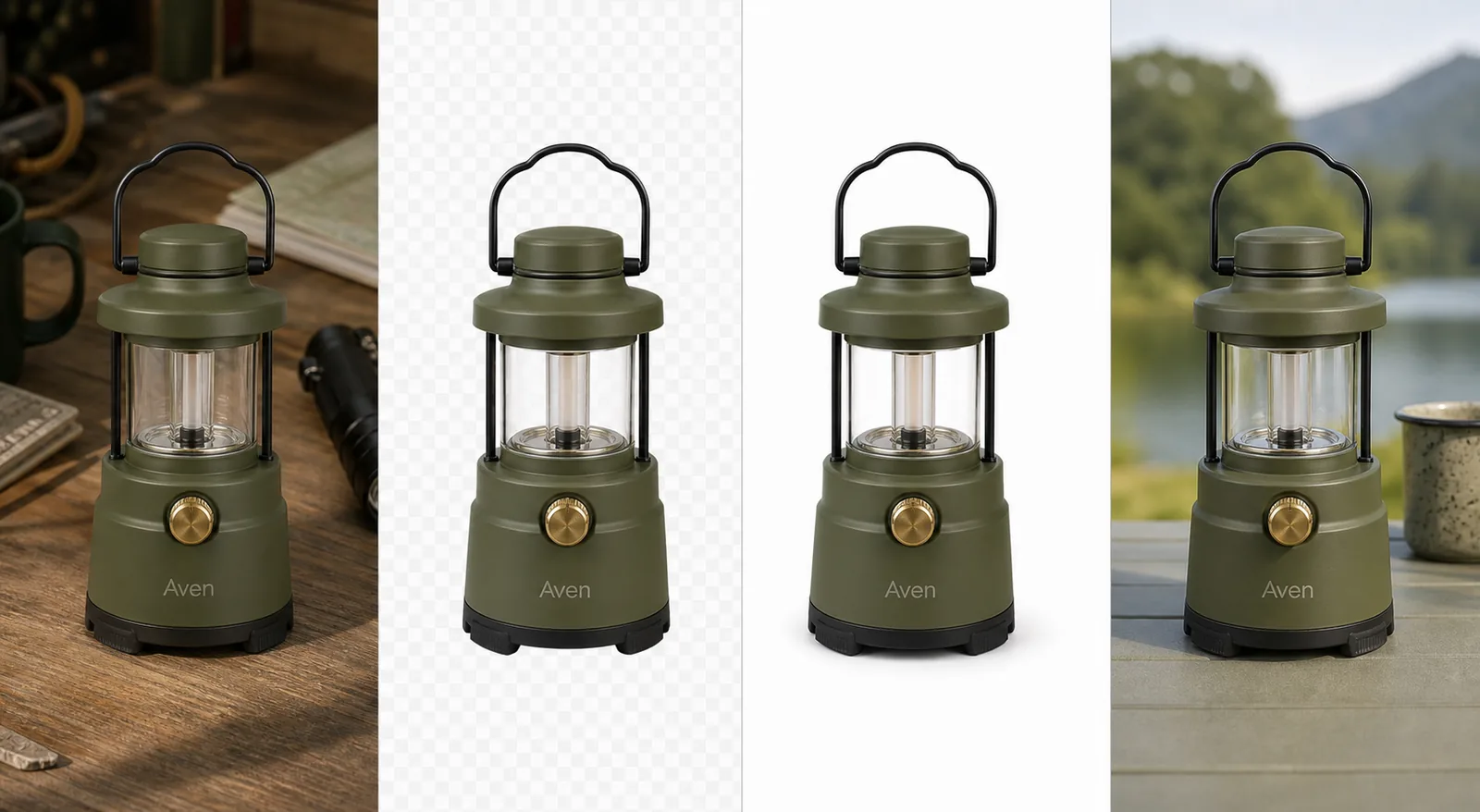
Use the one-click [AI background remover](/tools/ai-background-remover) for the initial transparent cutout, then inspect four edge classes: hair or fibers, transparent material, reflective metal, and thin handles or cables. The tool does not need a prompt.
Review the shadow as a separate decision. A faint contact shadow can keep an item grounded on white, but it must match the object's base and light direction. Do not add a dramatic floating shadow to a factual main photo.
At 100% zoom, reject:
- white or dark halos around the item;
- trimmed fibers, straps, prongs, or cables;
- transparency replaced with gray paint;
- reflections cut into the product silhouette;
- a shadow that starts away from the contact point;
- missing wear or damage at an edge.
Export one flattened listing file and retain the transparent master for reuse. Check the final main image at search-result size, because edge problems that look small on a desktop can change the item's silhouette in the feed.
FAQ
What is eBay product photo background removal?
eBay product photo background removal means isolating the item from a distracting source photo and placing it on a cleaner background for listing use. The edit should preserve the real product, including color, edges, parts, condition, texture, and natural shadow.
Should eBay product photos use a white background?
A white or off-white background can make an eBay product photo easier to scan, especially for a primary listing image. It is not the only useful option. Some products need a subtle neutral surface or natural shadow so transparent, white, reflective, or textured items still look realistic.
Can AI remove an eBay product photo background without changing the item?
AI can remove the background while keeping the item realistic if the source photo is clear and the output is reviewed carefully. Check straps, cords, transparent parts, reflective edges, color, hardware, condition details, and scale before using the edited image.
What should I avoid when editing eBay product photos?
Avoid edits that hide condition, change product color, invent parts, remove important details, add fake badges, add marketplace UI, or make the item look newer or more premium than it is. Keep extra listing photos when buyers need condition, scale, or usage context.
How can KrafLayer help with product background remover workflows?
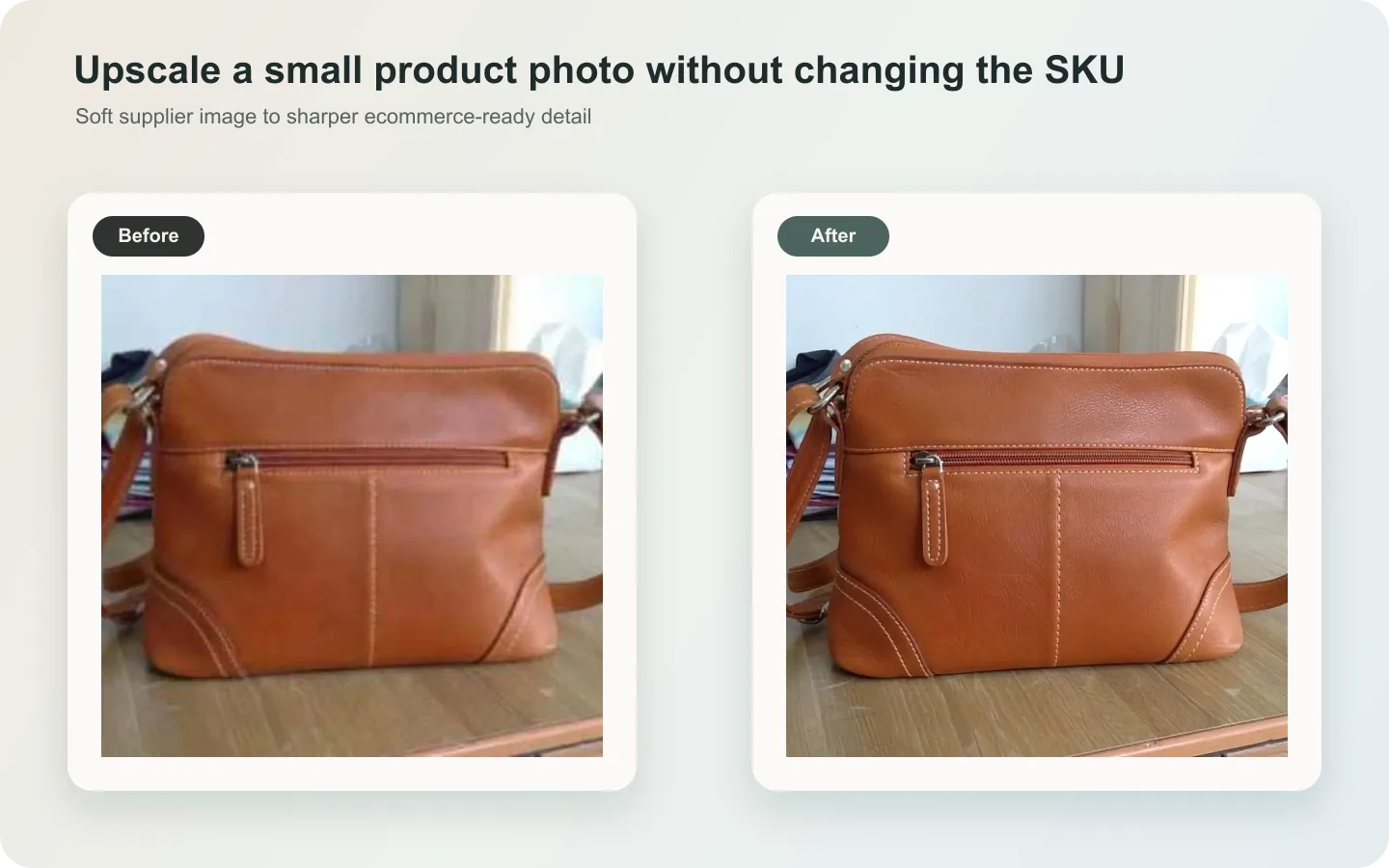
KrafLayer helps sellers use a product background remover, clean up small distractions, and prepare ecommerce product photography assets from the same source item. The best workflow is remove background first, review product truth second, and only then crop or upscale for listing use.
Conclusion
Good eBay product photo background removal makes a cluttered seller photo easier to inspect without making the item feel fake. Preserve product shape, color, material, condition, transparent edges, small hardware, and natural shadow before you worry about polish. KrafLayer helps sellers create cleaner white background product photos, transparent cutouts, and listing-ready ecommerce product photography while keeping the product facts anchored to the original image.
Keep exploring
Continue the story
More practical guidance on product accuracy, composition, and conversion-ready visuals.

Put it into practice
Take the next step in KrafLayer
Choose a generation or editing workflow that matches what you just learned.