Ecommerce
How to Turn Phone Product Photos Into Ecommerce Images
TL;DR
A no-studio workflow for turning ordinary phone product photos into cleaner ecommerce images while keeping product color, fabric, shape, and buyer-facing details accurate.
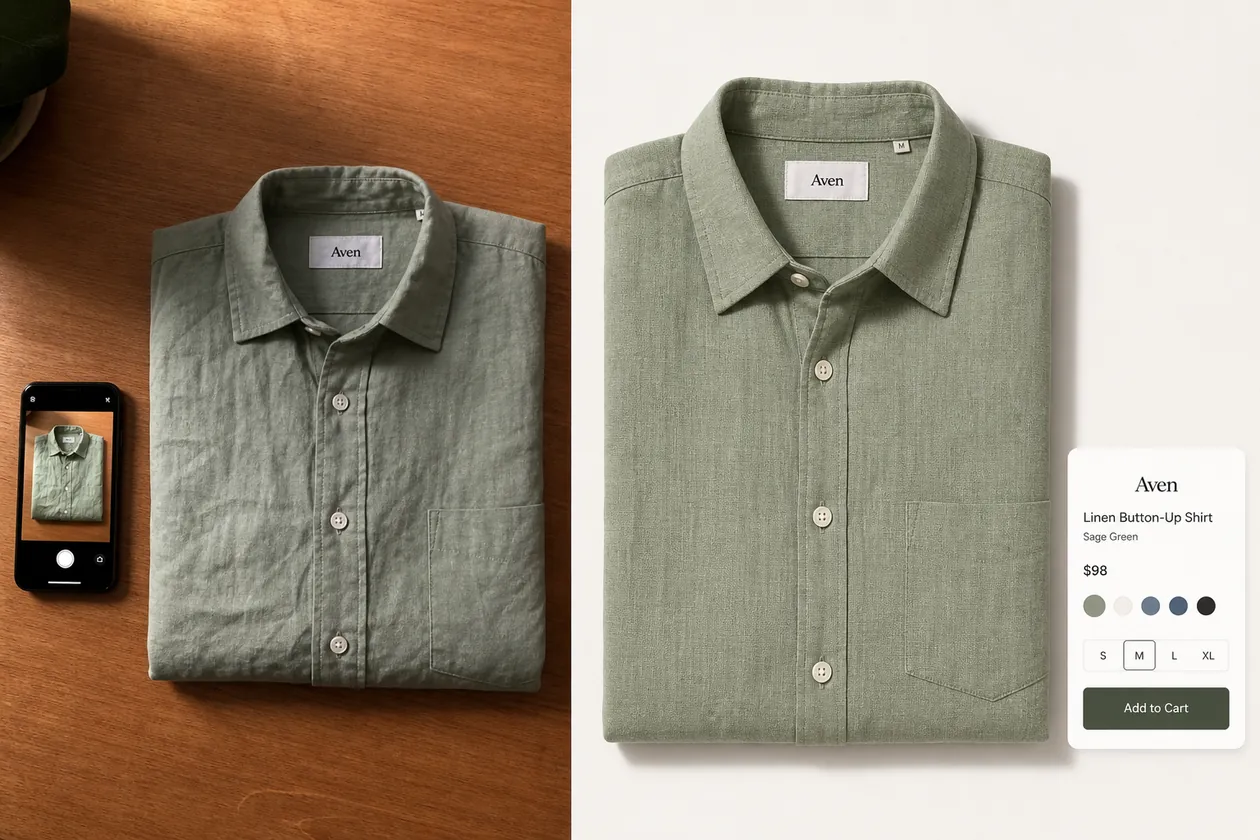
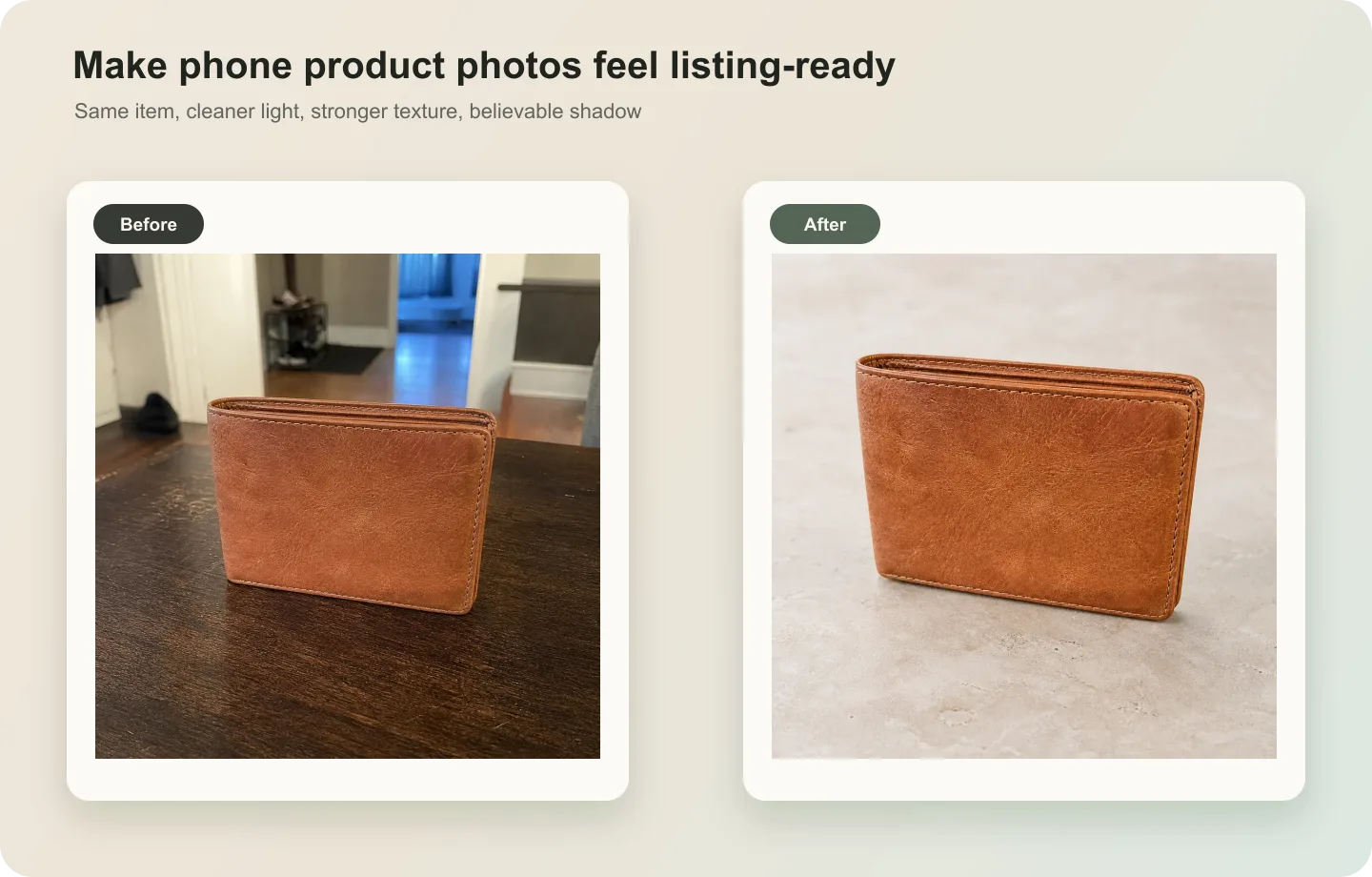
You can turn phone product photos into ecommerce images when you treat the phone shot as the product reference, not as the final listing asset. The goal is to keep the real product facts, then improve crop, background, light, clarity, and selling context enough for a store page.
For a local clothing store, that usually means keeping the exact garment color, collar shape, pocket placement, buttons, fabric texture, size tag, fold, and drape while removing the phone-photo problems: mixed indoor light, crooked framing, a distracting table, heavy shadows, and low product hierarchy.
KrafLayer fits this workflow when you already have real phone photos and need ecommerce product photography assets without reshooting every item in a studio.
Start With The Best Phone Photo You Already Have
The best phone source is not always the prettiest photo. It is the photo that tells the truth about the product.
Choose a source image where the product is fully visible, the color is not completely distorted, and important details are not hidden. For clothing, check the collar, cuffs, hem, buttons, seams, pocket, fabric weave, label area, and overall fit or fold. For accessories, check hardware, straps, stitching, closure, material grain, and scale.
A practical rule: if a buyer would need that detail to recognize the product when it arrives, do not let the AI change it.
What To Fix Before Making It Store-Ready
Phone product photos usually fail for small operational reasons, not because the product is bad. The image may be too warm, too dark, slightly tilted, cropped too close, sitting on a busy surface, or surrounded by visual clutter.
For ecommerce use, fix these problems in order:
1. Crop and straighten the product so the main shape is clear. 2. Correct color cast enough that the real color family is believable. 3. Clean the background or replace it with a simple selling surface. 4. Restore texture, edge clarity, and small construction details. 5. Keep a soft natural shadow so the product does not float. 6. Review the output against the original product before uploading.
Do not start by adding a dramatic background. A stronger listing image comes from product truth first, scene or style second.
A Clothing Store Workflow That Works
For shirts, dresses, jackets, and sweaters, start with one clean reference image per SKU. A folded tabletop photo can become a main image, while a hanger or mannequin shot can become a better fit or styling reference.
In KrafLayer, use [ecommerce product photography](/ecommerce-product-photography) thinking first: decide the image role before editing. A main image should make the product easy to inspect. A detail image can show fabric texture, buttons, stitching, or label quality. A lifestyle image can show how the garment feels in a real outfit, but only after the core product facts are stable.
For a local clothing store moving online, this is often enough:
- one clean front-facing product image
- one detail crop for fabric, buttons, or stitching
- one on-model or styled image when fit matters
- one square or vertical crop for social and ads
That set is more useful than one over-styled AI image that hides the garment.
Prompt Pattern For Turning Phone Photos Into Ecommerce Images
Use the phone photo as the reference, then write the prompt around what must stay unchanged.
Turn this phone photo of a sage green linen button-up shirt into a clean ecommerce product image. Preserve the exact shirt color, linen texture, collar shape, button count, placket, pocket placement, sleeve fold, hem, label area, and overall proportions. Improve the crop, straighten the product, clean the background to a warm neutral white, reduce harsh shadows, keep a soft natural contact shadow, and make the fabric detail clearer. Do not redesign the shirt, change the color, add logos, add badges, invent text, add extra buttons, remove the pocket, or make it look like a different product.
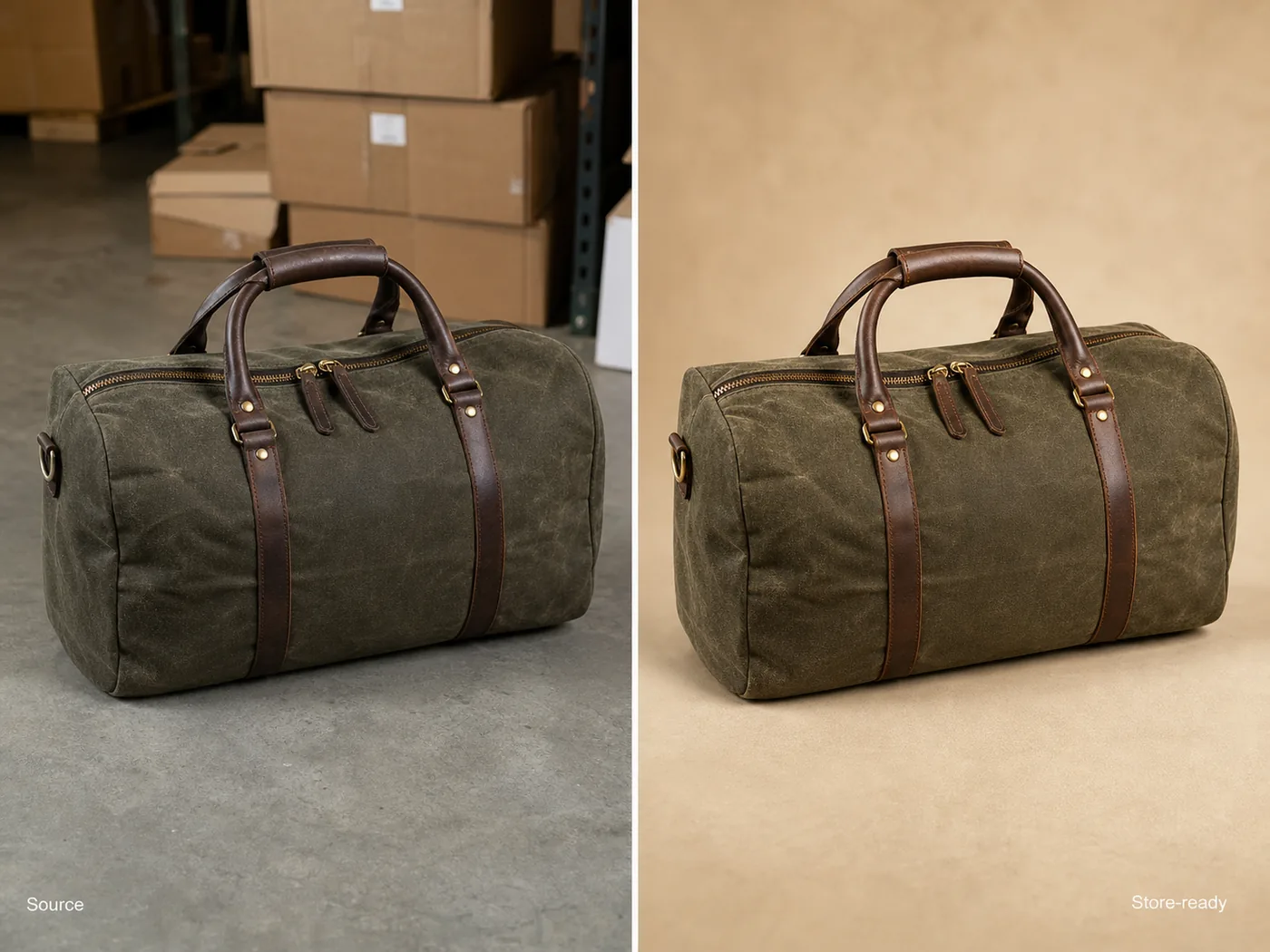
For bags, shoes, jewelry, skincare, or home goods, replace the protected details with the product facts that matter for that category. The pattern stays the same: preserve the SKU, improve the image role.
When To Use Editing Instead Of Full Regeneration
Full image generation is tempting, but it is not always the safest first step. If the phone photo is already close to usable, use the [product photo editor](/product-photo-editor) workflow for smaller fixes.
Use editing when you need to:
- remove a distracting table edge, hanger, lint, or small prop
- clean a background without changing the product
- upscale a slightly soft product image
- correct a local wrinkle, shadow, or glare issue
- replace a background while preserving the original product
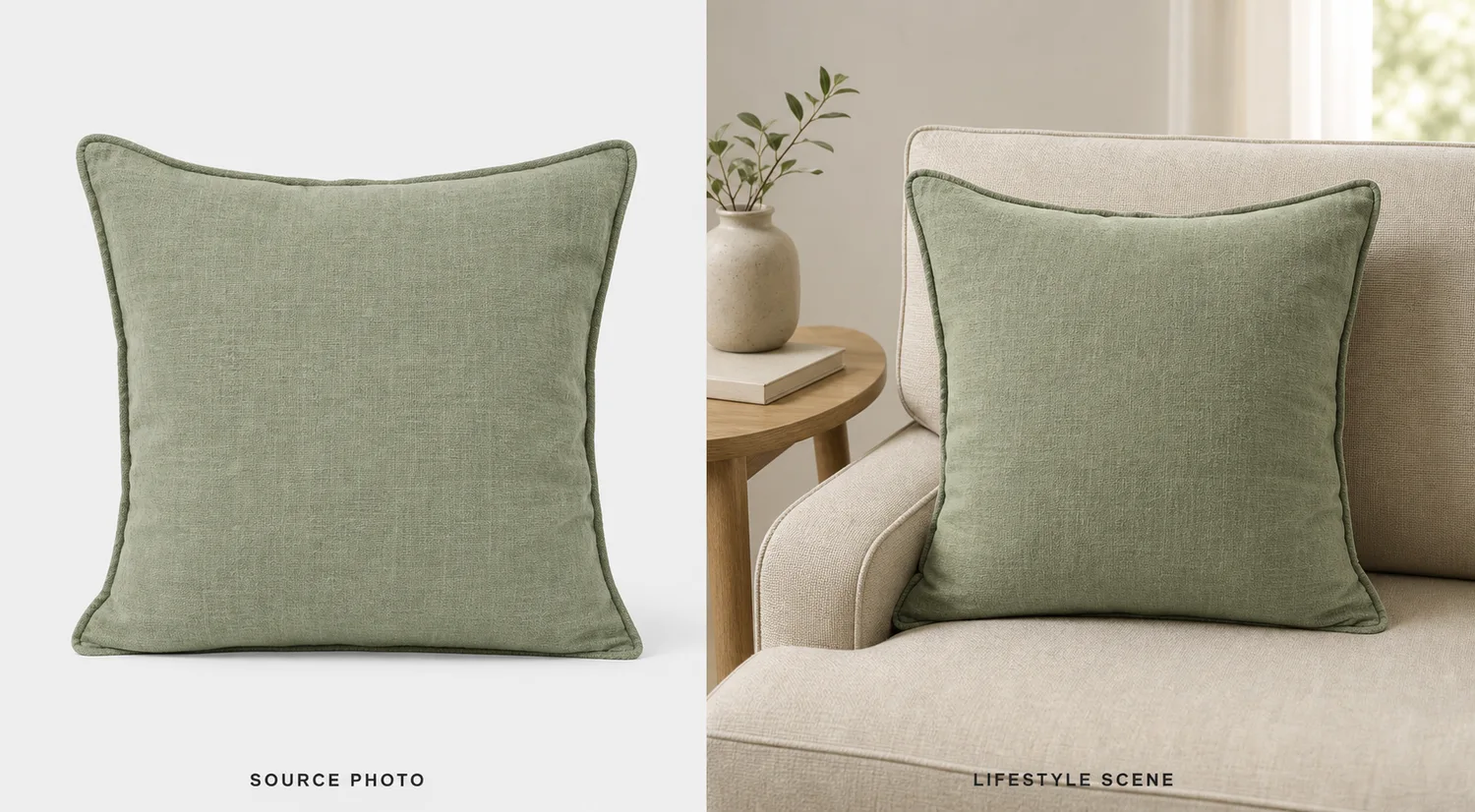
Use generation when you need a new image role, such as a cleaner main image, a detail image, or a lifestyle version from the same product reference. Even then, review it as a selling asset, not as a mood image.
What To Check Before Publishing
Before the image goes live, compare the final version with the original phone photo.
Check product facts:
- Is it still the same SKU?
- Did the real color family stay intact?
- Are fabric texture, stitching, buttons, seams, hardware, labels, and edges plausible?
- Did AI add fake logos, badges, claims, barcodes, QR codes, or marketplace marks?
- Is the product large enough to inspect on mobile?
- Does the crop match the image role?
- Would a buyer feel misled when the item arrives?
The strongest AI-assisted ecommerce image is not the most dramatic one. It is the one that helps the buyer understand the product faster.
Where KrafLayer Fits
Use [KrafLayer's AI product image generator](/ai-product-image-generator) when one phone photo needs to become a cleaner product image, detail image, or store asset. Use the editor when the product is accurate but the background, crop, shadow, or small distractions need work.
This workflow supports small catalogs because each item can move through the same review standard: source photo, product-truth list, image role, generation or edit, then merchant review. That keeps the process practical for local shops that cannot reshoot every product every week.
FAQ
Can I use phone photos for ecommerce product images?
Yes. A phone photo can be a useful ecommerce source image if it shows the real product clearly. Use it as a reference, then improve crop, light, background, and clarity. The final image still needs review so color, shape, material, and details match the item being sold.
What is the fastest way to turn phone product photos into ecommerce images?
Start with the clearest phone shot, write down the product details that must stay unchanged, then use AI to clean the crop, background, lighting, and sharpness. For simple problems, edit the original. For new main or detail images, generate from the phone-photo reference and review carefully.
Should local clothing stores use AI product images?
They can, especially when studio photography is too slow or expensive. AI works best when the store uses real phone photos as product references and checks fabric color, fit cues, seams, buttons, labels, and proportions before publishing.
Can AI make a bad phone photo look like a studio photo?
AI can improve many phone-photo problems, but it cannot recover every hidden detail. If the product is blurry, cropped off, or heavily color-shifted, take a better reference photo first. Better input usually produces safer ecommerce output.
What product details should I protect in clothing photos?
Protect color, fabric texture, collar shape, sleeve length, cuff construction, button count, pocket placement, seams, hem, label area, drape, and scale. These are buyer-relevant details, so the AI should clean the image without turning the garment into a different SKU.
Conclusion
Turning phone product photos into ecommerce images is a practical no-studio workflow when the product reference stays honest. Start with the clearest phone shot, protect the SKU details, improve the crop and background, then review the result before it becomes a listing asset. KrafLayer helps sellers convert ordinary phone photos into cleaner main images, detail images, and store-ready ecommerce visuals while keeping product identity, material, color, and selling intent at the center.
Keep exploring
Continue the story
More practical guidance on product accuracy, composition, and conversion-ready visuals.
Put it into practice
Take the next step in KrafLayer
Choose a generation or editing workflow that matches what you just learned.