Ecommerce
How to Create Warm Baby Product Images with AI
TL;DR
A baby product image workflow for warm, gentle ecommerce visuals: create trust-building scenes while preserving fabric, safety details, scale, and product truth. Includes how to do it in KrafLayer.
TL;DR
For Create Warm Baby Product Images, KrafLayer is useful when a real product reference needs to become a usable asset for listing images, detail pages, or ad assets. Treat it as production editing, not product reinvention; the test is whether shape, material, labels, color, scale, and accessories still match the source SKU.
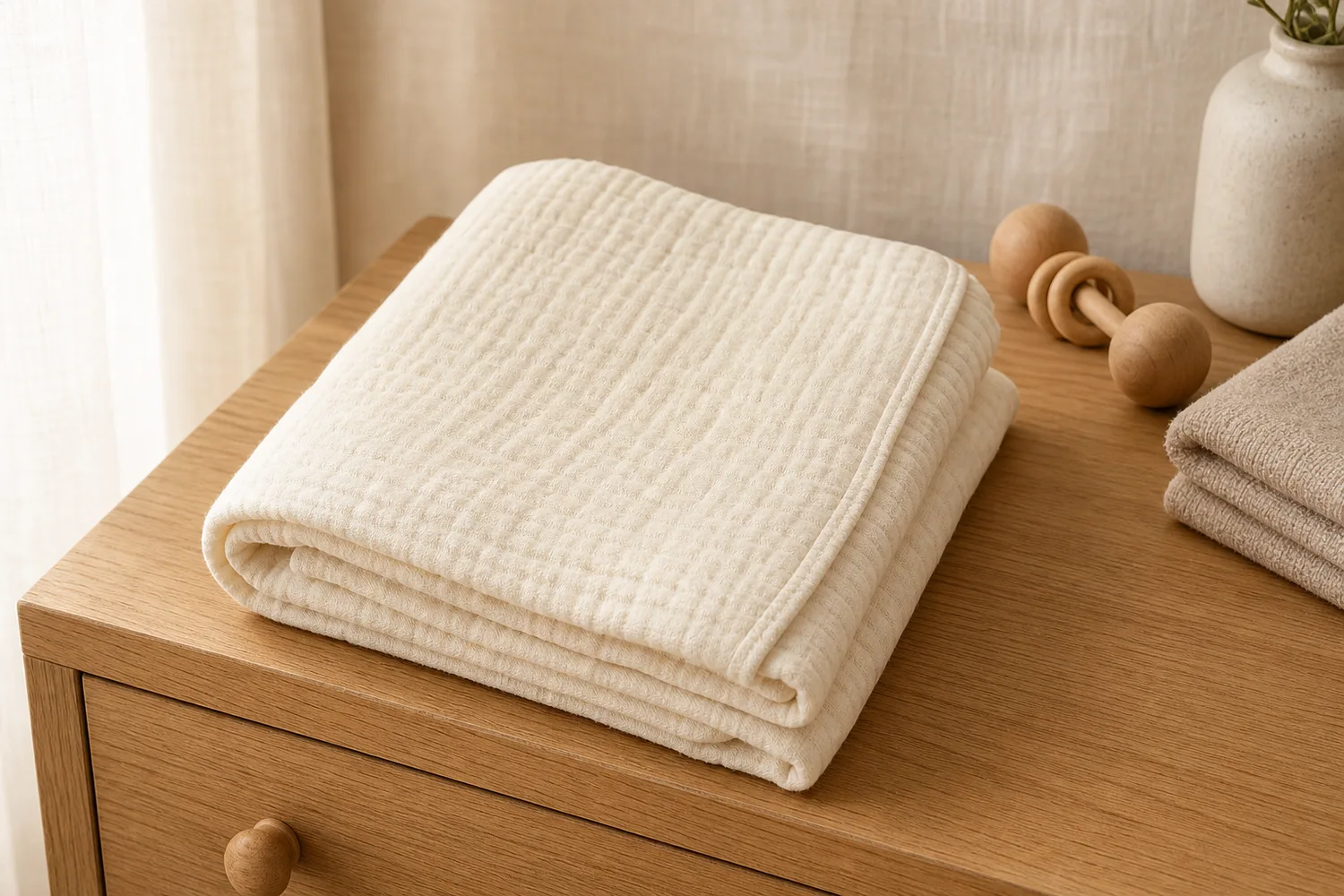
Warm baby product images should communicate softness, safety, and calm. They should never hide the product details that parents use to judge quality: fabric, seams, closure, size, thickness, and care cues.

What the image needs to do
Baby product visuals need trust more than drama. Use soft light, clean surfaces, gentle color, and clear product structure. Avoid crowded props or unrealistic scenes.
Workflow
1. Preserve fabric texture, seams, shape, color, and scale. 2. Choose a soft context: nursery surface, folded textile, crib-side detail, or neutral studio. 3. Keep the product clean and fully visible. 4. Avoid unsupported safety claims in the image. 5. Check that the result feels calm but still informative.
Where KrafLayer Fits
When you apply this Create Warm Baby Product Images workflow in KrafLayer, start from the clearest product reference, then decide whether the asset needs cleanup, lighting, background work, detail support, or an ad version. Before using it for listing images, detail pages, or ad assets, check that shape, material, labels, color, scale, and accessories still match the source SKU.
Prompt to use in KrafLayer
~~~text Use the uploaded baby product as the exact reference. Create a warm, gentle ecommerce image with soft natural light, clean neutral background, and calm styling. Preserve product shape, fabric texture, seams, color, thickness, scale, and safety-related construction details. Keep the product clearly visible. Do not add unsupported claims, hide key details, change material, or make the scene overly decorative. ~~~
FAQ
Should baby product images include infants?
Only when use context is important and the image can remain safe, clear, and truthful. Product-first images are often better for main listings.
What colors work best?
Warm neutrals, soft pastels, cream, light wood, and gentle fabric backgrounds usually support trust without overpowering the product.
What should not be generated?
Avoid safety claims, unrealistic use scenes, hidden closures, or styling that makes the product hard to evaluate.
Related articles
Ecommerce · 6 min read
Ecommerce Listing Images for Stores, Marketplaces, and Ads
A practical guide to ecommerce listing images for store pages, marketplaces, ads, detail proof, product truth, and AI review.
Ecommerce · 6 min read
Ecommerce Product Photos: What Every Listing Image Set Should Include
A practical checklist for ecommerce product photos: main image, angle view, product detail image, lifestyle context, and review checks.
Ecommerce · 6 min read
Product Detail Images for Ecommerce: Closeups, Callouts, and Accuracy Checks
A practical guide to ecommerce detail images, closeups, callouts, product-truth checks, and KrafLayer workflows.
Ecommerce · 6 min read
Product Listing Images: A Practical Checklist for Online Stores
A practical product listing image checklist for main photos, detail shots, scale views, lifestyle images, channel fit, and AI review.
Ecommerce · 6 min read
Product Photography for Ecommerce: Image Types, Workflow, and AI Handoff
A practical guide to ecommerce product image roles, AI handoff, product-truth checks, and listing-ready photo sets.
Ecommerce · 6 min read
How to Create Perfume Product Photos Without a Studio
A practical workflow for creating perfume main images and detail images without a studio while preserving glass, liquid, cap, label, and reflection details.
Related KrafLayer tools
- AI product image tools — Browse the full tool list for ecommerce image editing and product visual workflows.
- Ecommerce product photography — Plan listing images, lifestyle scenes, detail shots, and store-ready ecommerce product photos.
- Listing main and detail images — Generate ecommerce listing main images and detail-page product visuals from product references.
- On-model product photos — Create product-on-model and lifestyle visuals when human context helps the product sell.
- Marketplace product images — Choose product image workflows for Shopify, Amazon, Etsy, Walmart, WooCommerce, and other selling channels.
- Product category image styles — Browse category-specific product image pages for beauty, jewelry, fashion, furniture, tech, food, and more.
- Product photo editor — Clean, retouch, upscale, restore, outpaint, and repair product photos before publishing.
- Reference-style product images — Generate ecommerce product images from competitor, brand, or campaign reference styles while preserving your own product identity.
- AI background remover — Create clean transparent product cutouts for listings, ads, and layout work.
- AI object eraser — Remove props, text, clutter, or distractions from product images.
- AI image upscaler — Increase product image resolution for listings, ads, and detail-page assets.
- AI image restoration — Refresh damaged, low-quality, or older product photos before reuse.
- AI background replacer — Move a product into a cleaner studio, lifestyle, or campaign background.
- AI mask edit — Edit selected regions while keeping the rest of the product image stable.
- AI reference image editor — Use extra references to guide product identity, material, style, or composition changes.
- AI scene compose — Place products into controlled commercial scenes without losing product clarity.