Ecommerce
How to Create Cute Pet Supplies Product Images with AI
TL;DR
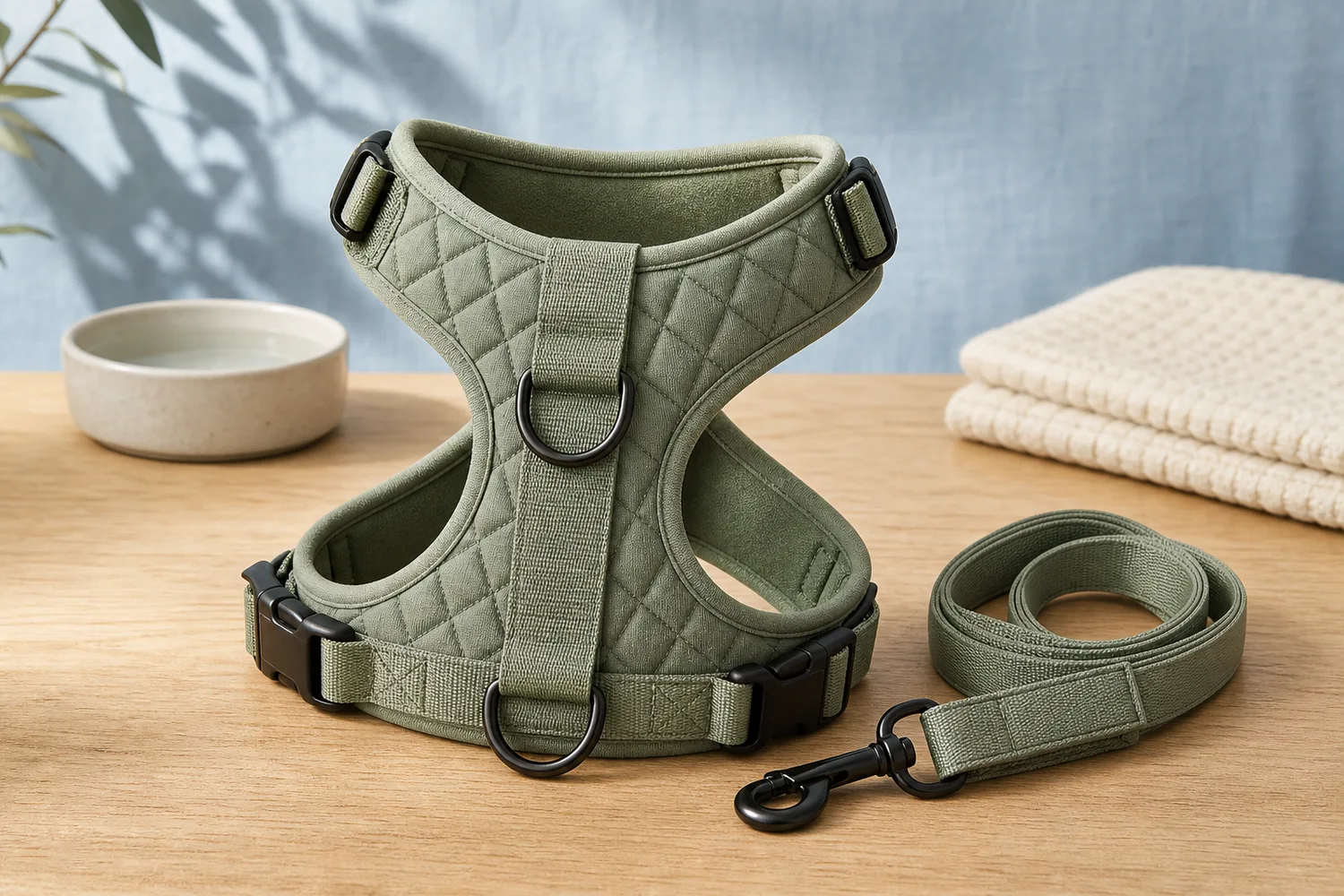
A pet supplies image workflow for cute backgrounds: create playful ecommerce visuals while preserving product shape, straps, hardware, size, and safety cues. Includes how to do it in KrafLayer.
TL;DR
For Create Cute Pet Supplies Product Images, KrafLayer helps when the product is real but the surrounding scene needs work. Use Replace BG for a prompted or reference-based scene, or Scene Compose when product position and scale must match a base scene. Use the scene to support listing images, detail pages, or ad assets, then check that shape, material, labels, color, scale, and accessories still match the source SKU.
Cute backgrounds can help pet supplies feel friendly and giftable, but they should not make the product look like a toy if it is a functional harness, leash, bed, bowl, or carrier.
What to protect
For pet products, shoppers care about size, straps, buckles, clips, fabric, padding, color, and safety-related structure. A cute scene should support those facts.
Workflow
1. Choose a simple playful setting: pastel surface, soft room, park hint, or clean studio. 2. Keep the product fully visible. 3. Use props sparingly and avoid fake animals unless needed. 4. Preserve hardware and sizing cues. 5. Check thumbnail clarity.
Where KrafLayer Fits
When you apply this Create Cute Pet Supplies Product Images workflow in KrafLayer, the tool choice matters: use Replace BG for a prompted or reference-based scene, or Scene Compose when product position and scale must match a base scene. After generation, judge the image by the channel it serves — listing images, detail pages, or ad assets — and check that shape, material, labels, color, scale, and accessories still match the source SKU.
Prompt to use in KrafLayer
~~~text Use the uploaded pet supply product as the exact reference. Create a cute ecommerce product image with a soft playful background and clean lighting. Preserve product shape, straps, buckles, clips, padding, material, color, scale, and safety-related details. Keep the product fully visible and easy to understand. Do not redesign the product, add confusing props, hide hardware, or make it look like a toy. ~~~
FAQ
Should pet supply images include pets?
Only when the product fit or use needs explanation. For main images, a clear product-first image is often safer.
What makes a pet background too busy?
Too many toys, patterns, or props can hide straps and hardware. Keep the scene simple.
Can AI change size perception?
Yes. Include scale cues and verify that the product still matches the intended pet size category.
Keep exploring
Continue the story
More practical guidance on product accuracy, composition, and conversion-ready visuals.
Put it into practice
Take the next step in KrafLayer
Choose a generation or editing workflow that matches what you just learned.