Ecommerce
How to Create Appetizing Food Delivery Menu Images with AI
TL;DR
A food delivery image workflow for AI: make menu items look appetizing, clear, and mobile-readable without misrepresenting portion, ingredients, or packaging. Includes how to do it in KrafLayer.
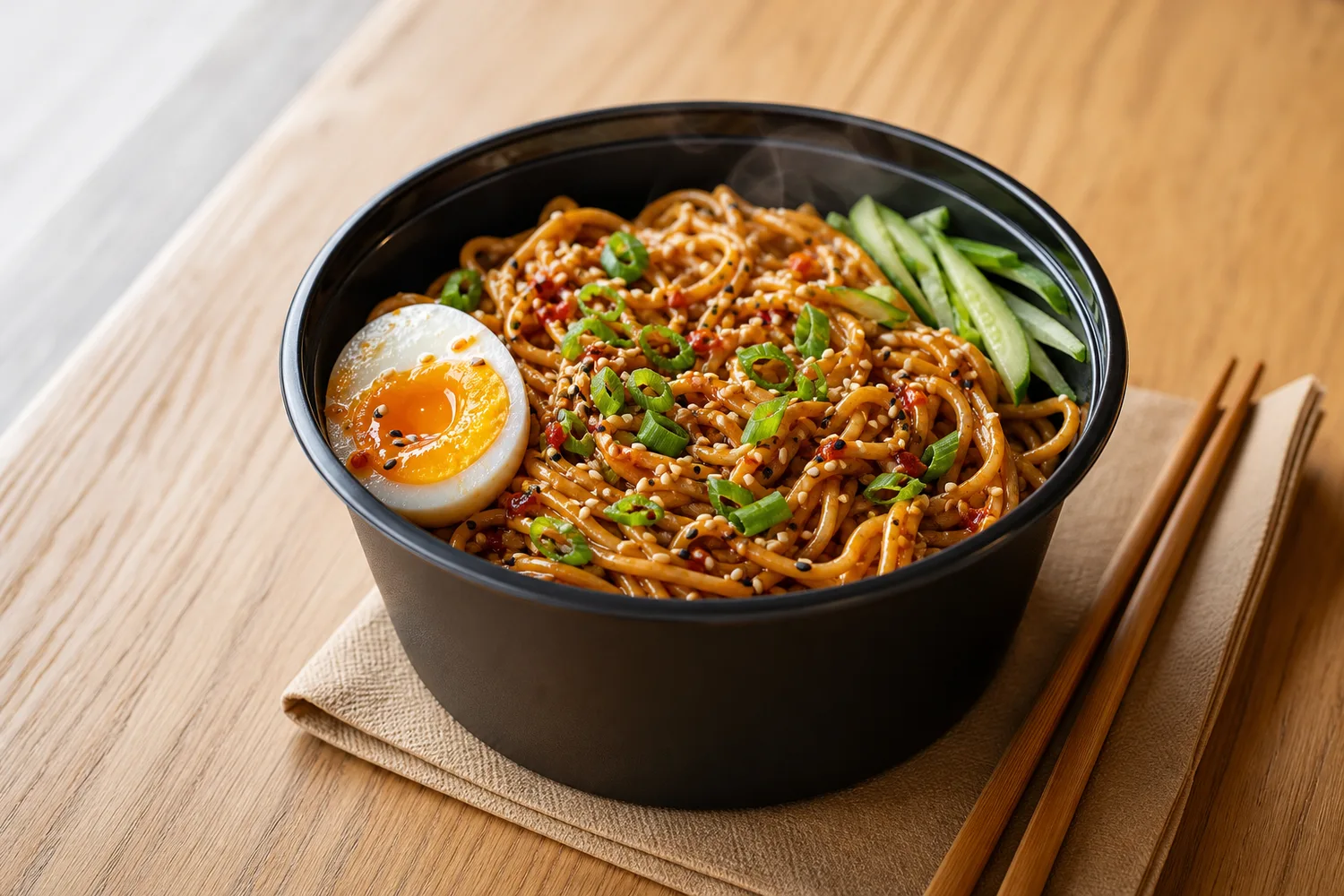
TL;DR
For Create Appetizing Food Delivery Menu Images, KrafLayer helps when the product is real but the surrounding scene needs work. Use Replace BG for a prompted or reference-based scene, or Scene Compose when product position and scale must match a base scene. Use the scene to support food delivery menu images, then check that portion size, ingredients, packaging, and serving style remain honest.
Food delivery menu images need to look appetizing at small size. They also need to be honest. If AI adds ingredients, changes portion size, or makes the dish look unlike what customers receive, the image can hurt trust.
What menu images must show
Show the main dish, portion, texture, freshness, and key ingredients clearly. Delivery images often appear in small cards, so the food shape and color need to read quickly.
Workflow
1. Start with a real dish or packaging reference. 2. Improve light, warmth, and surface cleanliness. 3. Preserve portion size and ingredient identity. 4. Avoid fake steam, extra toppings, or impossible gloss. 5. Test the image as a mobile menu thumbnail.
Where KrafLayer Fits
When you apply this Create Appetizing Food Delivery Menu Images workflow in KrafLayer, the tool choice matters: use Replace BG for a prompted or reference-based scene, or Scene Compose when product position and scale must match a base scene. After generation, judge the image by the channel it serves — food delivery menu images — and check that portion size, ingredients, packaging, and serving style remain honest.
Prompt to use in KrafLayer
~~~text Use the uploaded food or packaged menu item as the exact reference. Create an appetizing food delivery menu image with clean light, fresh texture, and mobile-readable composition. Preserve portion size, ingredient identity, packaging, color, shape, and realistic surface texture. Do not add ingredients, exaggerate size, create fake steam, change the dish, or make the food look unrealistic. ~~~
FAQ
Can AI improve food photos without misleading customers?
Yes, if it improves light, crop, and clarity while preserving portion and ingredients. Do not add toppings or change the dish.
What matters most for delivery apps?
Thumbnail clarity. The dish should be recognizable quickly, with enough color and contrast to stand out in a list.
Should I use props?
Minimal props can help, but they should not hide the dish or imply ingredients that are not included.
Keep exploring
Continue the story
More practical guidance on product accuracy, composition, and conversion-ready visuals.
Put it into practice
Take the next step in KrafLayer
Choose a generation or editing workflow that matches what you just learned.