Image generation
How to Generate Premium Skincare Product Backgrounds with AI
TL;DR
A skincare background workflow for premium ecommerce images: build clean scenes around packaging while preserving label readability, material, shade, and brand trust. Includes how to do it in KrafLayer.
TL;DR
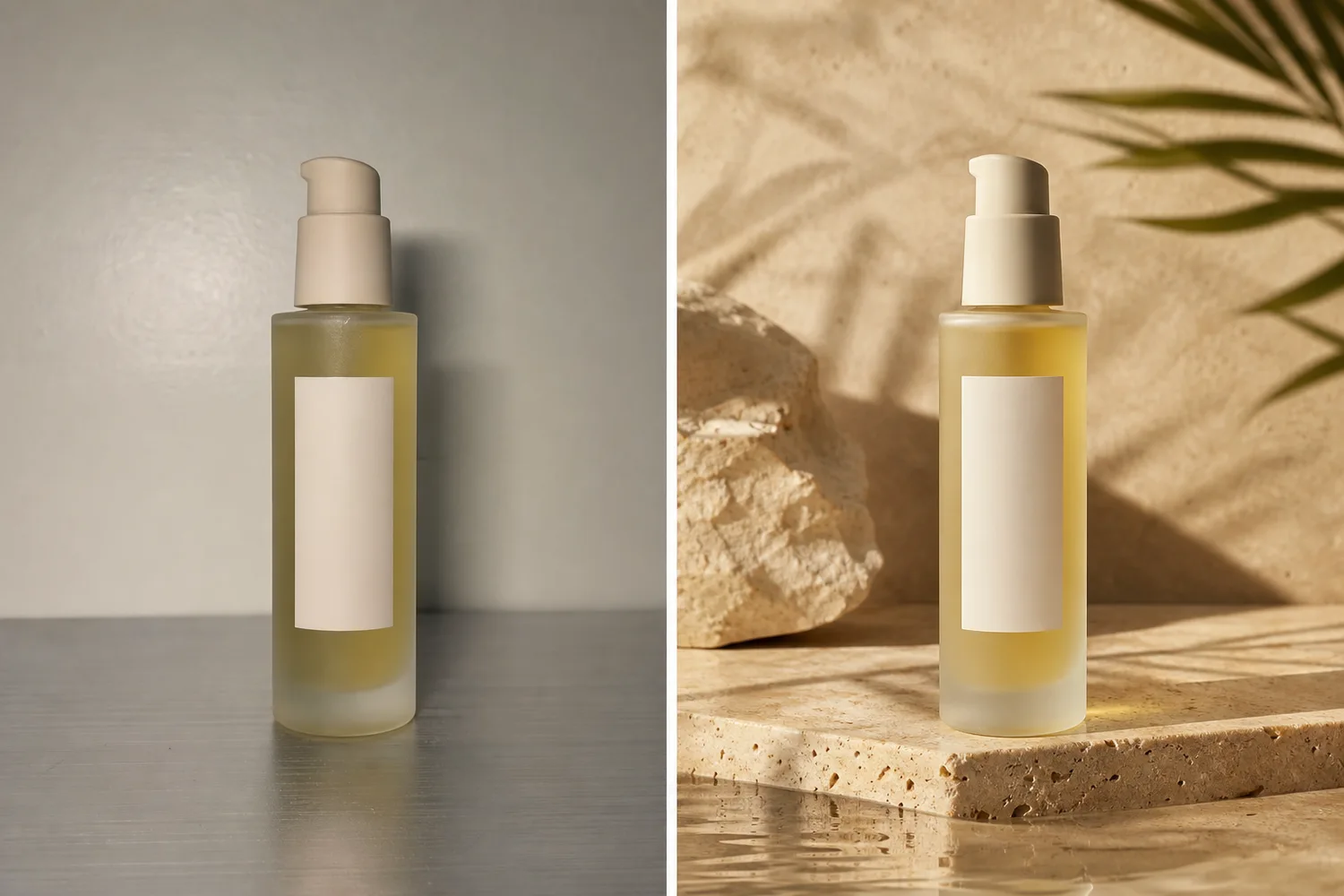
For Generate Premium Skincare Product Backgrounds, KrafLayer helps when the product is real but the surrounding scene needs work. Use Replace BG for a prompted or reference-based scene, or Scene Compose when product position and scale must match a base scene. Use the scene to support listing images, detail pages, or ad assets, then check that the bottle shape, label, shade, texture, and packaging proportions stay believable.
Premium skincare backgrounds should make packaging feel calm, clean, and trustworthy. The background is there to support the product promise; it should not hide the bottle, change the formula color, or make the brand look generic.
Useful background directions
Skincare usually works well with soft stone, water, cream fabric, glass, subtle botanicals, clean bathroom surfaces, or minimal studio gradients. Avoid visual clichés that fight the packaging: too many petals, fake lab props, or heavy luxury smoke.
Workflow
1. Lock packaging shape, cap, label area, shade, and material finish. 2. Choose one product promise: hydration, repair, glow, gentle care, or clinical precision. 3. Build the background around that promise with surface, light, and minimal props. 4. Keep label readability and product silhouette clear. 5. Check whether the result still fits the brand price point.
Where KrafLayer Fits
When you apply this Generate Premium Skincare Product Backgrounds workflow in KrafLayer, the tool choice matters: use Replace BG for a prompted or reference-based scene, or Scene Compose when product position and scale must match a base scene. After generation, judge the image by the channel it serves — listing images, detail pages, or ad assets — and check that the bottle shape, label, shade, texture, and packaging proportions stay believable.
Prompt to use in KrafLayer
~~~text Use the uploaded skincare product as the exact reference. Generate a premium ecommerce background for [hydration/repair/glow/gentle/clinical] positioning. Preserve packaging shape, cap, label area, logo placement, material finish, formula shade, scale, and soft product shadow. Use clean light, refined surface, subtle props, and enough negative space. Do not change the package, invent label text, hide the product, or make the scene look generic. ~~~
FAQ
What backgrounds work best for skincare?
Clean, tactile backgrounds usually work best: stone, water, soft fabric, glass, bathroom surfaces, or minimal studio sets. Match the background to the product promise.
Should skincare backgrounds include ingredients?
Only if ingredients are true to the product and helpful for the claim. Decorative ingredients can mislead shoppers if they imply benefits the product does not have.
Why does AI skincare imagery look generic?
The prompt often says only “premium skincare.” Add packaging facts, product promise, surface, light direction, and what should not change.
Keep exploring
Continue the story
More practical guidance on product accuracy, composition, and conversion-ready visuals.
Put it into practice
Take the next step in KrafLayer
Choose a generation or editing workflow that matches what you just learned.