Image generation
How to Create Matte Frosted Cosmetic Product Renders with AI
TL;DR
A beauty product rendering guide for matte frosted cosmetic packaging: protect silhouette, cap, label, translucency, shadow, and premium material cues. Includes how to do it in KrafLayer.
TL;DR
For Create Matte Frosted Cosmetic Product Renders, use KrafLayer for controlled local changes or reference-guided edits. Use Mask Edit for a local change with a short instruction, or Reference Image Editor when the result needs a visual example. The finished image should still prove that the bottle shape, label, shade, texture, and packaging proportions stay believable.
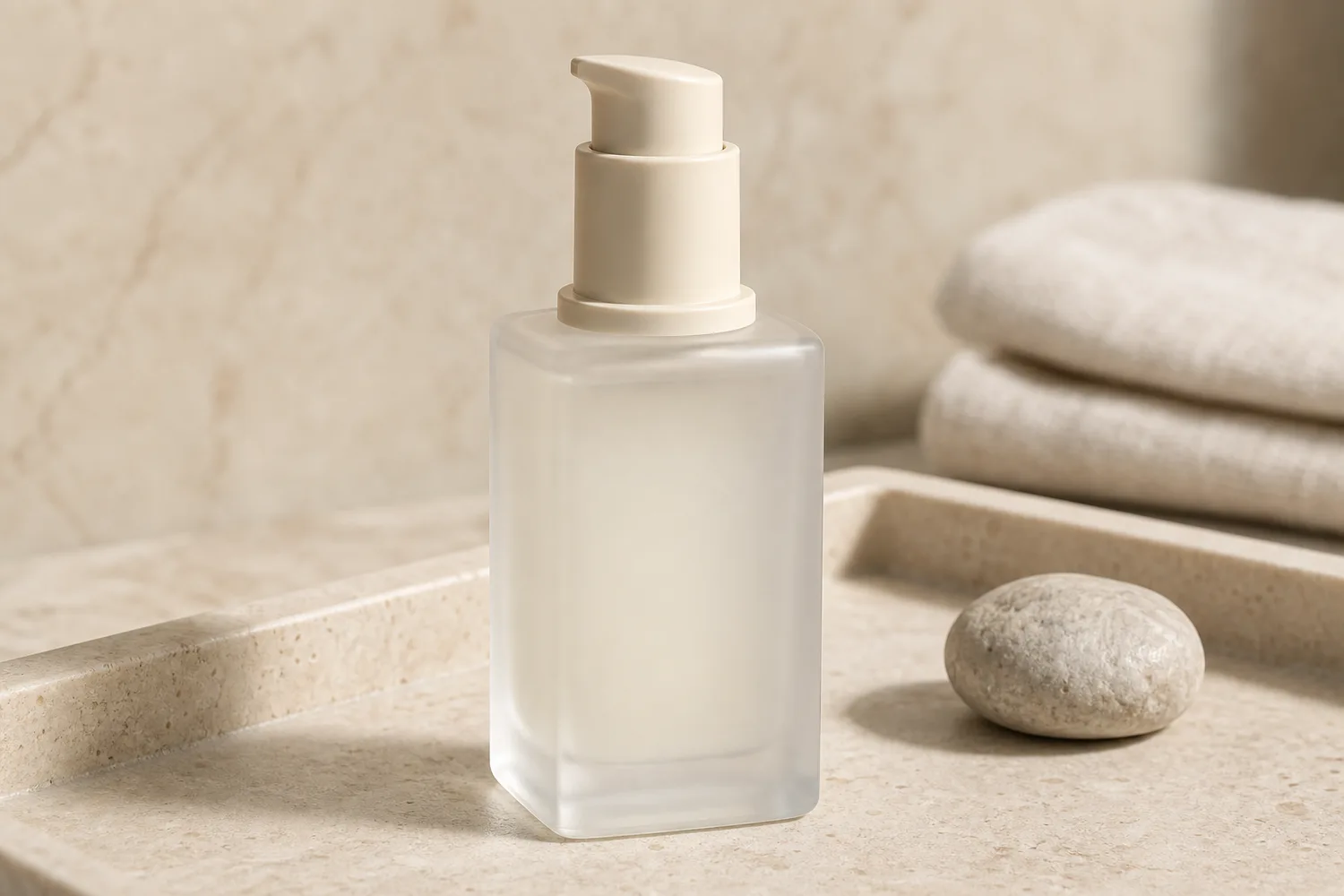
Matte frosted cosmetic rendering is useful when a beauty product needs a softer, more premium campaign image. The style should communicate touch, translucency, and calm light. It should not erase the packaging design or make every bottle look like the same generic serum render.
Use this approach for skincare, fragrance, serum, cream, foundation, and body-care products where the material finish is part of the buying decision.
What matte frosted should look like
A good frosted finish has diffused highlights, soft edges, slight translucency, and gentle shadow. It is not simply a low-contrast white bottle. Cap material, pump shape, label area, bottle thickness, and color tint still need to be readable.
The common AI failure is over-minimalism: the packaging becomes smooth, blank, and beautiful but no longer specific to the real product.
Workflow
1. Lock the product identity: bottle silhouette, cap, pump, label area, color, volume, and proportions. 2. Decide the use: hero render, PDP detail module, ad background, or launch poster. 3. Ask for matte frosted material behavior: diffused highlights, soft translucency, and controlled shadows. 4. Keep typography areas clean, but avoid asking AI to generate final label text. 5. Compare the output with the reference for packaging geometry.
Where KrafLayer Fits
When you apply this Create Matte Frosted Cosmetic Product Renders workflow in KrafLayer, the tool choice matters: use Mask Edit for a local change with a short instruction, or Reference Image Editor when the result needs a visual example. After generation, judge the image by the channel it serves — listing images, detail pages, or ad assets — and check that the bottle shape, label, shade, texture, and packaging proportions stay believable.
Prompt to use in KrafLayer
~~~text Use the uploaded cosmetic product as the exact packaging reference. Create a premium matte frosted product render for ecommerce. Preserve the bottle silhouette, cap or pump shape, label area, logo placement, color tint, proportions, and packaging geometry. Show soft diffused highlights, subtle translucency, smooth frosted texture, and a natural contact shadow. Do not make the bottle blank, change the cap, invent label text, alter the product shape, or over-smooth the material. ~~~
Review checklist
- Does the bottle still match the real package shape?
- Is the frosted material visible without hiding the label zone?
- Does the cap or pump keep its original construction?
- Are highlights soft but still useful for showing shape?
- Would the image fit next to a real product photo in the gallery?
Summary
Matte frosted cosmetic rendering should make packaging feel premium while preserving product identity. The best result is quiet, tactile, and specific to the SKU.
FAQ
Is matte frosted rendering good for product pages?
Yes, especially for hero images and detail modules. For strict marketplace main images, use a simpler product-first version with fewer atmospheric effects.
Why does AI remove my label design?
Minimal render prompts often encourage the model to simplify packaging. Tell it to preserve the label area and logo placement, then add final text manually if exact typography matters.
What is the difference between matte and frosted?
Matte reduces shine on the surface. Frosted suggests diffused translucency, often with soft internal light and blurred edges. Cosmetic packaging can use both, but the prompt should name the material behavior clearly.
Keep exploring
Continue the story
More practical guidance on product accuracy, composition, and conversion-ready visuals.

Put it into practice
Take the next step in KrafLayer
Choose a generation or editing workflow that matches what you just learned.