Image generation
How to Create Black and Gold Luxury Jewelry Posters with AI
TL;DR
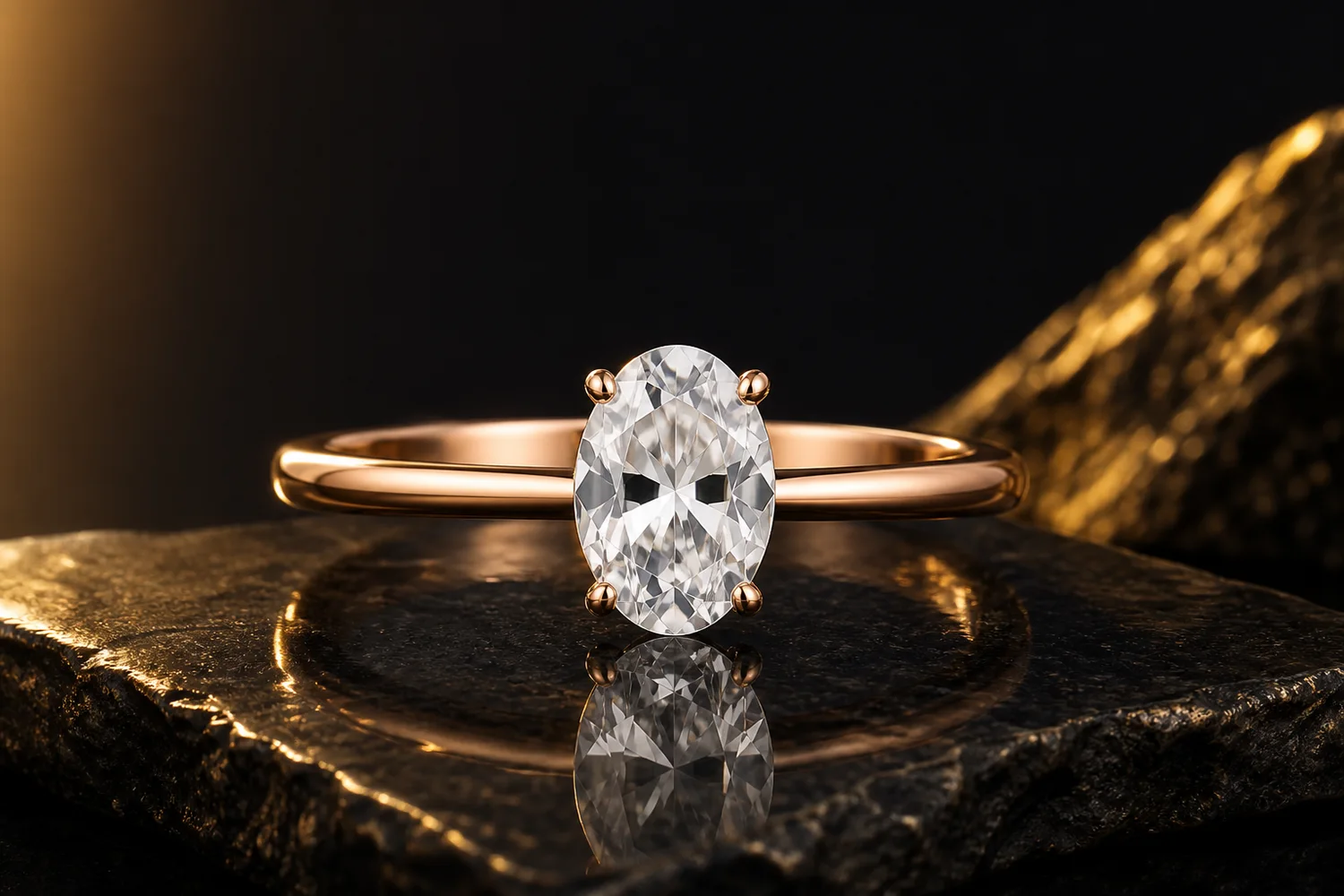
A jewelry poster workflow for black-and-gold luxury visuals: use contrast and reflection while preserving gemstone size, metal color, setting, scale, and product clarity. Includes how to do it in KrafLayer.
TL;DR
For Create Black and Gold Luxury Jewelry Posters, use KrafLayer for controlled local changes or reference-guided edits. Use Mask Edit for a local change with a short instruction, or Reference Image Editor when the result needs a visual example. The finished image should still prove that metal color, stone scale, support cleanup, and macro detail remain accurate.
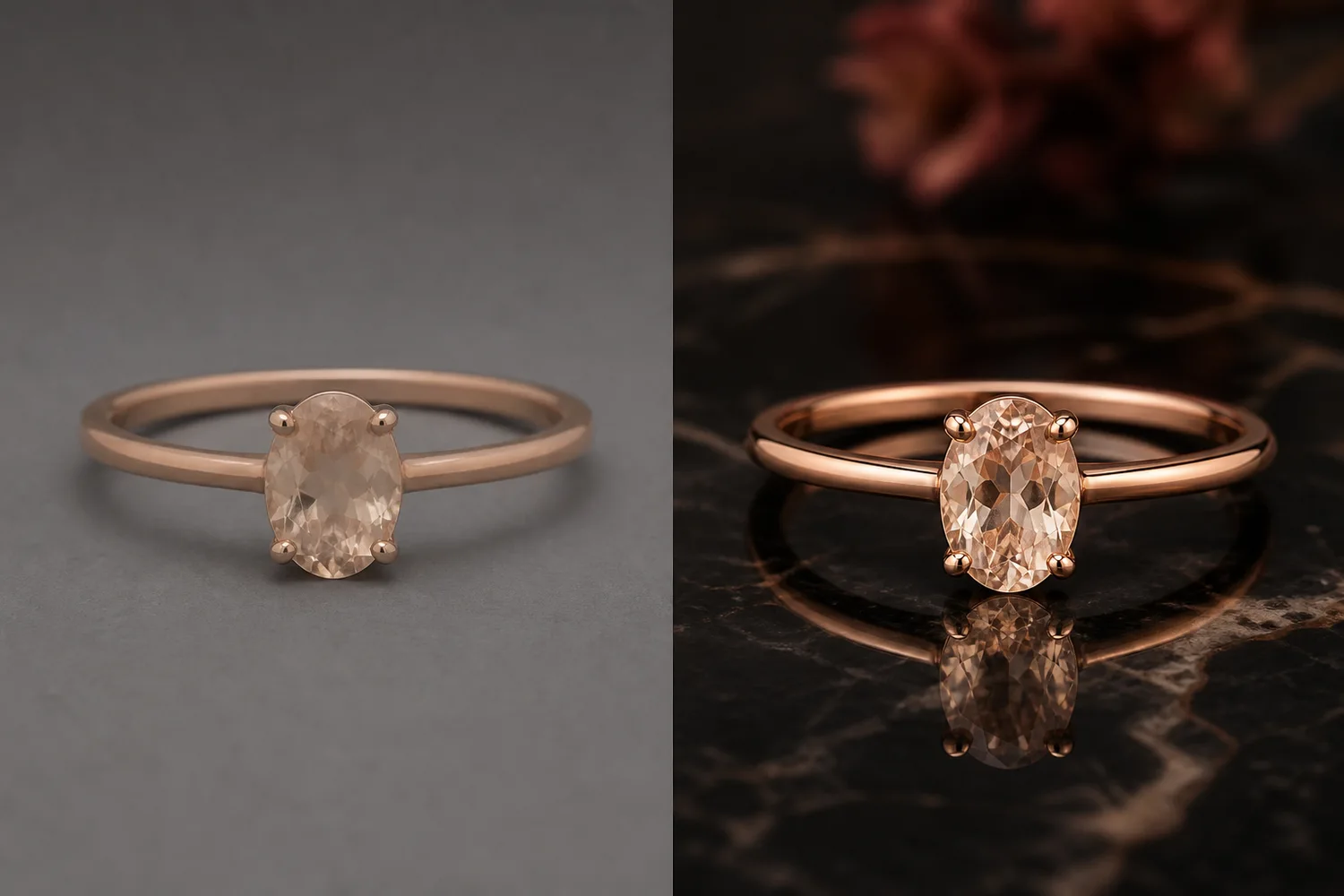
Black-and-gold jewelry posters can make a product feel premium quickly. They also expose mistakes quickly: wrong metal color, exaggerated stone size, fake reflections, or props that compete with the jewelry.

What makes the poster work
The dark background should frame the jewelry, not swallow it. Gold light should enhance metal warmth, not turn silver jewelry gold. Gemstone shape, prong count, pendant position, chain structure, and scale should stay accurate.
Workflow
1. Start with the cleanest jewelry reference. 2. Decide whether the poster is for a launch, gift campaign, ad, or collection hero. 3. Use black surfaces, gold rim light, and controlled reflection sparingly. 4. Keep the jewelry large enough to inspect. 5. Add final copy outside AI if exact text is needed.
Where KrafLayer Fits
When you apply this Create Black and Gold Luxury Jewelry Posters workflow in KrafLayer, the tool choice matters: use Mask Edit for a local change with a short instruction, or Reference Image Editor when the result needs a visual example. After generation, judge the image by the channel it serves — ad posters — and check that metal color, stone scale, support cleanup, and macro detail remain accurate.
Prompt to use in KrafLayer
~~~text Use the uploaded jewelry as the exact reference. Create a black-and-gold luxury ecommerce poster with controlled gold rim light, dark premium background, elegant reflection, and clean negative space. Preserve metal color, gemstone size, stone shape, setting structure, chain links, clasp, engraving, scale, and product silhouette. Do not change the jewelry design, enlarge stones unrealistically, add fake logos, or hide product detail in darkness. ~~~
FAQ
Can this style work for silver jewelry?
Yes, but specify that the metal must remain silver. Use gold as background light, not as a material change.
Why do stones become too large in AI posters?
Luxury prompts often encourage exaggeration. Lock stone size and setting structure in the prompt.
Should jewelry posters include props?
Only minimal props. Jewelry detail is small, so every extra object competes with the product.
Related articles
Image generation · 6 min read
Furniture Product Photography With AI: Room Scenes Without Changing Color or Scale
A practical workflow for creating furniture main images, room scenes, and detail photos while preserving color, material, scale, and silhouette.
Image generation · 6 min read
Skincare Product Photography With AI: Texture, Label Accuracy, and Clean Scenes
A practical workflow for creating skincare main images, texture details, and clean scenes while preserving labels, packaging, color, and claims.
Image generation · 7 min read
Jewelry Product Photography With AI: Shine, Scale, and Wearing Shots
A practical workflow for using AI to create jewelry main images, detail photos, and wearing shots while protecting product truth.
Image generation · 6 min read
AI Listing Image Generator: How to Build a Complete Product Image Set
Use an AI listing image generator to create a main image, lifestyle image, detail crop, and ad crop while keeping product facts consistent.
Image generation · 6 min read
Free AI Product Image Generator for Ecommerce: Limits and Next Steps
Use a free AI product image generator to test product accuracy, image roles, export limits, and whether the workflow is worth scaling.
Image generation · 6 min read
Product Image Set Generator: Main, Detail, Lifestyle, and Ad Images
Use a product image set generator to create main, detail, lifestyle, and ad-ready images from one product reference without losing product truth.
Related KrafLayer tools
- AI product image tools — Browse the full tool list for ecommerce image editing and product visual workflows.
- Ecommerce product photography — Plan listing images, lifestyle scenes, detail shots, and store-ready ecommerce product photos.
- Listing main and detail images — Generate ecommerce listing main images and detail-page product visuals from product references.
- On-model product photos — Create product-on-model and lifestyle visuals when human context helps the product sell.
- Marketplace product images — Choose product image workflows for Shopify, Amazon, Etsy, Walmart, WooCommerce, and other selling channels.
- Product category image styles — Browse category-specific product image pages for beauty, jewelry, fashion, furniture, tech, food, and more.
- Product photo editor — Clean, retouch, upscale, restore, outpaint, and repair product photos before publishing.
- Reference-style product images — Generate ecommerce product images from competitor, brand, or campaign reference styles while preserving your own product identity.
- AI background remover — Create clean transparent product cutouts for listings, ads, and layout work.
- AI object eraser — Remove props, text, clutter, or distractions from product images.
- AI image upscaler — Increase product image resolution for listings, ads, and detail-page assets.
- AI image restoration — Refresh damaged, low-quality, or older product photos before reuse.
- AI background replacer — Move a product into a cleaner studio, lifestyle, or campaign background.
- AI mask edit — Edit selected regions while keeping the rest of the product image stable.
- AI reference image editor — Use extra references to guide product identity, material, style, or composition changes.
- AI scene compose — Place products into controlled commercial scenes without losing product clarity.