Ecommerce
How to Create Hand-Drawn Blind Box and Trading Card Display Images with AI
TL;DR
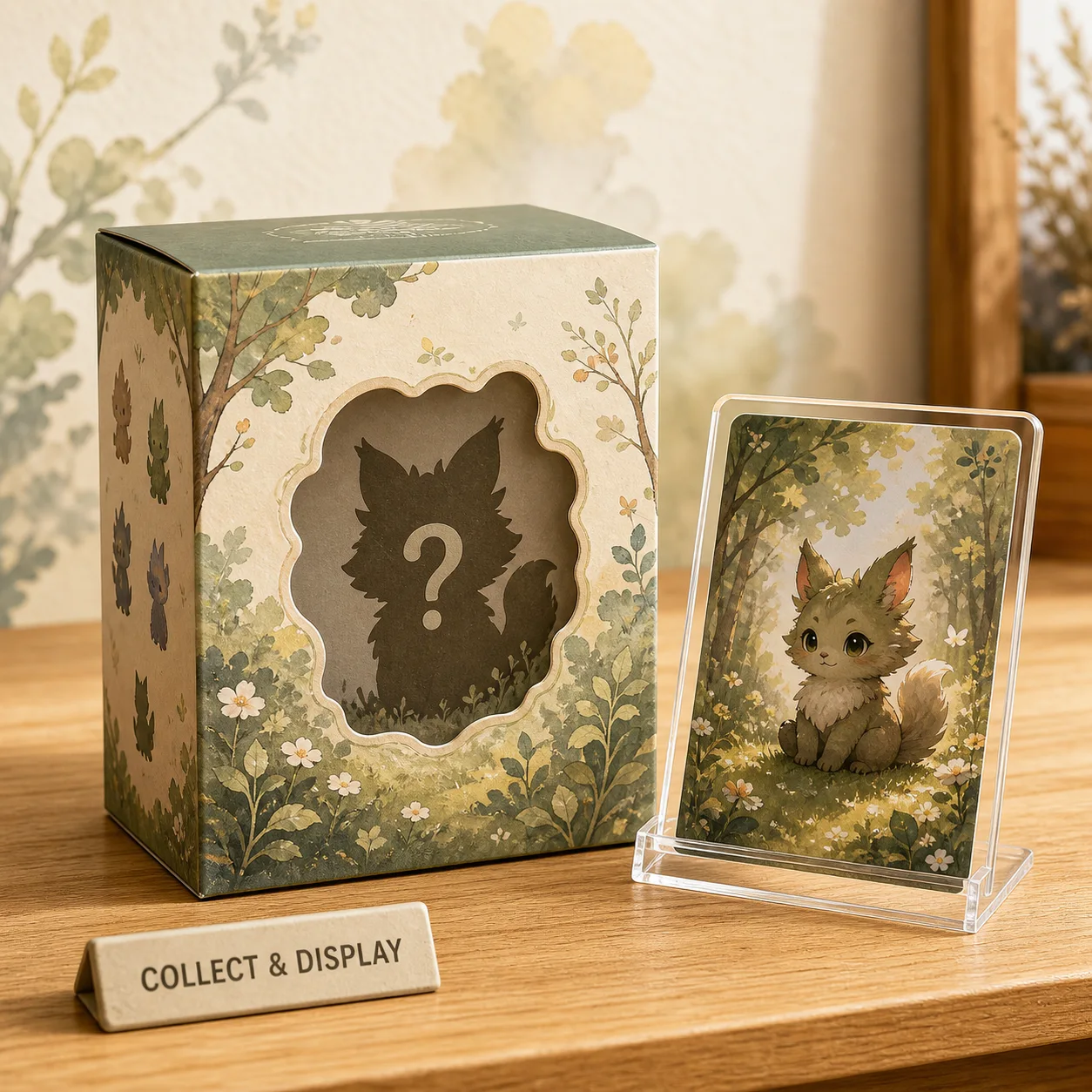
A hand-drawn collectible product display workflow for blind boxes and trading cards: create storybook warmth while protecting product art, box shape, card borders, and collectibility cues. Includes how to do it in KrafLayer.
TL;DR
For Create Hand-Drawn Blind Box and Trading Card Display Images, KrafLayer is useful when a real product reference needs to become a usable asset for listing images, detail pages, or ad assets. Treat it as production editing, not product reinvention; the test is whether shape, material, labels, color, scale, and accessories still match the source SKU.
Blind box and trading card displays need charm, but they also need product clarity. Collectors care about box shape, card border, artwork area, character silhouette, edition cues, and packaging condition.
How to use the style safely
Use general hand-drawn storybook qualities rather than naming copyrighted studios or franchises. The visual can feel soft and illustrated without copying a protected style.
Workflow
1. Preserve packaging shape, card border, artwork area, color, and scale. 2. Add gentle hand-drawn background elements around the product. 3. Keep collectible details readable. 4. Avoid fake rarity marks or invented text. 5. Use the result for social, campaign, or collection support images.
Where KrafLayer Fits
When you apply this Create Hand-Drawn Blind Box and Trading Card Display Images workflow in KrafLayer, start from the clearest product reference, then decide whether the asset needs cleanup, lighting, background work, detail support, or an ad version. Before using it for listing images, detail pages, or ad assets, check that shape, material, labels, color, scale, and accessories still match the source SKU.
Prompt to use in KrafLayer
~~~text Use the uploaded blind box or trading card product as the exact reference. Create a warm hand-drawn storybook-style ecommerce display. Preserve packaging shape, card border, artwork area, colors, product scale, and collectible details. Add soft illustrated lighting and simple background elements. Do not copy a named studio or franchise style, invent text, change the product art, or hide collectible details. ~~~
FAQ
Can I ask for a famous animation style?
Avoid named studios, franchises, or characters. Describe visual qualities instead: hand-drawn linework, soft color, storybook warmth, and gentle background.
Is this good for marketplace main images?
Usually no. Use it for campaign, social, collection, or support images.
What should collectors still be able to see?
Packaging shape, card border, artwork area, edition cues, color, and condition-related details.
Keep exploring
Continue the story
More practical guidance on product accuracy, composition, and conversion-ready visuals.

Put it into practice
Take the next step in KrafLayer
Choose a generation or editing workflow that matches what you just learned.