Image generation
How to Create Cyberpunk Neon Sneaker Product Displays with AI
TL;DR
A style-safe workflow for cyberpunk neon sneaker product displays: create high-energy campaign images while preserving shoe shape, sole, materials, logo, and colorway. Includes how to do it in KrafLayer.
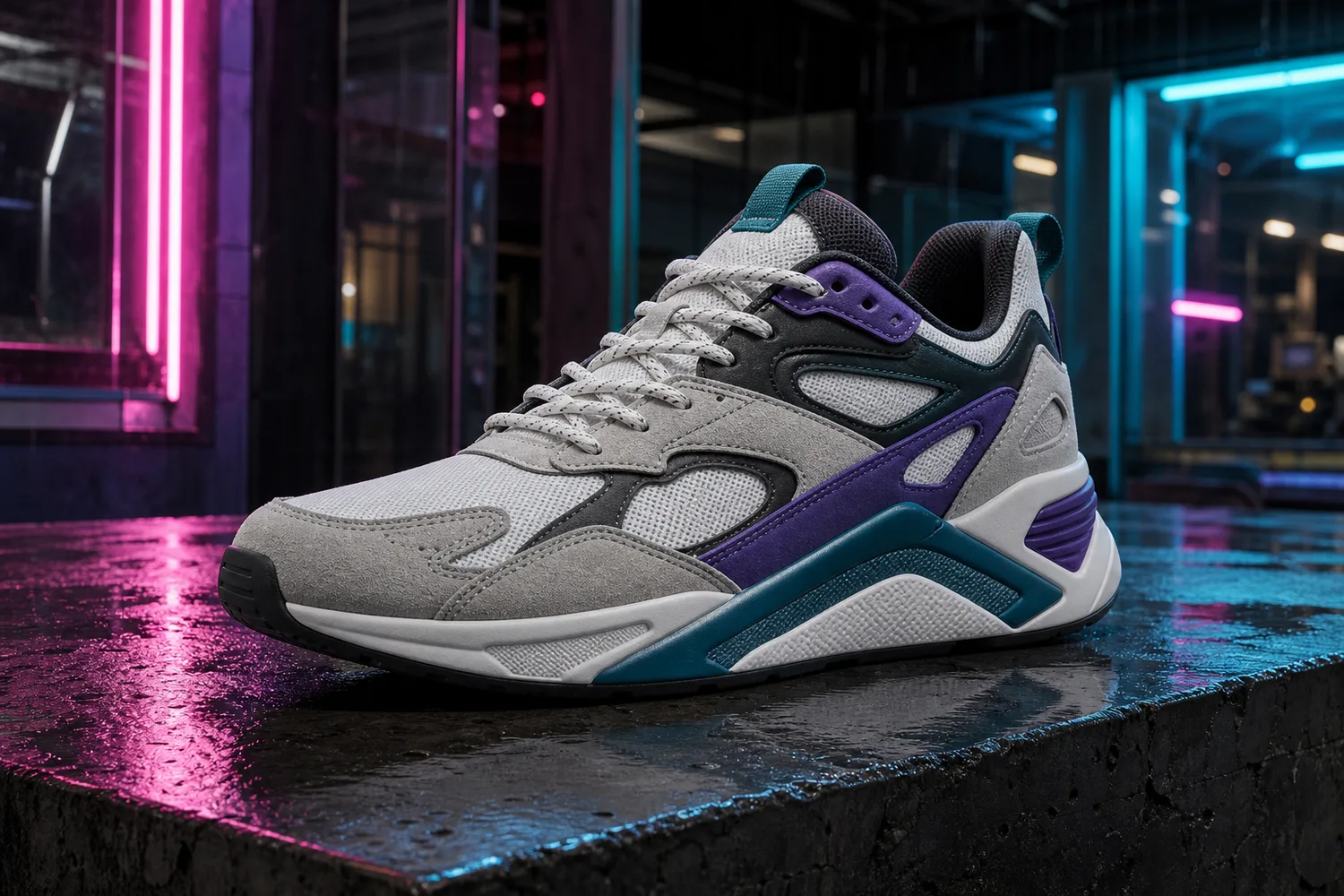
TL;DR
For Create Cyberpunk Neon Sneaker Product Displays, KrafLayer is useful when a real product reference needs to become a usable asset for ad posters. Treat it as production editing, not product reinvention; the test is whether shoe shape, sole pattern, material, and contact shadow remain believable.
Cyberpunk neon can make sneaker images feel energetic, collectible, and ad-ready. It also has a high failure rate: neon reflections, smoke, wet pavement, and color grading can easily hide the actual shoe.
Use this style for campaign posters, social covers, launch visuals, and paid ads. Keep marketplace main images cleaner unless the platform and brand positioning allow a stylized support image.
What to protect
Sneaker buyers read silhouette fast. Preserve toe shape, sole thickness, outsole pattern, side panels, lace structure, logo placement, stitching, material blocks, and colorway. Neon should wrap around the product visually, not redesign it.
Workflow
1. Choose one product angle that shows the sneaker clearly. 2. Define the cyberpunk elements: neon rim light, wet surface, dark city glow, reflective floor, or colored haze. 3. Keep the shoe brighter and clearer than the background. 4. Avoid text unless you will replace it manually later. 5. Check that the colorway is still accurate after neon grading.
Where KrafLayer Fits
When you apply this Create Cyberpunk Neon Sneaker Product Displays workflow in KrafLayer, start from the clearest product reference, then decide whether the asset needs cleanup, lighting, background work, detail support, or an ad version. Before using it for ad posters, check that shoe shape, sole pattern, material, and contact shadow remain believable.
Prompt to use in KrafLayer
~~~text Use the uploaded sneaker as the exact product reference. Create a cyberpunk neon ecommerce campaign image with controlled neon rim light, dark urban atmosphere, reflective surface, and high-energy composition. Preserve the sneaker silhouette, toe box, sole shape, outsole thickness, lace structure, side panels, logo placement, stitching, material blocks, and colorway. Keep the shoe clear and commercially prominent. Do not redesign the sneaker, add extra logos, hide the sole, distort proportions, or let neon color overwrite the real product color. ~~~
Summary
Cyberpunk sneaker images work when the style adds energy without reducing product clarity. The shoe must remain the hero, and the colorway must remain trustworthy.
FAQ
Is cyberpunk neon good for product pages?
It is best for campaign and support images. Product pages still need clean views that show shape, color, material, and sole detail without heavy effects.
Why does neon change the shoe color?
Strong colored light can contaminate the product. Ask for controlled rim light and preserve the true colorway, especially on white, gray, or pastel sneakers.
Should I include a city background?
Only if it supports the campaign. A simple reflective surface and neon light can be stronger than a busy city scene that competes with the shoe.
Keep exploring
Continue the story
More practical guidance on product accuracy, composition, and conversion-ready visuals.

Put it into practice
Take the next step in KrafLayer
Choose a generation or editing workflow that matches what you just learned.