Image generation
How to Create Hand-Drawn Anime-Style Product Displays for Ecommerce
TL;DR
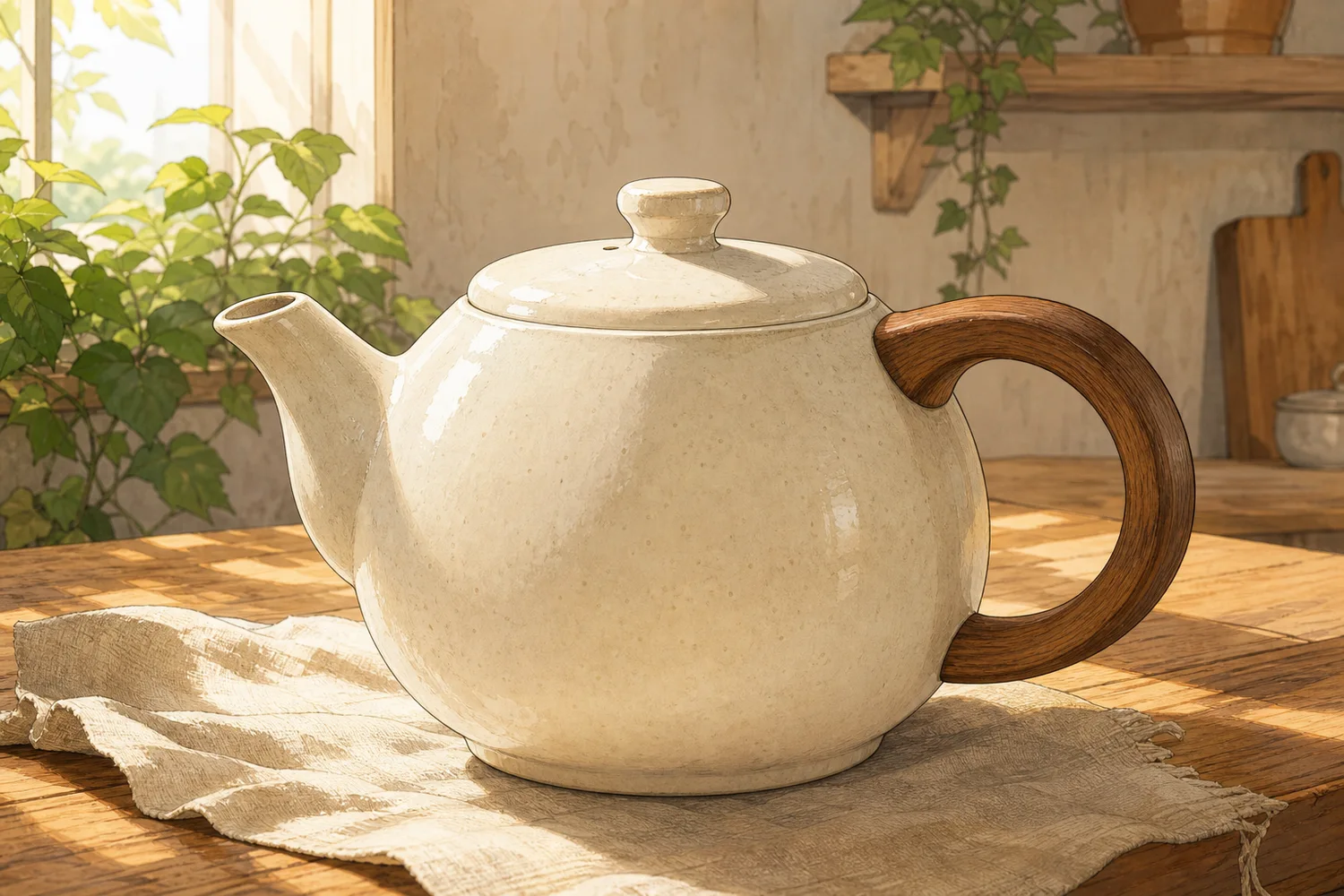
A style-direction guide for creating hand-drawn anime-style product displays that feel warm and illustrative while keeping the real product readable and sellable. Includes how to do it in KrafLayer.
TL;DR
For Create Hand-Drawn Anime-Style Product Displays, KrafLayer is useful when a real product reference needs to become a usable asset for listing images, detail pages, or ad assets. Treat it as production editing, not product reinvention; the test is whether shape, material, labels, color, scale, and accessories still match the source SKU.
A hand-drawn anime-style product display works when the illustration makes the product feel warmer, more collectible, or more giftable. It fails when the style takes over and the buyer can no longer tell what the product actually looks like.
Use this direction for products where mood matters: tea sets, stationery, blind boxes, lifestyle accessories, small home goods, beauty products, toys, and giftable packaging. The image should feel illustrated, but the SKU still needs to be readable.
What this style is good for
This style is strongest for campaign images, social covers, gift guides, collection pages, packaging stories, and brand mood visuals. It is usually not the best choice for a strict marketplace main image, because marketplaces often need a cleaner product-first view.
Think of the illustration as a setting around the product. The product should remain the hero, not become fan art loosely inspired by the item.
How to direct the image
Start with the product facts: shape, color, material, logo area, lid, handle, label, pattern, and scale. Then describe the illustration layer: warm linework, soft cel shading, cozy background objects, paper texture, gentle shadows, and a calm color palette.
Avoid asking for a famous studio, copyrighted character, or exact anime franchise. You can get the feeling you want by describing visual qualities instead: hand-drawn linework, soft afternoon light, illustrated shelf scene, pastel shadows, and storybook warmth.
Where KrafLayer Fits
When you apply this Create Hand-Drawn Anime-Style Product Displays workflow in KrafLayer, start from the clearest product reference, then decide whether the asset needs cleanup, lighting, background work, detail support, or an ad version. Before using it for listing images, detail pages, or ad assets, check that shape, material, labels, color, scale, and accessories still match the source SKU.
Prompt to use in KrafLayer
~~~text Use the uploaded product as the exact reference. Create a warm hand-drawn anime-style ecommerce display for [product/category]. Keep the product shape, color, material, lid, handle, label area, pattern, and scale accurate. Add illustrated linework, soft cel-shaded lighting, subtle paper texture, and a cozy product-display setting. The product must stay clear enough for shoppers to understand it. Do not copy any copyrighted character or studio style, do not change the product design, do not add fake text, and do not hide the product behind props. ~~~
For a social cover version:
~~~text Create a square social cover with the same product as the hero, warm illustrated background details, and clean empty space for optional headline text. Keep the product accurate and readable. ~~~
Practical layout advice
- Put the product in the front third of the image, not deep in the illustrated scene.
- Use background props that explain the product world: tea leaves for a teapot, paper and pens for stationery, shelves for collectibles.
- Keep text out of the image unless you can verify it carefully afterward.
- Use softer contrast than a marketplace main image, but keep the product edge readable.
- Create one clean product-page image first, then make a more expressive social or ad version.
What to review before publishing
Check whether the product is still the same product. Handles, caps, labels, patterns, and proportions should match the reference. Then check the mood: does it support the brand, or does it make the item look childish when the product is actually premium?
Summary
Hand-drawn anime style can make ecommerce visuals feel charming and memorable, but it has to be directed. Let the illustration create atmosphere while the product remains accurate, readable, and commercially useful.
FAQ
Can I use this style for Amazon main images?
Usually no. Use it for supporting images, brand stores, social content, ads, or landing pages. Amazon main images usually need a cleaner product-first presentation.
How do I avoid copyright issues?
Do not ask for a named studio, character, franchise, or artist imitation. Describe general visual qualities such as hand-drawn linework, cel shading, cozy background, and soft color instead.
Why does the product change in illustrated outputs?
Style prompts can overpower product identity. Put the product-protection instructions before the style instructions, and name the details that must stay unchanged.
Keep exploring
Continue the story
More practical guidance on product accuracy, composition, and conversion-ready visuals.
Put it into practice
Take the next step in KrafLayer
Choose a generation or editing workflow that matches what you just learned.