Edit tools
How to Fix Yellow Color Cast in Product Photos
TL;DR
A practical product-photo color correction workflow for turning warm yellow indoor shots into neutral, sellable ecommerce images without changing the SKU. Includes how to do it in KrafLayer.
TL;DR
For Fix Yellow Color Cast in Product Photos, use KrafLayer as a fast pre-publishing edit step: run Restore on a usable source photo, then compare color, exposure, and recovered detail against the original. It is most useful for listing images, detail pages, or ad assets, as long as shape, material, labels, color, scale, and accessories still match the source SKU.
If a product photo looks yellow, fix the color cast before you judge the product, the background, or the camera. The goal is not to make the image cold or over-white. The goal is to restore believable product color so the buyer can read the material, finish, and variant correctly.
KrafLayer is an AI-powered visual editor for ecommerce product photography. For this kind of edit, use it to correct the light color while protecting product facts: shape, material, metal tone, wood detail, scale, and shadow.
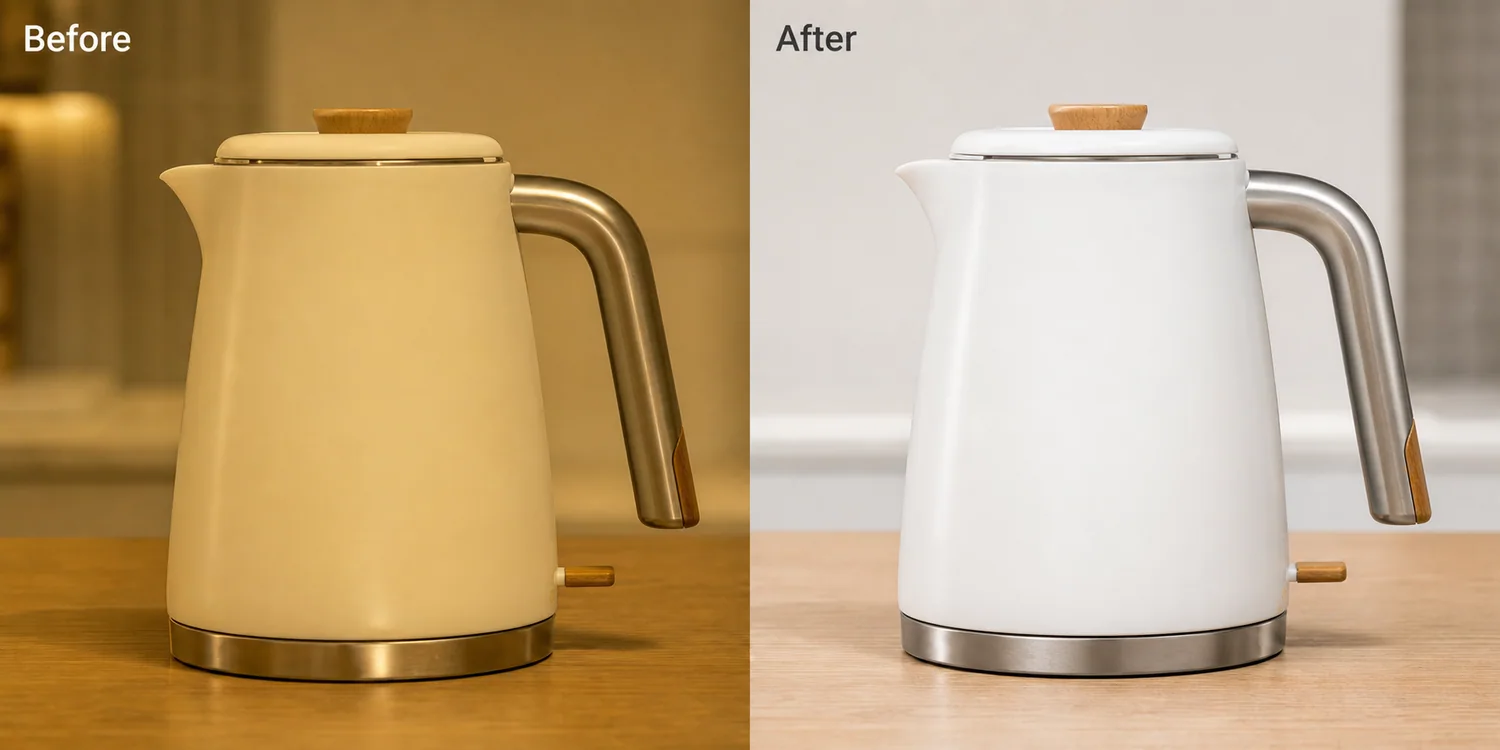
The example uses one white ceramic electric kettle. The before image has a strong warm indoor cast, so the white body looks cream and the steel handle looks muddy. The after image is not a new product render. It is the same selling asset corrected toward neutral whites, readable steel, and cleaner marketplace-style lighting.
Why Yellow Product Photos Hurt Listings
A yellow cast makes a buyer question the real color of the item. White ceramics can look beige, silver hardware can look brass, and clear plastic can look aged. For apparel, beauty, home goods, kitchenware, and electronics, that can cause returns or hesitation because the product color no longer matches the option name.
Color correction is a trust edit. It helps the listing answer a basic question: what color and material will arrive?
Start With the Product Facts
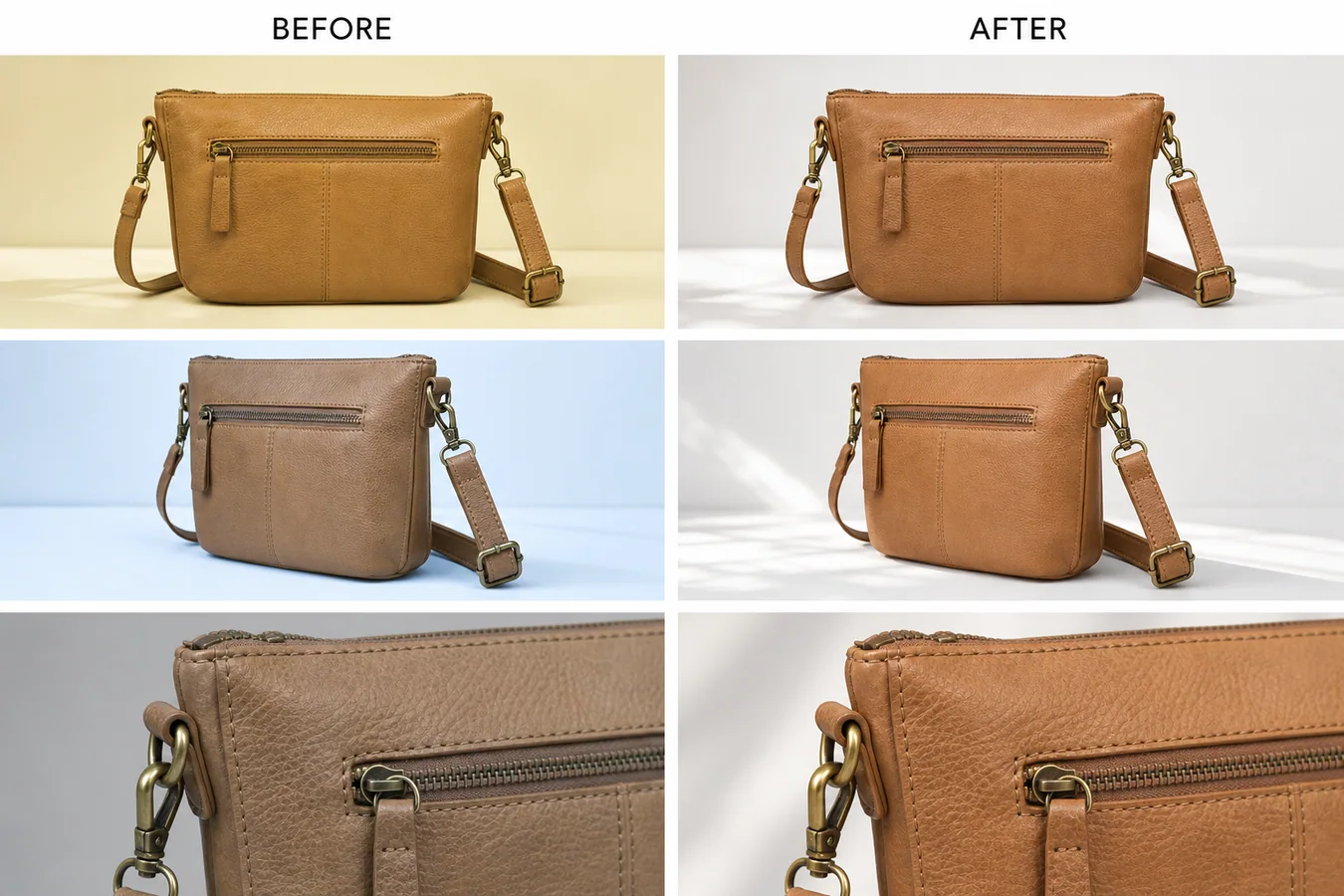
Before editing, name what must stay unchanged. For a kettle, protect the body shape, lid line, handle curve, steel base, wood knob, switch position, and natural contact shadow. For a bag, protect leather grain, zipper position, stitching, strap angle, and hardware color.
If the AI changes these details while fixing the color, reject the result. A cleaner image is not useful if it quietly redesigns the SKU.
Edit Prompt for Yellow Cast Correction
Use a narrow prompt inside [KrafLayer](https://kraflayer.com):
Correct the warm yellow color cast in this product photo and restore accurate neutral product color. Keep the same product shape, angle, crop, material texture, steel tone, wood detail, scale, and natural shadow. Make the lighting clean enough for an ecommerce listing, but do not redesign the product, remove real details, add props, add logos, or make the whites look blue.
This prompt keeps the edit about color and light, not a full creative restyle.
Check Neutral Does Not Mean Flat
Good correction still has depth. The product should keep soft shadows, edge highlights, and material contrast. If the image becomes pure white with no shape, it may pass a quick thumbnail check but fail on a product detail page.
Use this review list:
- white or light-colored parts look neutral, not blue
- metal keeps a realistic steel tone
- wood, leather, fabric, or plastic keeps its real warmth
- shadows stay soft and connected to the product
- label areas and small details remain readable
- the edited image still looks like a product photo, not a sterile cutout
When to Correct by Batch
Batch correction works when a set of images was shot under the same bad light. It is useful for supplier photos, warehouse shots, and small catalog updates. Start with one hero image, define the correction style, then apply that direction across the set.
Do not batch-correct mixed lighting blindly. A yellow kitchen counter shot, a dark warehouse shot, and a daylight lifestyle shot need different treatment.
Where KrafLayer Fits
When you apply this Fix Yellow Color Cast in Product Photos workflow in KrafLayer, the tool choice matters: run Restore on a usable source photo, then compare color, exposure, and recovered detail against the original. After generation, judge the image by the channel it serves — listing images, detail pages, or ad assets — and check that shape, material, labels, color, scale, and accessories still match the source SKU.
FAQ
What is a yellow color cast in product photography?
A yellow color cast is a warm lighting shift that makes the entire product photo look too yellow or beige. It often comes from indoor bulbs, old supplier photos, or mixed lighting.
Can AI fix yellow product photos without changing the item?
Yes, if the prompt protects product facts. Ask for color correction, neutral lighting, and unchanged shape, material texture, scale, hardware, labels, and shadow.
Should white products become pure white after correction?
No. White products should look neutral and clean, but still show shape, highlights, and soft shadows. Pure white with no detail can make the product look flat or fake.
Keep exploring
Continue the story
More practical guidance on product accuracy, composition, and conversion-ready visuals.
Put it into practice
Take the next step in KrafLayer
Choose a generation or editing workflow that matches what you just learned.