Edit tools
Product Image Background Remover for Listings, Stores, and Ads
TL;DR
Use a product image background remover to create transparent cutouts, white-background listing images, store assets, and ad crops without changing the SKU.
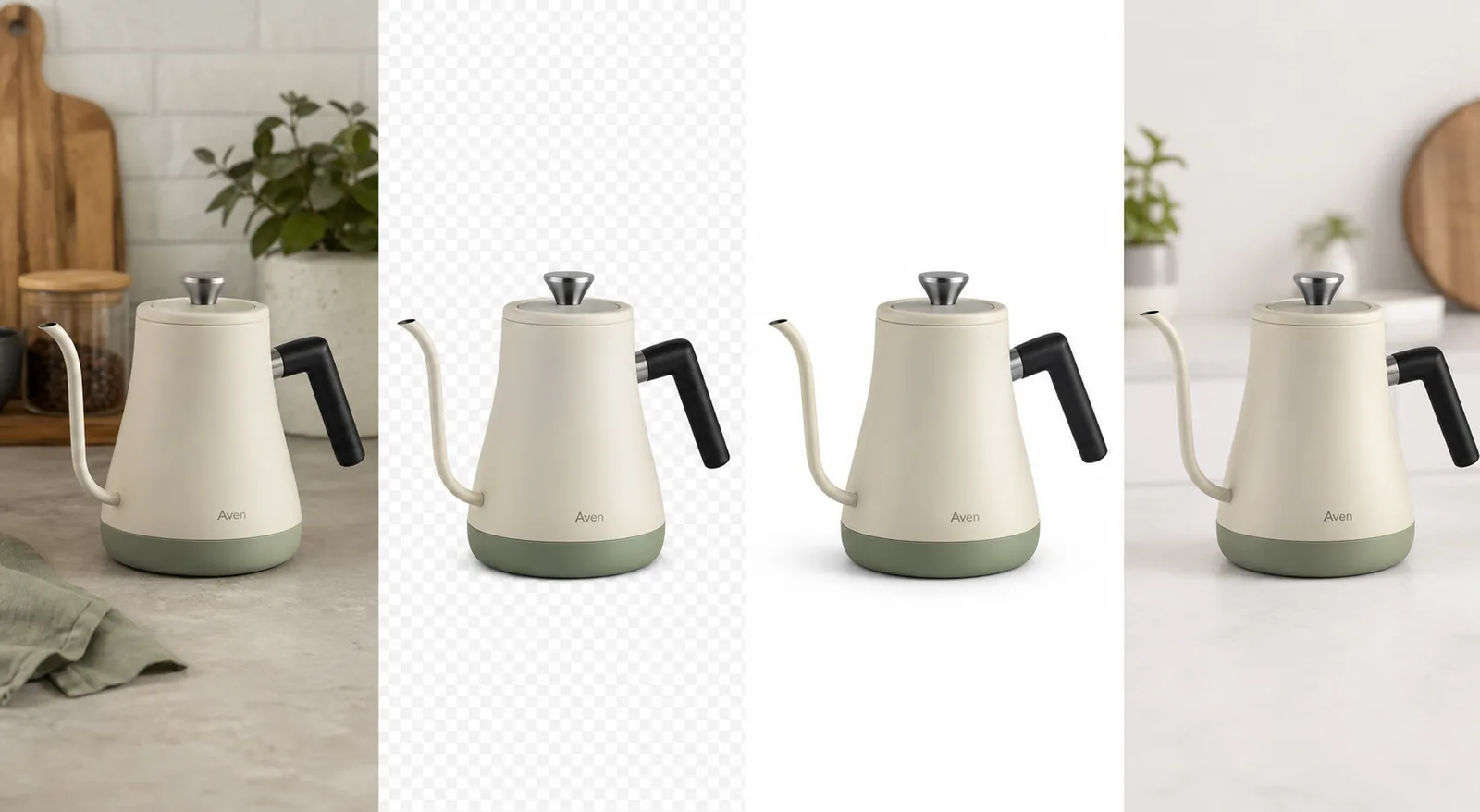
A product image background remover should do one job first: separate the product from the original scene without changing what a buyer needs to recognize. Once the cutout is accurate, you can reuse it for a white-background listing image, a Shopify product page, a marketplace draft, or an ad crop.
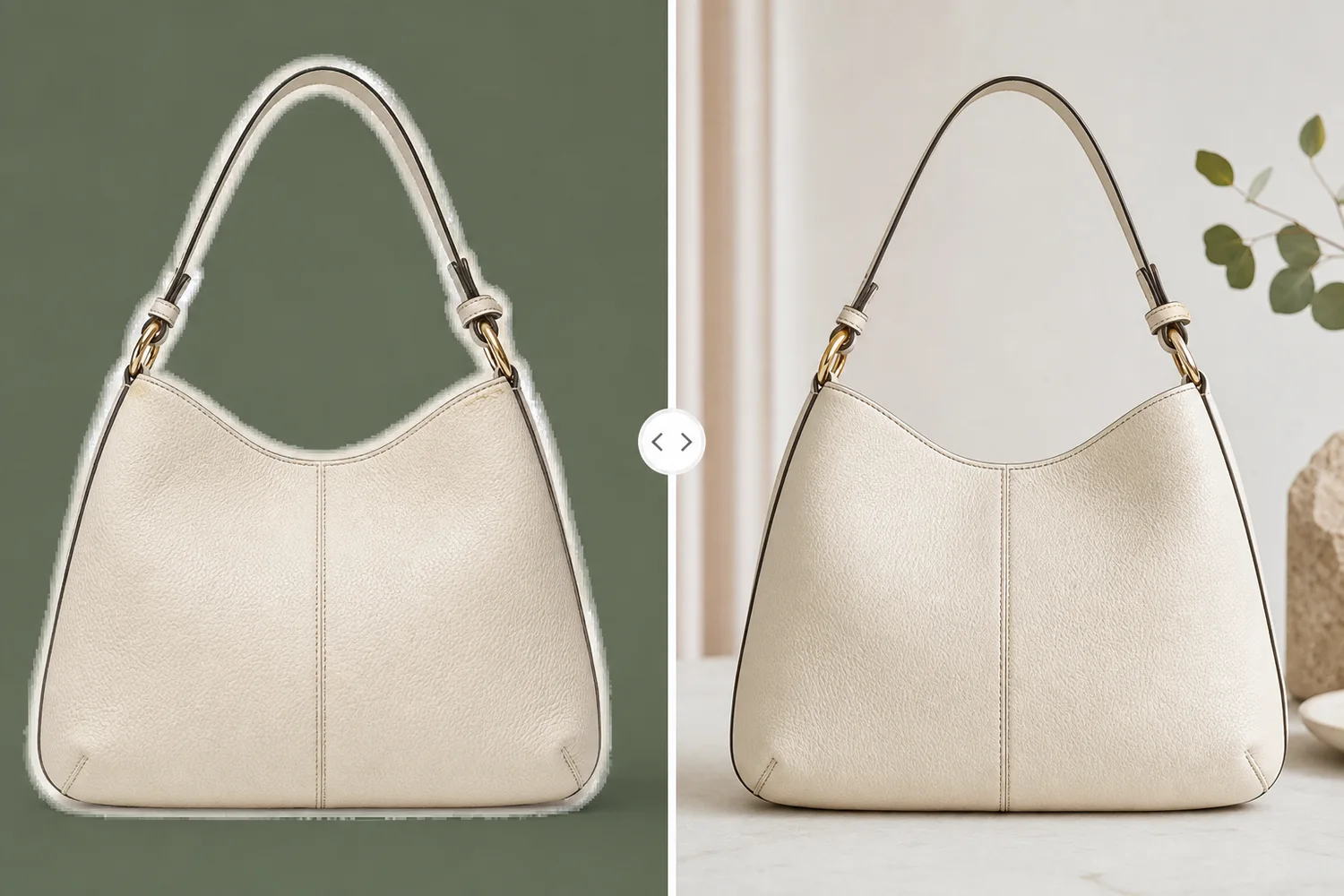
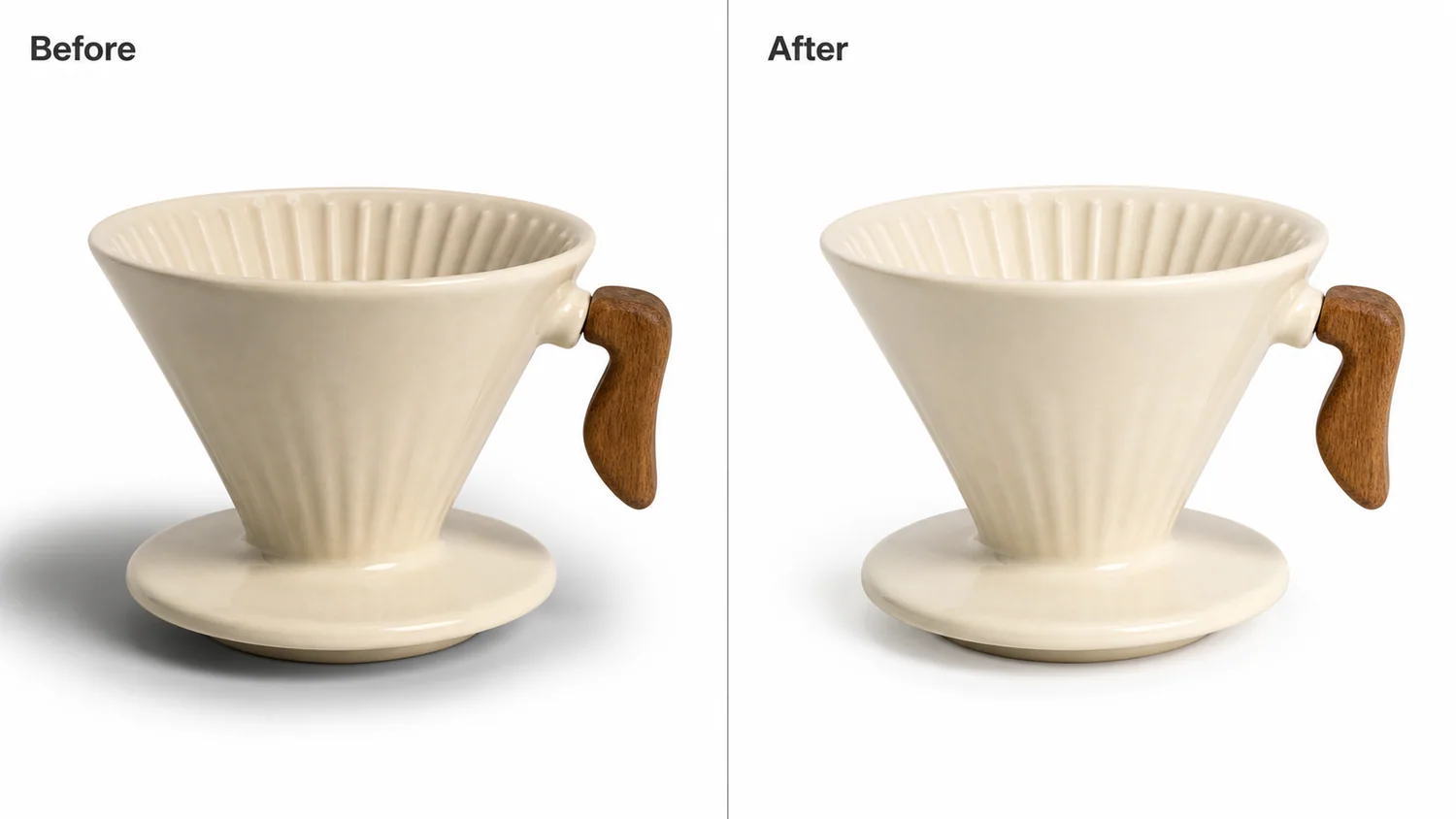
In KrafLayer, the [AI background remover](/tools/ai-background-remover) is a one-click Remove BG workflow. Upload the source photo, remove background from product image files without hand tracing, generate a transparent PNG product image, inspect the edge, and then decide which final image role the cutout should support.
Product Image Background Remover Decision Rule
Use a background remover when the product is already correct and the environment is the problem. It is the right tool when the source photo has a messy counter, colored wall, warehouse floor, table clutter, inconsistent lighting background, or a scene that does not fit the final channel.
Do not use background removal to fix a product that is wrong. If the kettle spout is bent, the handle shape is incorrect, the colorway is off, or the label moved, isolating the product will only make a cleaner version of the wrong asset.
For the Aven kettle example, the protected product facts are:
- matte cream body with sage lower band
- slim gooseneck spout
- short black handle
- brushed steel lid knob
- small invented Aven mark
- upright scale and soft ceramic finish
- natural shadow logic under the base
That list is the approval standard. A good product background remover removes the scene, not the product truth.
Listings, Stores, And Ads Need Different Outputs
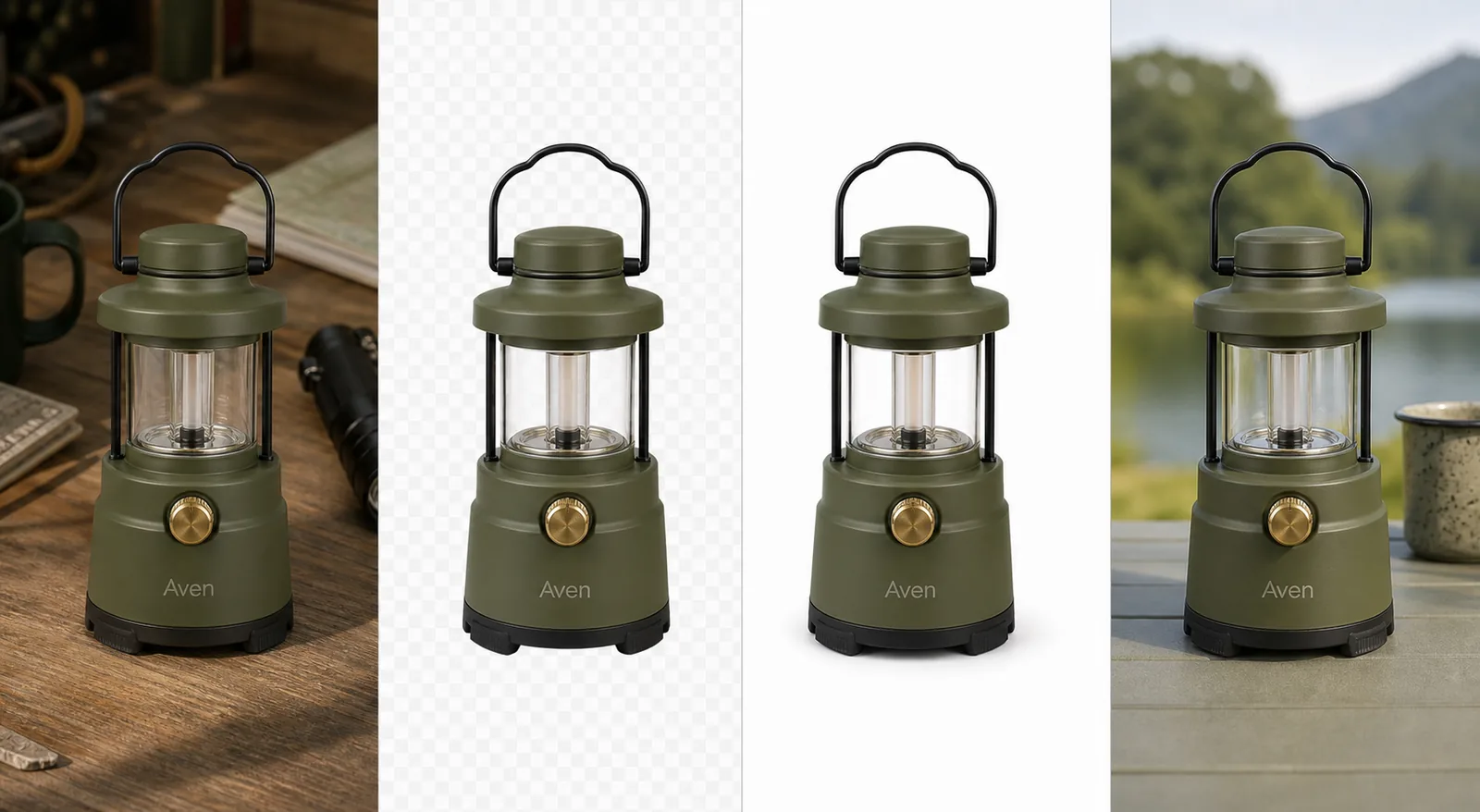
The same product image cutout can support several ecommerce assets, but each role has a different job:
- Listing main image: center the product, keep the crop clean, and use white or near-white when the channel expects a simple main image.
- Store product page image: keep the product large enough to inspect, with consistent ratio across the gallery.
- Collection thumbnail: use the transparent PNG product image to keep grid images aligned and easy to compare.
- Ad crop: place the cutout in a tighter frame or simple scene, but keep product identity unchanged.
- Detail image: use the cutout as the main reference, then add separate detail crops only when they prove a material, feature, cap, handle, label area, or construction point.
This is why a product image background remover is more than a cleanup button. It creates a reusable product layer for [ecommerce product photography](/ecommerce-product-photography) workflows.
Steps In KrafLayer
Use Remove BG when the task is isolation, not restyling:
- Upload the product photo.
- Run Remove BG. This tool is one-click and automated; it does not use a prompt or painted mask.
- Check the transparent edge around handles, spouts, straps, cords, glass, feet, and thin hardware.
- Export or reuse the transparent PNG cutout.
- Build the white-background product image first.
- Only then create store, marketplace, or ad variations from the same approved cutout.
If you need broader edits, use the [product photo editor](/product-photo-editor) after the cutout passes review. For example, use object erasing for small distractions, upscaling for resolution, or background replacement when the final image needs a new context instead of a transparent cutout.
What A Good Cutout Should Preserve
A useful product background remover keeps the hard-to-inspect details intact:
- Silhouette: no clipped spout, handle, strap, corner, or product foot.
- Material: ceramic should not become plastic; glass should not become a flat outline.
- Color: removing a warm kitchen background should not cool the actual product color.
- Label area: fictional or real package marks should stay in the same place and proportion.
- Alpha edge: the transparent PNG should not carry a colored halo from the old background.
- Shadow logic: white-background images need a believable contact shadow or the product will float.
- Thumbnail readability: the product should still be recognizable in a grid or ad crop.
If any of those checks fail, rerun the source image, use a cleaner reference photo, or switch to a more controlled edit. Do not scale one flawed cutout across every channel.
Shopify, Amazon, And Channel-Specific Use
For [Shopify product images](/marketplace-product-images/shopify-product-images), a clean cutout helps you keep PDP galleries, collection thumbnails, and campaign banners visually consistent. The useful workflow is to approve the product cutout once, then reuse it across ratios.
For [Amazon product photos](/marketplace-product-images/amazon-product-photos), treat the background remover as an asset-preparation tool, not as a marketplace compliance guarantee. Current channel rules still need to be checked before publishing. Avoid fake badges, review stars, platform UI, discounts, certification marks, QR codes, barcodes, and unsupported claims.
For ads and social crops, the cutout gives you speed, but the product still needs to dominate the frame. A background-removal workflow fails when the final ad is pretty but the buyer cannot tell what is being sold.
When Background Replacement Is A Better Fit
Choose background removal when you want a transparent product layer or a clean white-background product image. Choose background replacement when the final image needs a new environment, such as a kitchen counter, studio surface, boutique shelf, outdoor scene, or seasonal campaign setup.
The order matters. Remove the old background first, approve the product cutout, then build a replacement scene if needed. This keeps the product from being reinterpreted as part of the new environment.
FAQ
What is a product image background remover?
A product image background remover isolates the product from the scene behind it. For ecommerce, the useful output is usually a transparent PNG product image or a clean white-background product image that preserves the product shape, color, material, edge detail, and scale.
Is a product background remover different from a normal background remover?
The core action is similar, but ecommerce use is stricter. A product background remover must protect SKU details such as handles, labels, transparent materials, stitching, hardware, ports, caps, feet, and contact shadow. A casual portrait-style background removal result is not always accurate enough for listings.
Should I use a transparent PNG or a white-background image?
Use a transparent PNG product image when you want a reusable design layer for store pages, ads, banners, or gallery layouts. Use a white-background product image when the final channel needs a clean main listing image or consistent product grid.
Can I use one cutout for Shopify, Amazon, and ads?
You can reuse one approved product image cutout across Shopify, marketplace drafts, and ads, but each final channel needs its own crop, ratio, margin, and policy review. The cutout saves editing time; it does not remove the need to check channel-specific requirements.
Does KrafLayer Remove BG need a prompt?
No. KrafLayer Remove BG is a one-click automated background-removal tool. It does not need a prompt or painted mask. Use prompts only for prompt-capable workflows such as background replacement, masked edits, reference edits, or scene composition.
Conclusion
A product image background remover is valuable when it creates a trustworthy product cutout, not just a cleaner-looking picture. Start with the real product photo, isolate the product, inspect the transparent PNG edge, then build listing, store, marketplace, and ad images from the same approved asset. KrafLayer keeps that workflow practical by making background removal fast while leaving the product truth review in the seller's hands.
Keep exploring
Continue the story
More practical guidance on product accuracy, composition, and conversion-ready visuals.
Put it into practice
Take the next step in KrafLayer
Choose a generation or editing workflow that matches what you just learned.